Familiarizing yourself with your appliance en-us
7
Dispenser for special salt Special salt is added to the dispenser for special salt.
→
"Water softening system", Page14
Lower spray arm The lower spray arm washes the dishware in the lower rack.
If the dishware has not been washed properly, clean the spray
arms.
→
"Cleaning the spray arms", Page26
Detergent tab collecting tray During the wash cycle, detergent tabs automatically drop out of
the detergent dispenser into the tab collecting tray, where they
can dissolve fully.
Upper rack Upper rack
Silverware drawer
Silverware drawer →
Page12
EmotionLight Interior lighting of the appliance.
→
"Overview of the basic settings", Page22
Cup shelf
1
Cup shelf →
Page12
Upper spray arm The upper spray arm washes the dishware in the upper rack.
If the dishware has not been washed properly, clean the spray
arms.
→
"Cleaning the spray arms", Page26
Filter system
Filter system →
Page25
Silverware basket Silverware basket
Dispenser for rinse aid Rinse aid is added to the dispenser for rinse aid.
→
"Rinse aid system", Page15
1
Depending on the appliance specifications
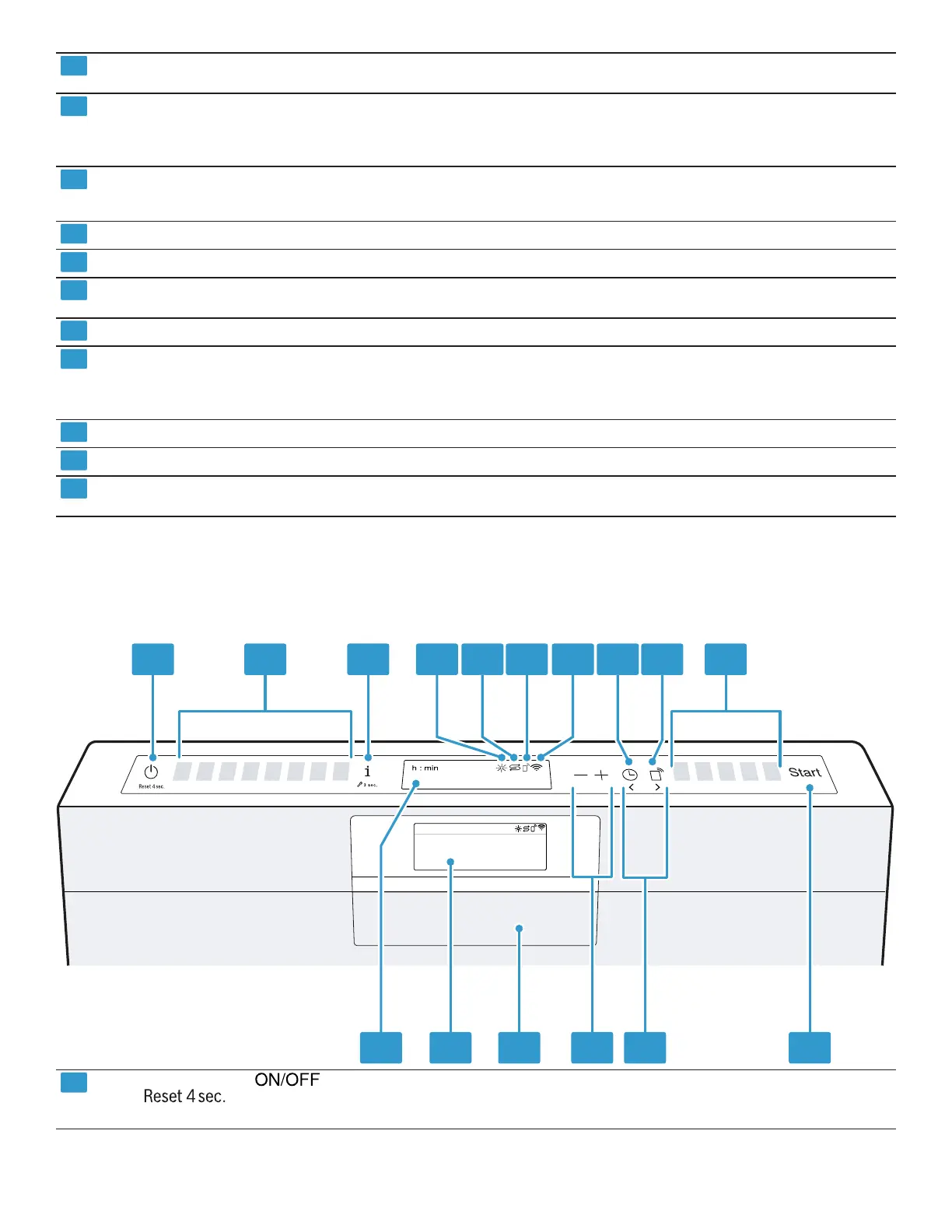
4.2 Controls
You can use the control panel to configure all functions of your appliance and to obtain information about the operating
status.
With some buttons you can perform different functions.
1 2 3 4 5 6 7 8 9 10
111213141516
ON/OFF button and reset button
Switching on the appliance →
Page20
Switching off the appliance
Terminating the wash cycle →
Page20
1
Depending on the appliance specifications




 To Next Page