3E2374 Sheep Auto Drafter User Manual
Page 22
USING THE REMOTE CONTROL
The Sheep Auto Drafter comes with a remote control.
The remote control can be operated from within a 15m radius of the unit, which
allows you to carry out tasks at a distance while still maintaining control of the
unit operations.
Button functions
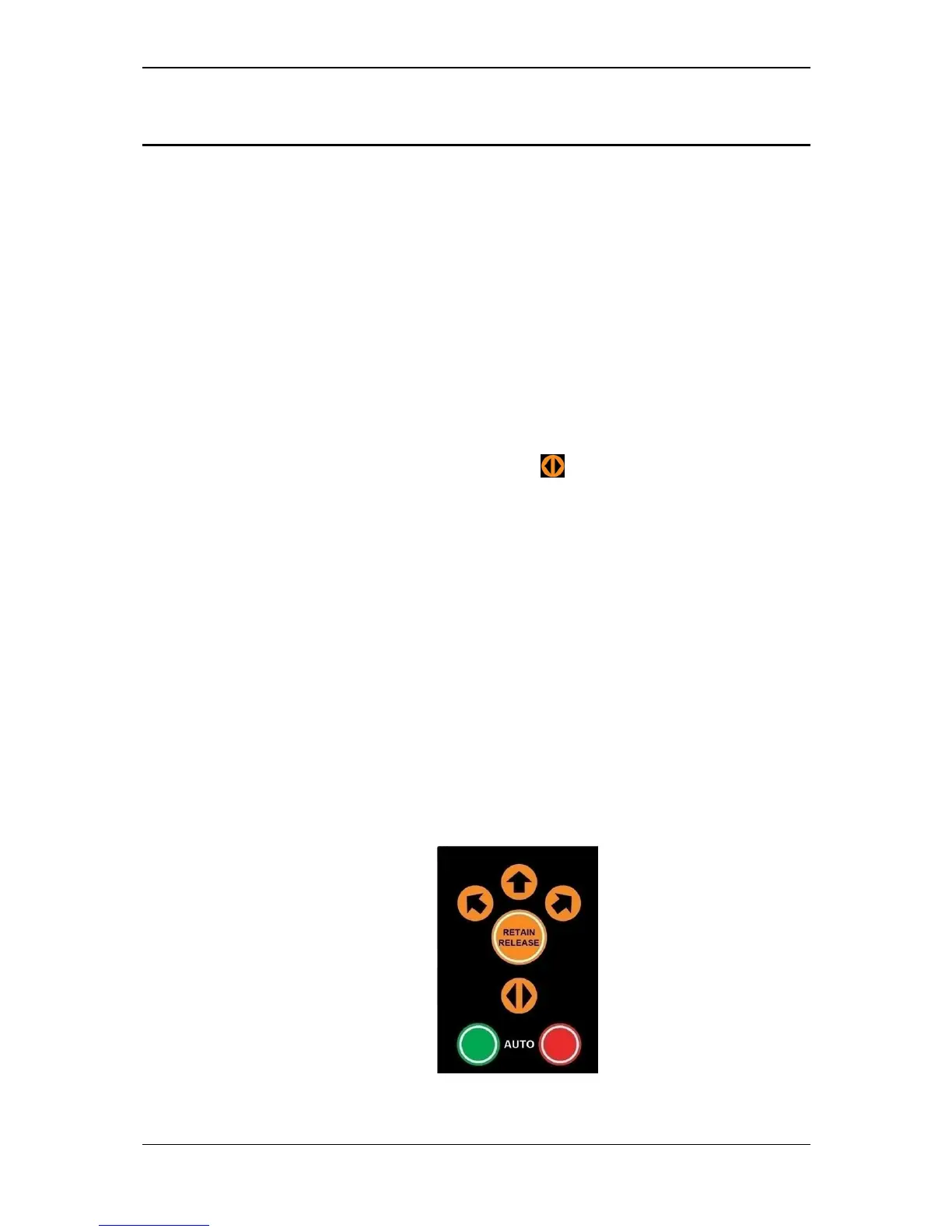
The unit can operate in two modes: Automatic Release Mode and Manual
Release Mode. The seven buttons on the remote are used to operate the Sheep
Auto Drafter and sorting unit in these two modes (see Figure 13).
The bottom two green and red buttons are used to operate the unit in Automatic
Release Mode. In this mode the unit will automatically release animals, without
user intervention, by using conditions set up in the scale indicator prior to the
session. Additionally the Entry Gate button can be used in Automatic Release
Mode to control the gate if sheep need to be cleared from the unit. (This button
/function is also available on the Sheep Auto Drafter Control Bridge, see Figure
14.)
The top five orange buttons are used to operate the unit in Manual Release
Mode. In this mode you can control how an animal exits the unit or interrupt the
unit operation, (e.g. to remove an animal if two have accidentally entered the
unit).
Using two remote controls
In the situation where you are using two remote controls you need to consider
which one is currently "paired up" with the unit. The remote control that you use
first during a session will be synchronised with the unit. This means any other
remote controls will not operate.
To find out how a remote control is synchronised see To turn the Sheep Auto
Drafter on (p 28).
Figure 13. Remote control button layout.



 To Next Page