3E2374 Sheep Auto Drafter User Manual
Page 37
the unit was weighing an animal the weight will be locked into the scale
indicator before the exit gate is opened).
2. To start operations again press either the Retain/Release , the Start
button on the remote control or press the Entry Gate button on the
Control Bridge.
• Pressing Start on the remote or pressing the Entry Gate button on the
Control Bridge will put the unit into Automatic Release Mode.
• Pressing Retain/Release will put it into Manual Release Mode.
Using the E-Stop button to halt Sheep Auto Drafter
operation
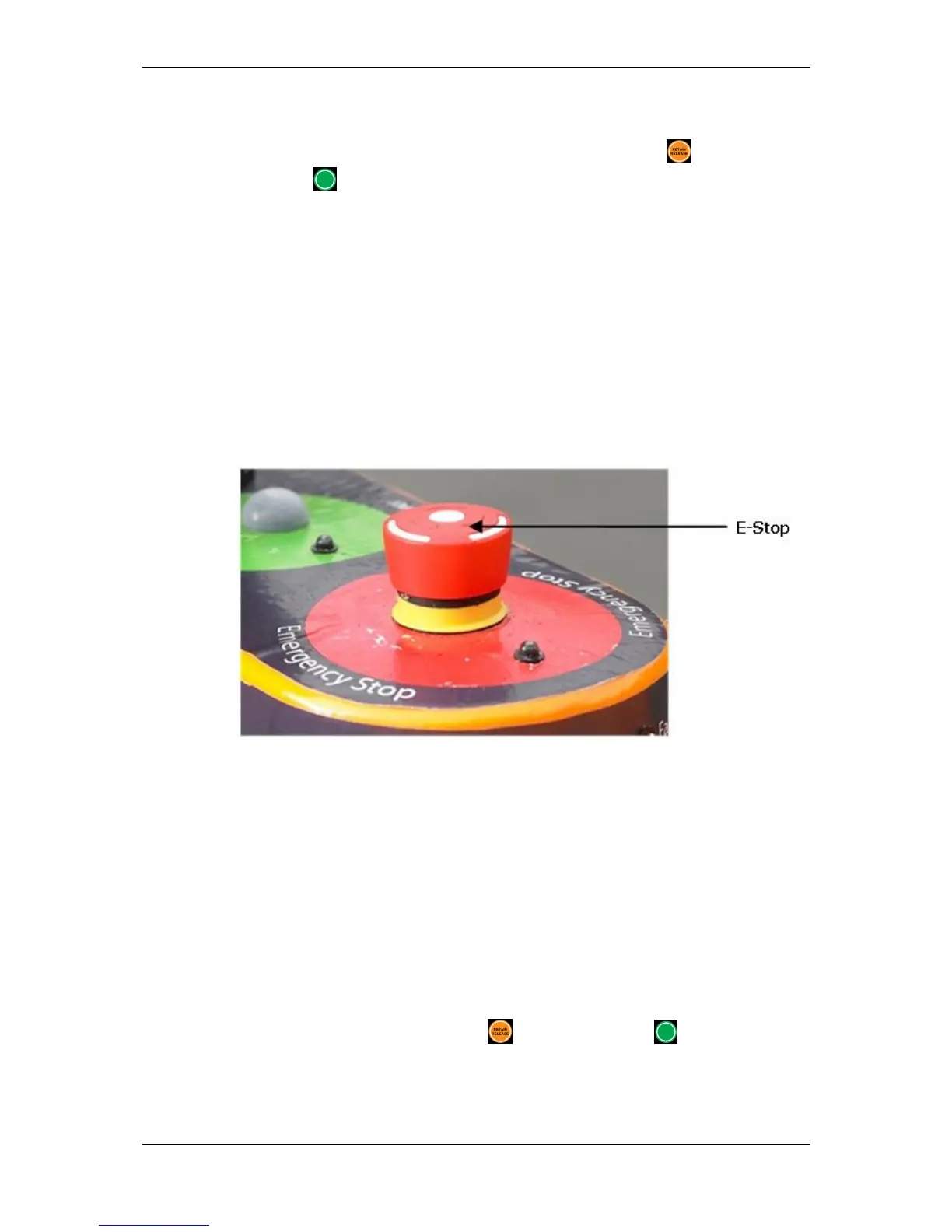
It is likely that you will use the E-Stop button very rarely as it is intended for use
in emergency situations only. It is the large red button situated at the front of the
Control Bridge (see Figure 18).
Figure 18. E-Stop button position.
To use the E-Stop button
1. In an emergency hit the E-Stop button (situated on the Control Bridge).
• The red E-Stop LED will start to flash.
• The air pressure will be removed - this will allow you to manually open
the entry or exit gates if you need to.
2. Resolve the issue that has occurred.
3. Release the E-Stop button.
• The white mode LED will start to flash.
4. Press either the Retain/Release or the Start button on the remote
control, or the Entry Gate button on the Control Bridge only.
• Pressing Start on the remote or pressing the Entry Gate button on the
Control Bridge will put the unit into Automatic Release Mode.



 To Next Page