18
3E3020 Gallagher HR4 Hand Held EID Tag Reader User Manual
English
Note:
The table will be empty if no devices have previously been
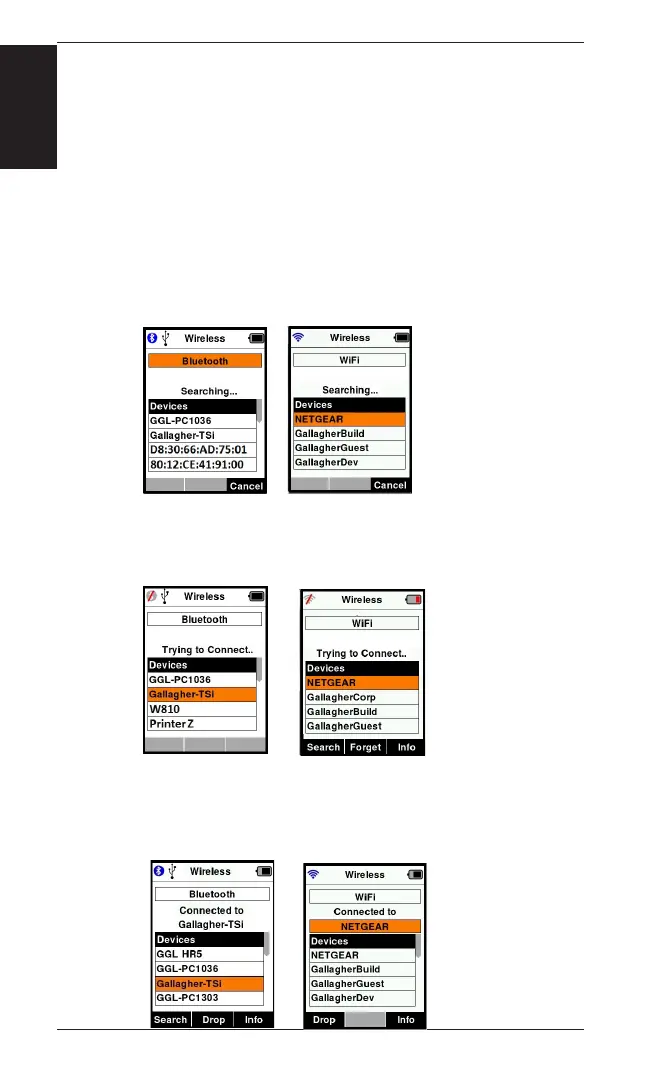
The Reader can now be searched for and found by other
displayed on the screen.
4.
Search
the name of each device is received it will be displayed,
replacing the Bluetooth or WiFi address.
5. Use the arrow keys to select a device to connect to and press
the OK
Note: The HR4 can
send and/or
receive data from
other devices via
Bluetooth and
WiFi.
See () for further details when
6. Press Return
menu.
Important: You may
be prompted for a
passkey code to
complete the
Bluetooth pairing or


 To Next Page