Setting Up Your Gallery 1390R DTF Printer:
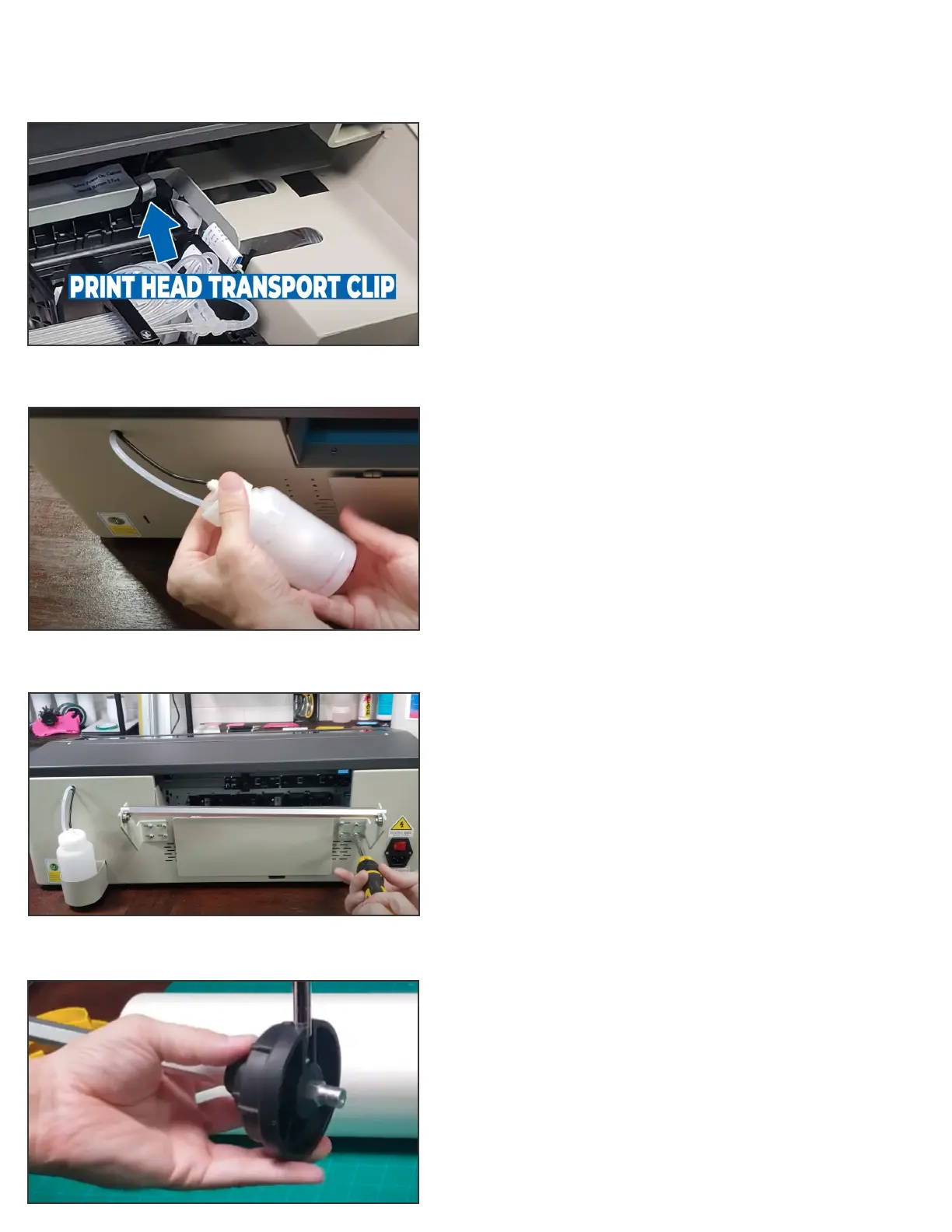
Step 1
Remove the shipping bracket next to the printhead.
Open top cover and unscrew the bracket.
Step 2
Attach the waste ink bottle holder to the back of the
printer. Attach empty bottle to waste ink line.
Step 3
Screw the left and right lm roller brackets to the back of
the printer.
Step 4
Attach one of the anges to the lm roller bar, place lm
on bar, then attach second ange.


 To Next Page