EasyManua.ls Logo

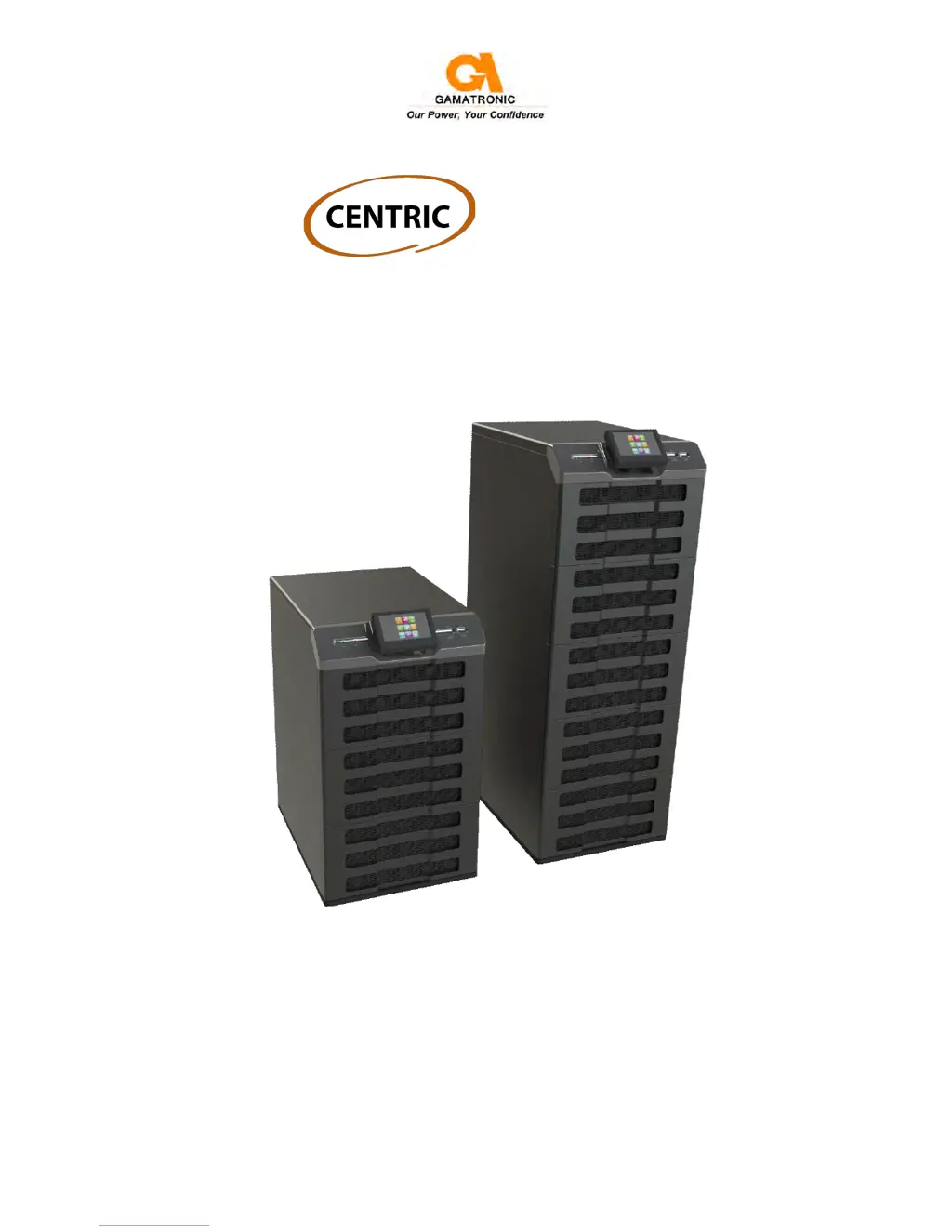
Gamatronic Centric 50 kVA - User Manual

Gamatronic Centric 50 kVA
85 pages
Print Icon
To Next Page IconTo Next Page
Loading...
GAMATRONIC ELECTRONIC INDUSTRIES LTD.
17 Hartom St., PO Box 45029, Jerusalem 91450, Israel
Tel: +972-2-588-8222 Fax: +972-2-582-8875
Email: info@gamatronic.co.il Website: www.gamatronic.com
2MUM-PPCN
U
U
P
P
S
S
S
S
Y
Y
S
S
T
T
E
E
M
M
Cat. no. 101SBD6x
U
U
s
s
e
e
r
r
G
G
u
u
i
i
d
d
e
e
f
f
o
o
r
r
m
m
o
o
d
d
e
e
l
l
s
s
5
5
0
0
k
k
V
V
A
A
-
-
2
2
0
0
0
0
k
k
V
V
A
A
Release 0.3, July 2013

Table of Contents

Other manuals for Gamatronic Centric 50 kVA

Questions and Answers

  • B
    Brian OrtizAug 2, 2025
    What does a temperature fault mean on my Gamatronic Centric 50 kVA?
    • R
      Raymond KeithAug 2, 2025
      If the Gamatronic UPS temperature fault occurs, it means the battery temperature sensor has registered a temperature outside of the acceptable range (too high or too low). You can display the measured temperature via the Status screen by tapping on the battery icon.
  • G
    Gabriella SimpsonAug 9, 2025
    What does it mean when the Emergency Power Off is active on my Gamatronic Centric 50 kVA?
    • T
      Tamara GarrettAug 9, 2025
      If the Gamatronic UPS shows that the Emergency Power Off is active, it means the EPO switch has been activated.
  • A
    Anna MillerAug 17, 2025
    Why is the static switch sending an alarm on my Gamatronic Centric 50 kVA UPS?
    • D
      Danielle HicksAug 17, 2025
      If the static switch on your Gamatronic UPS is sending an alarm or warning and one of the voltage measurements for the inverter, bypass, or output phases is shown as 0, it may indicate that one of the AC fuses on the front of the left column has burned out.
  • M
    Michael Charles IIIAug 25, 2025
    What should I do if multiple modules are sending alarms on my Gamatronic Centric 50 kVA UPS?
    • M
      Melissa BishopAug 25, 2025
      If more than one module on your Gamatronic UPS is sending an alarm or warning, go to the status screen for more information.
  • A
    AnvarJan 10, 2026
    We have two Centric 50 UPSs, each with one power module. We used to use them in a multisystem, but then we disconnected the parallel wires. How can we disable the multisystem software? Can you tell us the password generator website?
    • А
      АнварJan 10, 2026
      Hello. Our Centric 50kVA UPS often goes into bypass mode. The reason is indicated by the RST envelope.

      Summary

      INTRODUCTION

      1.1 LCD Control Panel

      Describes the user's main interface with the Centric UPS system via a touch-sensitive LCD panel.

      1.2 System controller

      Details the three primary purposes of the Centric system controller.

      1.3 UPS module (25 kVA; 25 kW)

      Explains the UPS module as the core component, consisting of internal modules operating in parallel.

      1.4 Static switch module

      Describes the hybrid static switch for automatic load transfer between inverters and AC mains.

      1.5 Battery

      Details the battery bank's role in providing backup power and its installation requirements.

      1.6 Emergency Power Off - EPO (manual)

      Explains the external EPO switch for cutting power in emergency situations and its indication.

      SAFETY CONSIDERATIONS

      STANDARDS AND CONVENTIONS

      OPERATING MODES

      2.1 Normal operation

      Describes the standard mode where the load receives stabilized power from the inverters.

      2.2 Battery operation

      Explains operation using battery power when AC input fails.

      2.3 Bypass operation

      Details how the load receives power directly from the bypass AC input.

      USER INTERFACE

      3.1 Control panel

      Introduces the LCD control panel as the primary user interface and its touch-sensitive navigation.

      3.2 Alarm Off button

      Describes the function of the Alarm Off button to silence active alarms.

      3.3 CPU On;Off button

      Explains the CPU On/Off button for restarting the system computer if it freezes.

      3.4 USB1 and USB2 connectors

      Mentions the presence and location of USB connectors for external devices.

      CENTRIC CONTROL SYSTEM

      4.1 The main screen (main menu)

      Details the main screen as the starting point for operations, with an overview of its features.

      4.2 Main Menu highlights

      Provides a brief overview of frequently used Main Menu options like Setup, Operation, Status, etc.

      4.3 Operating the system

      Outlines key system operations like turning the UPS on/off and transferring load.

      CENTRIC START-UP

      5.1 Normal (not first-time) start-up

      Describes the procedure for starting up the Centric after a shutdown.

      5.2 Centric total shutdown (no ac output)

      Explains how to perform a complete shutdown of the Centric system.

      CENTRIC MENU FUNCTIONS IN DETAIL

      6.1 SETUP menu

      Details the functions within the Setup menu for configuring UPS operating parameters.

      6.2 OPERATION menu

      Describes the functions available within the Operation menu for system control.

      6.3 STATUS

      Explains how to view the overall status and power flow diagram of the UPS.

      6.4 PROFILE

      Details how to view system operating parameters and settings.

      6.5 LOG

      Explains how to access and interpret the system log file and its entries.

      6.6 CONNECTIVITY

      Displays information about the Centric's network connection status and IP address.

      6.7 TIME

      Provides information on system date, time zone, and maintenance dates.

      6.9 HELP

      Explains how to access reference information for operating the unit and its parameters.

      REAR PANEL CONNECTORS

      TROUBLESHOOTING

      PERIODIC PREVENTIVE MAINTENANCE

      THE BUILT-IN WEB INTERFACE (OPTION)

      10.1 Preliminaries to use of the Web interface

      Outlines the necessary steps to enable and use the Centric's built-in web interface.

      CENTRIC SPECIFICATIONS

      SYSTEM CONTROLLER - TECHNICAL DATA

      Provides detailed technical data for the Centric system controller.

      Gamatronic Centric 50 kVA Specifications

      General IconGeneral
      Apparent Power50 kVA
      Communication InterfaceRS232, USB, SNMP (optional)
      Input Frequency50/60 Hz
      Output Frequency50/60 Hz
      TopologyDouble Conversion Online
      Battery TypeValve Regulated Lead Acid (VRLA)
      Operating Temperature0°C to 40°C
      Humidity0% to 95% (non-condensing)

      Related product manuals