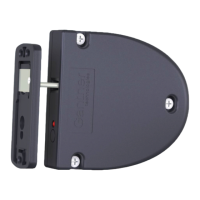
GL7p - Battery-powered, door-mounted electronic locker lock GL7p
Configuration
www.gantner.com
HB_GL7p--EN_12
39
► To add a GL7p to a location, right-click on the location and select “Add GAT Lock 7000 Series” from the “Add
Device” menu (Figure 5.3).
o The GL7p is added to the selected location.
Figure 5.3 – GAT Config Manager – Adding a GL7p
5.2.2 View and Edit the GL7p Configuration Settings
Once the GL7p has been added to the device list and you have connected the lock to the PC (see “4.3. USB
Connection"), you can now view and edit the lock configuration settings. Complete the following steps to view the
configuration settings.
► Select the GL7p from the “Devices” list (1 in Figure 5.4).
o The GL7p is highlighted in color.
Figure 5.4 – GAT Config Manager - View configuration settings


 To Next Page