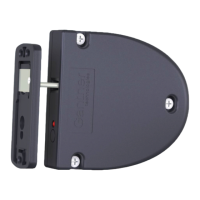
GL7p - Battery-powered, door-mounted electronic locker lock GL7p
Table of Contents
www.gantner.com
HB_GL7p--EN_12
9
TABLE OF CONTENTS
1
INTRODUCTION ............................................................. 11
1.1 About this Manual ................................................................................................................................... 11
1.2 Chapter Overview ................................................................................................................................... 11
1.3 Contact & Inquiries ................................................................................................................................. 11
1.4 Target Group........................................................................................................................................... 12
1.5 Formatting ............................................................................................................................................... 12
1.5.1 Safety-Critical Information .................................................................................................................... 12
1.5.2 Non-Safety-Critical Information ............................................................................................................ 12
1.5.3 Instructions and Results ....................................................................................................................... 12
2
GENERAL INFORMATION ............................................... 13
2.1 Intended Use........................................................................................................................................... 13
2.2 Highlights ................................................................................................................................................ 13
2.3 Functional Description ............................................................................................................................ 13
2.4 GL7p Variants ......................................................................................................................................... 14
2.4.1 RFID Technologies .............................................................................................................................. 15
2.4.2 Lock Orientation ................................................................................................................................... 15
2.5 Terminology ............................................................................................................................................ 16
2.6 System Components .............................................................................................................................. 17
2.7 GL7p Dimensions and Components ....................................................................................................... 20
3
INSTALLATION .............................................................. 21
3.1 Target Group........................................................................................................................................... 21
3.2 Test Installation ....................................................................................................................................... 21
3.3 Replacement after a Burglary Attempt ................................................................................................... 21
3.4 Operating Conditions .............................................................................................................................. 21
3.5 Door Width and Thickness ...................................................................................................................... 22
3.6 Latch Types ............................................................................................................................................ 22
3.7 Definition of the Door Hinge (Right of Left-Hinged Door) ....................................................................... 24
3.8 Installation of the GL7p ........................................................................................................................... 26
3.8.1 Mounting Holes in the Door .................................................................................................................. 26
3.8.2 Instructions for Installing the GL7p....................................................................................................... 27
3.9 Attaching the Number Plate .................................................................................................................... 29
4
COMMISSIONING ........................................................... 31
4.1 Target Group........................................................................................................................................... 31
4.2 Power Supply .......................................................................................................................................... 31
4.2.1 Battery Information ............................................................................................................................... 31
4.2.2 Inserting the Battery ............................................................................................................................. 31
4.2.3 Replacing the Battery ........................................................................................................................... 32
4.3 USB Connection ..................................................................................................................................... 33
5
CONFIGURATION ........................................................... 37
5.1 General Information ................................................................................................................................ 37
5.2 Configuration with GAT Config Manager ................................................................................................ 37
5.2.1 Setup for Configuration in GAT Config Manager ................................................................................. 37
5.2.2 View and Edit the GL7p Configuration Settings ................................................................................... 39
5.2.3 Upload Configuration Settings to the GAT ECO.Lock 7xxx F/ISO ...................................................... 40
5.2.4 Updating the GL7p Firmware ............................................................................................................... 41
5.3 Configuration with the MoLA App ........................................................................................................... 43


 To Next Page