28
SYSTEM SETUP
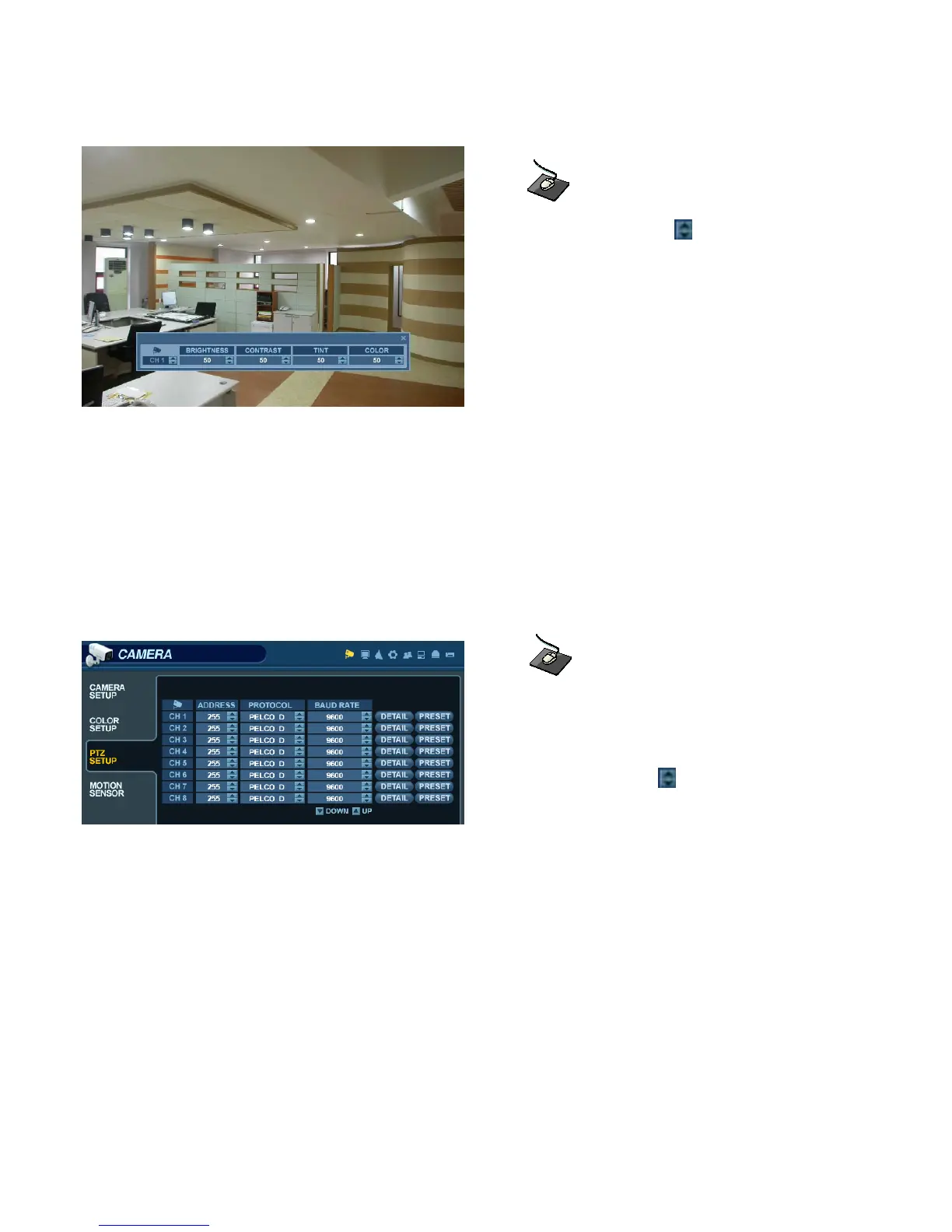
Modify each value using the button.
The selected channel is displayed in full screen mode.
BRIGHTNESS, CONTRAST, TINT and COLOR can be changed as necessary.
To modify a different channel, highlight the CAMERA field, and choose the desired channel.
Press RETURN when all changes are completed.
CAMERA : PTZ SETUP
Click the PTZ SETUP menu.
Click on any field to modify its value.
Change the value by the button.
ADDRESS: The unique ID of the PTZ device.
PROTOCOL: The protocol of the PTZ device.
BAUD RATE: The baud rate of the PTZ device.
DETAIL : Detail setting for PTZ device. (Refer to the next page.)
PRESET : Tour setting for PTZ device. (Refer to the next page.)



 To Next Page