50
RECORD SETUP
CONTINUOUS / MOTION RECORDING SETUP
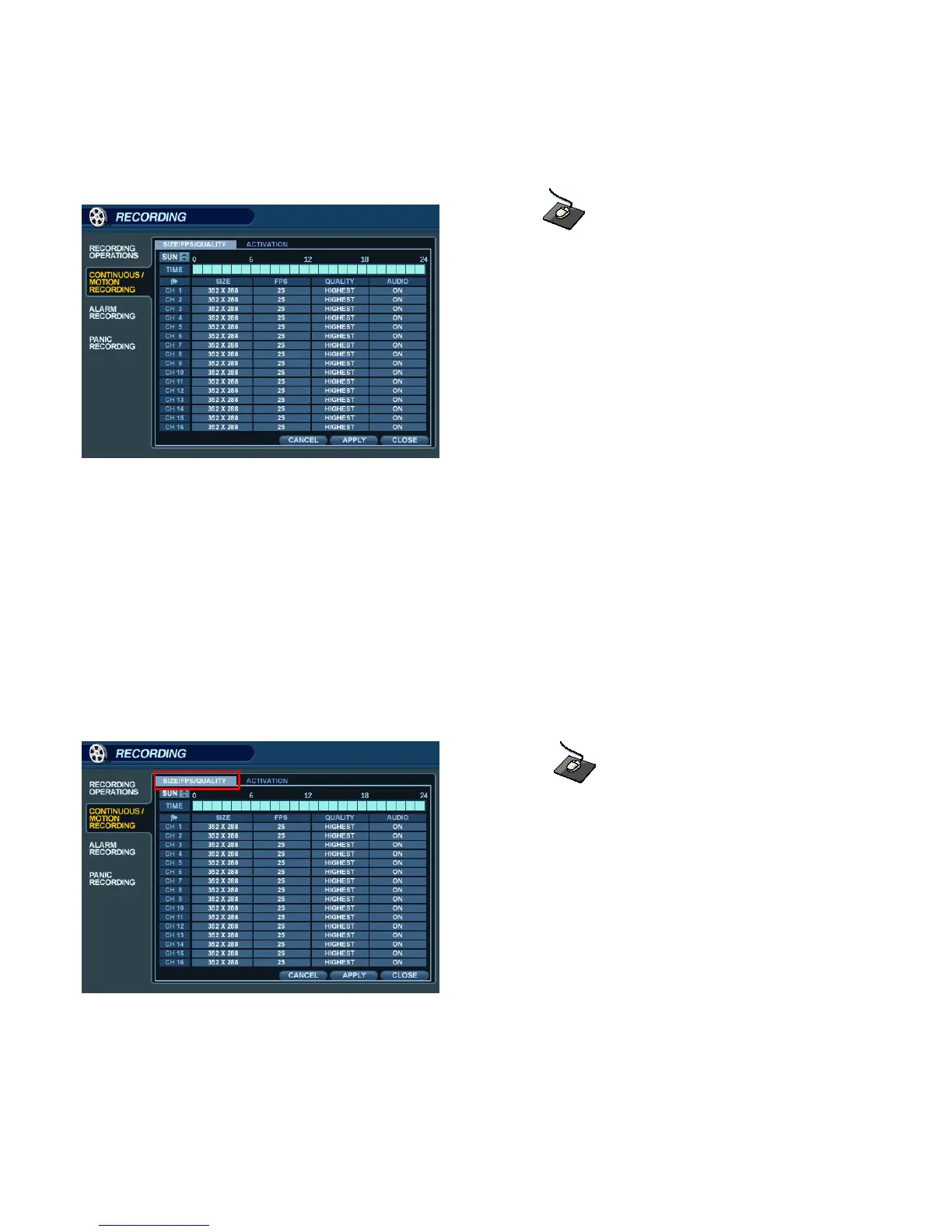
Click on the ‘CONTINUOUS / MOTION RECORDING’ menu.
This menu allows the operator to configure continuous and motion-activated recording, based on a schedule.
There are 2 sections to this menu:
SIZE / IPS / QUALITY:: Recording settings for each channel can be defined across a 24-hour period, in blocks
(for example between 09:00 and 18:00) or by each individual hour. Note that when
SCHEDULE MODE is set to WEEKLY, each day of the week can be individually configured.
SCHEDULE: This section determines at what times the DVR will record and whether it is set to continuous or motion.
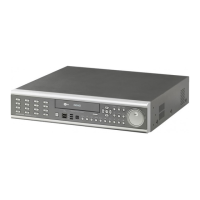
SIZE / IPS / QUALITY
Click on the ‘SIZE / IPS / QUALITY’ tab.
To change ‘SIZE / IPS / QUALITY’ settings, highlight ‘CONTINUOUS / MOTION SETUP’ and press ‘ENTER’.
Ensure that ‘SIZE / IPS / QUALITY’ is highlighted in yellow, and press ‘ENTER’ again.
The 24 hour time bar is highlighted in green.


 To Next Page