36
SYSTEM SETUP
SOUND
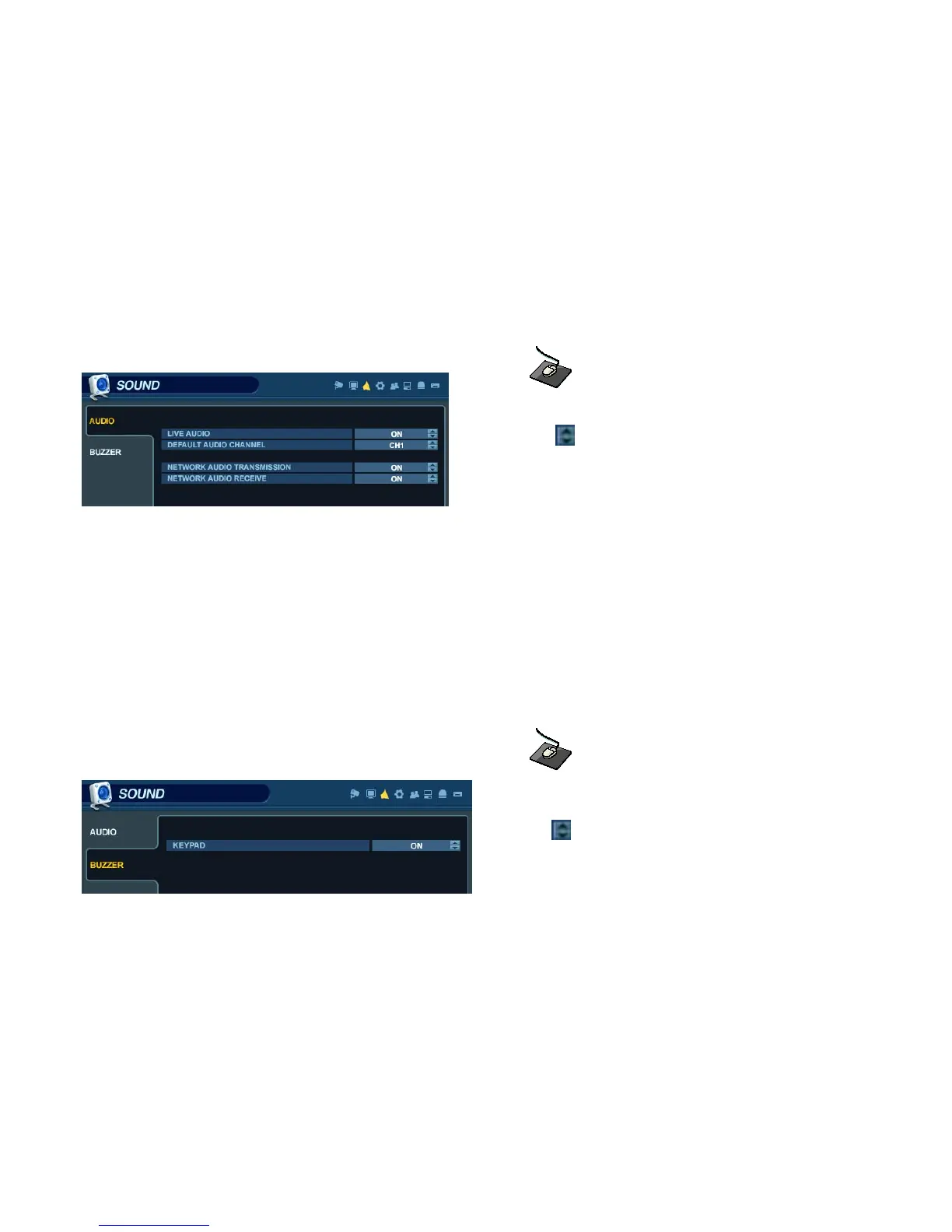
From the ‘System Setup’ menu, click on the ‘SOUND’ menu.
SOUND - AUDIO
Click on the ‘AUDIO’ menu, and click on any field.
Use the button to modify each value.
LIVE AUDIO : When enabled, the selected audio channel can be monitored from the AUDIO OUTPUT.
AUDIO MONITORING CHANNEL : Specify which one of the 4 AUDIO INPUTS is routed to the AUDIO OUTPUT.
NETWORK AUDIO TX : When enabled, live and playback audio is transmitted to a remote PC connection.
NETWORK AUDIO RX : When enabled, allows a remote PC connection to send audio back to the DVR.
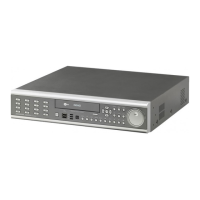
SOUND - BUZZER
Click on the BUZZER menu, and click on any field.
Use the button to modify each value.
KEYPAD: When enabled, each front panel button keypress is confirmed by a system beep.
REMOCON: When enabled, each button pressed on the handheld IR remote is confirmed by a system beep.


 To Next Page