56
SEARCH
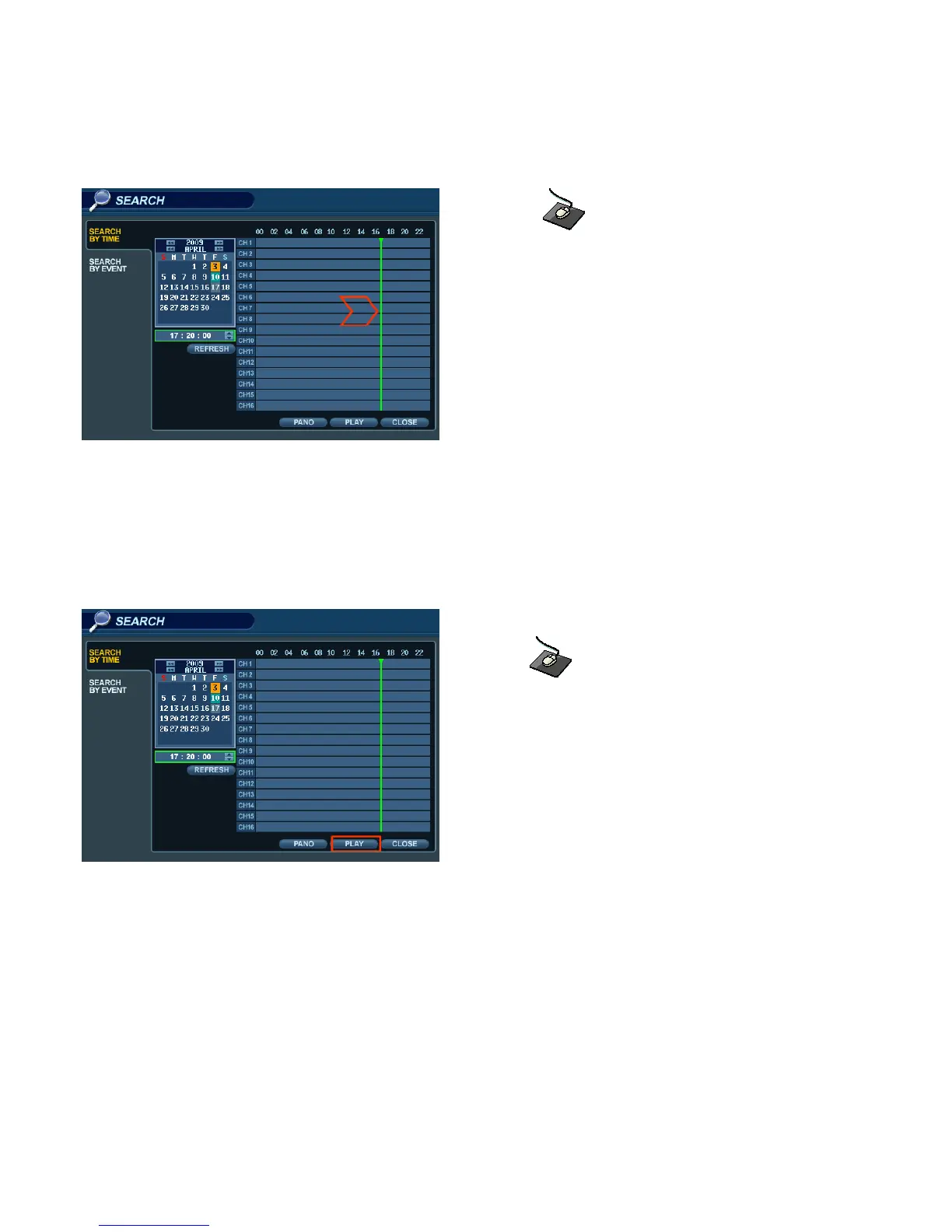
Click and drag the time bar across the timeline.
Press ENTER to select the calendar and use the CURSOR KEYS to move the purple square to the desired day.
As different days are selected, the timeline display also changes to show the timeline of recorded footage for that day.
Press ENTER to choose the date and move to the timeline.
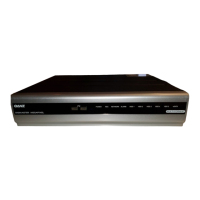
Click the PLAY button on the bottom of the screen.
Use the CURSOR KEYS to move the timeline cursor left or right to select the desired time segment.
Each movement of the timeline cursor increases or decreases the time by 15 minutes.
The currently selected time is displayed above the calendar.
Press ENTER to begin playback from the selected time.



 To Next Page