TRANSMITTERS’ PROGRAMMING
1. Place the DIP 1 in ON position. Both the red and the green LED will
be switched on with a fixed light
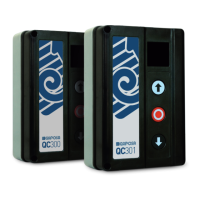
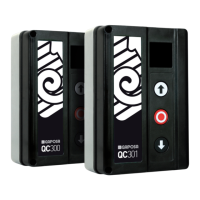
2.1 To associate a channel with a Start/Stop command send a signal
from the transmitter.
2.2 To associate a channel with an Open command send a signal from
the transmitter while holding down the UP button on the control
unit.
2.3 To associate a channel with a Stop command send a signal from
the transmitter by holding down the STOP button on the control
unit.
2.4 To associate a channel with a Close command send a signal from
the transmitter by holding down the DOWN button on the control
unit.
2.5 To associate a channel with a command to switch on the
courtesy light send a signal from the transmitter by holding down
the UP and DOWN buttons on the control unit.
3. The LEDs will act as follows:
GREEN LED RED LED
FAST
FLASHING
OFF code is already memorized
OFF
FAST
FLASHING
code is already memorized
FAST
FLASHING
FAST
FLASHING
memory is full
5 SLOW FLASHES
storing refused.
Check the correct connection of the inputs
4. If further code memorization must be performed repeat step 2,
otherwise place the DIP 1 in OFF.



 To Next Page