EasyManua.ls Logo

Gardena SILENO R100Li - User Manual

Gardena SILENO R100Li
84 pages
Print Icon
To Next Page IconTo Next Page
Loading...
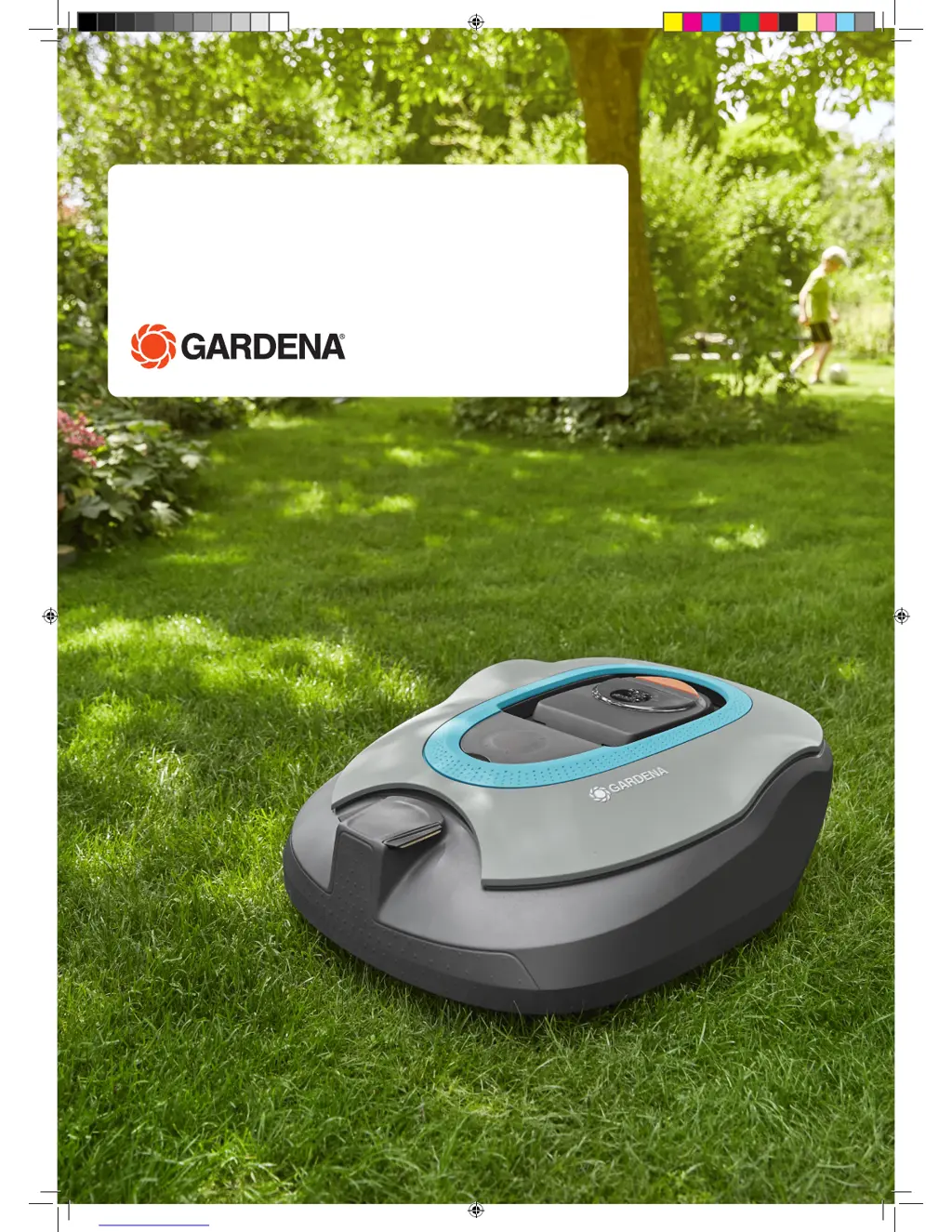
SILENO/SILENO+
R100Li, R100LiC/R130Li, R130LiC, R160Li
Operator‘s manual
Manual_SILENO_SILENO+_151215.indd 1 2016-01-12 09:19:19

Questions and Answers

  • J
    Judith HubbardAug 18, 2025
    What to do if my Gardena Lawn Mower has a battery problem?
    • J
      Joshua BarrettAug 18, 2025
      If your Gardena Lawn Mower indicates a battery problem, it might be a temporary battery or software-related issue. Try restarting the mower, or disconnect and reconnect the battery.
  • M
    Mark WalkerAug 23, 2025
    Why Gardena Lawn Mower is outside working area?
    • W
      William JonesAug 23, 2025
      If your Gardena Lawn Mower is operating outside the designated working area, it could be due to a few reasons: * The boundary wire connections to the charging station may be crossed. Ensure the boundary wire is connected correctly. * The boundary wire might be too close to the edge of the working area. Verify that the boundary wire has been laid according to the instructions. * The robotic lawnmower may be struggling to differentiate the signal from a nearby installation. Try placing the robotic lawnmower in the charging station and generating a new loop signal.
  • D
    danielfriedmanAug 26, 2025
    What to do if my Gardena SILENO R100Li is trapped?
    • C
      castrosylviaAug 26, 2025
      If your Gardena Lawn Mower is trapped, it means it has gotten caught on something or is stuck behind multiple obstacles. To resolve this: * Free the robotic lawnmower from whatever it's caught on and address the reason it became trapped in the first place. * Inspect the area for obstacles that might be hindering the robotic lawnmower's movement.
  • S
    Stephen FernandezAug 27, 2025
    Why Gardena Lawn Mower has uneven mowing results?
    • K
      Karen ToddAug 28, 2025
      Uneven mowing results with your Gardena Lawn Mower can stem from several factors: * The robotic lawnmower may not be working enough hours per day. Increase the working times. * The working area's shape may require manual adjustments for the robotic lawnmower to reach all remote areas. Use Lawn coverage to guide the robotic lawnmower to these areas. * The working area might be too large. Consider limiting the working area or extending the working time. * The blades could be blunt. Replace all blades and screws to ensure balanced rotation. * Grass accumulation near the blade disc or around the motor shaft. Check that the blade disc skid plate rotates easily. If not, unscrew the blade disc and remove any grass or foreign objects.
  • J
    Jim SchmidtAug 30, 2025
    Why Gardena Lawn Mower has no drive?
    • C
      Crystal HunterAug 30, 2025
      If your Gardena Lawn Mower is showing 'No drive', there could be a few reasons: * The robotic lawnmower may have gotten caught on something. Free it and address the cause. If wet grass is the issue, wait for the lawn to dry. * The working area might include a steep slope. The maximum guaranteed slope is 35%. Isolate steeper slopes. * The guide wire may not be angled correctly on a slope. If the guide wire is on a slope, it must be laid at an angle across it.
  • A
    Alyssa WilliamsSep 1, 2025
    What to do if Gardena Lawn Mower is running at the wrong time?
    • T
      Trevor ClarkeSep 1, 2025
      If your Gardena Lawn Mower is running at the wrong time, it's likely due to: * The robotic lawnmower clock needs to be set. Set the clock. * Incorrect start and stop times for mowing. Reset the start and stop time settings for mowing.
  • J
    Jasmine BowersSep 4, 2025
    What to do if my Gardena SILENO R100Li wheel motor is blocked?
    • P
      porterbrittanySep 4, 2025
      If the wheel motor of your Gardena Lawn Mower is blocked, it's likely because grass or another object has wrapped around the drive wheel. Inspect the drive wheel and remove any obstructions.
  • J
    John MartinSep 6, 2025
    What to do if Gardena SILENO R100Li charging station is blocked?
    • B
      baileysergioSep 6, 2025
      If the charging station of your Gardena Lawn Mower is blocked, consider these potential causes: * Poor contact between the charging strips and contact strips. Ensure good contact by repositioning the robotic lawnmower in the charging station. * An object obstructing the robotic lawnmower. Remove the object.
  • R
    rsheaSep 8, 2025
    What to do if Gardena Lawn Mower asks for PIN code?
    • D
      Daniel JohnsonSep 8, 2025
      If your Gardena Lawn Mower is asking for a PIN code, it means a wrong PIN code has been entered. Enter the correct PIN code. Note that after five incorrect attempts, the keypad will be blocked for five minutes. Contact GARDENA Central Service if you forget the PIN code.
  • M
    Mr. Justin ObrienSep 12, 2025
    What does it mean when Gardena SILENO R100Li shows connectivity settings restored?
    • T
      Tara CollinsSep 12, 2025
      If your Gardena Lawn Mower displays a message indicating that connectivity settings have been restored, it means that the connectivity settings was restored due to a fault. Please check and change the settings if needed.

Summary

Introduction and Safety

Introduction

Overview of the operator's manual and product features. Introduces the GARDENA Sileno/Sileno+ models.

Symbols on the Product

Explains symbols found on the robotic lawnmower itself. Advises to study them carefully.

Symbols in the Operators Manual

Details symbols used within the operator's manual for clarity and safety. Explains text and button notations.

Safety Instructions

Crucial safety guidelines for operating the robotic lawnmower safely and preventing accidents.

Presentation

What is What?

Identifies and illustrates all components of the robotic lawnmower system, including the mower, charging station, and accessories.

Package Content

Lists all parts included in the GARDENA robotic mower package for each model type.

Function

Describes the capacity and general functions of the robotic lawnmower, including mowing technique and working method.

Installation

Preparations

Initial steps before installation, including lawn preparation and checking all components. Essential for proper setup.

Installation of the Charging Station

Guidance on selecting the best location and installing the charging station for optimal mower performance.

Charging the Battery

Instructions for charging the robotic lawnmower's battery, especially for new units or after long storage.

Installation of the Boundary Wire

Detailed instructions on how to lay and secure the boundary wire, including pegging or burying methods.

Connecting the Boundary Wire

Steps for securely connecting the boundary wire ends to the charging station. Emphasizes correct wire placement.

Installation of the Guide Wire

Guide on laying the guide wire to direct the mower to remote areas and back to the charging station.

Checking the Installation

Procedure to verify the loop signal and check the installation using the indicator lamp on the charging station.

First Start-up and Calibration

Initial setup sequence, including language, country, PIN code, and automatic guide signal calibration.

Test Docking with the Charging Station

Procedure to test if the robotic lawnmower can successfully follow the guide wire and dock with the charging station.

Use

Charging a Flat Battery

Instructions for charging the battery when the mower is new or has been stored for a long period.

Using the Timer

Guidance on setting the timer for optimal mowing results, managing operating hours, and avoiding lawn damage.

Standby

Information on the mower's built-in standby periods, which allow for lawn watering or other activities.

Starting

Steps to start the robotic lawnmower, including opening the hatch, setting the main switch, and entering the PIN.

Stopping

How to stop the robotic lawnmower during operation, which also opens the control panel hatch.

Switching Off

Procedure for switching off the mower, especially for maintenance or when moving it outside the working area.

Adjusting the Cutting Height

Instructions on how to adjust the cutting height of the lawnmower in stages, with initial setup recommendations.

Control Panel

Operation Selection Start

Details on selecting operation modes like Main area, Secondary area, or Override timer after pressing the START button.

Operation Selection Parking

Options for parking the mower, including 'Park until further notice' and 'Start with next timer'.

Main Switch

Explains the function of the main switch for starting and stopping the robotic lawnmower and disabling its motors.

Menu Functions

Main Menu

Overview of the main menu options available on the control panel for configuring the lawnmower.

Menu Structure

Summary of menu selections, providing a guide to the available functions and their purposes.

Timer

Instructions for setting the timer to control mowing times, optimize results, and manage operating hours.

Security

Configuration of security settings, including PIN code requests, time locks, and alarms for unauthorized use.

SensorControl

Functionality to automatically adjust mowing times based on lawn growth, optimizing efficiency and performance.

Smart System

Details on connecting the mower to the GARDENA Smart System for wireless interaction and remote control.

Installation

Advanced installation settings for steering the mower to remote areas and improving mowing results in complex gardens.

Settings

General settings adjustments, including ECO mode, time, date, language, country, and user settings reset.

Garden Examples

Installation Proposals and Settings

Provides examples of garden layouts with recommended installation proposals and settings for optimal mowing.

Maintenance

Winter Storage

Instructions for preparing the robotic lawnmower for winter storage, including cleaning and battery charging.

After Winter Storage

Checks to perform after winter storage before using the mower again, ensuring proper function.

Cleaning

Guidelines for regular cleaning of the robotic lawnmower to maintain performance and prevent wear.

Troubleshooting

Fault Messages

Lists potential fault messages displayed by the mower, their causes, and recommended actions for resolution.

Info Messages

Provides information on various info messages that may appear on the display, with guidance on their meaning and actions.

Indicator Lamp in the Charging Station

Explains the meaning of different indicator lamp lights on the charging station for installation checks and diagnostics.

Symptoms

Troubleshooting guide for common symptoms of unexpected mower behavior, offering solutions and checks.

Finding Breaks in the Loop Wire

Step-by-step guide to locating breaks in the boundary loop wire and performing repairs.

Technical Data

Guarantee Terms

Environmental Information

EC Declaration of Conformity

Gardena SILENO R100Li Specifications

General IconGeneral
TypeRobotic lawn mower
Area CoverageUp to 1000 m²
Cutting Height20-50 mm
Battery TypeLithium-Ion
Battery Voltage18 V
Charging Time60 min
Operating Time65 min
Smart FeaturesBluetooth, App control
Maximum Slope35%
Battery Capacity2.1 Ah
Blade MaterialSteel
Mulching FunctionYes
Warranty2 years
Noise Level58 dB(A)

Related product manuals