4 nüvi 3700 series for Volvo cars Quick Start Manual
Acquiring Satellites
The bars indicate satellite
strength.
1. Go outdoors to an open area, away
from tall buildings and trees.
2. If necessary, turn on your device.
Acquiring satellite signals can take
a few minutes. When at least one of
the bars is green, your device has
acquired satellite signals.
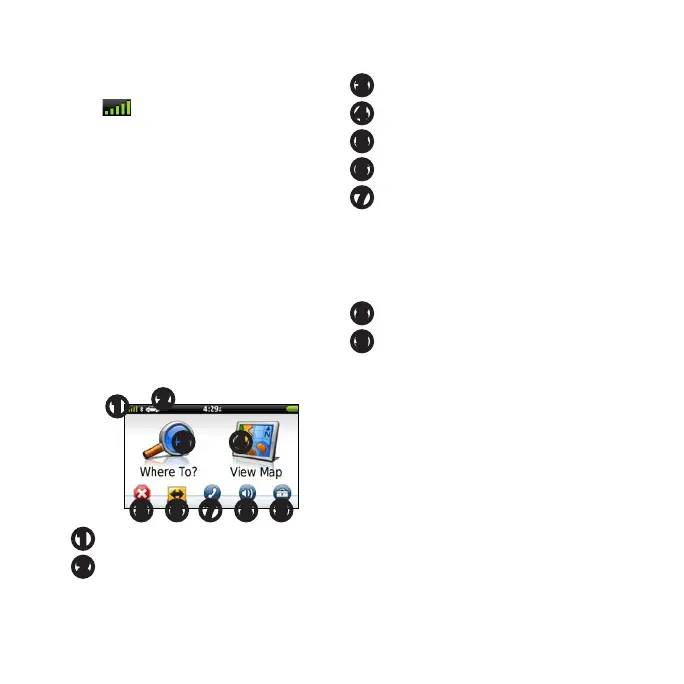
Main Menu
➊
➋
➌ ➍
➐ ➑ ➒➎ ➏
➊
GPS satellite strength.
➋
Touch to select a transportation
mode.
➌
Touch to nd a destination.
➍
Touch to view the map.
➎
Touch to stop a route.
➏
Touch to detour a route.
➐
Touch to make a call when
connected to a compatible
mobile phone. Go to www
.garmin.com/bluetooth for
information.
➑
Touch to adjust the volume.
➒
Touch to open the menu of tools
and settings.



 To Next Page