
 Need help?
Do you have a question about the Garmin Alpha 100 and is the answer not in the manual?
Guides initial setup of Alpha handheld and TT dog collar devices.
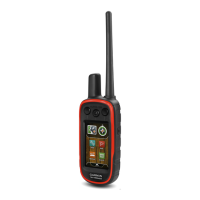
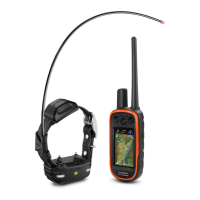
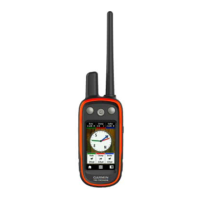
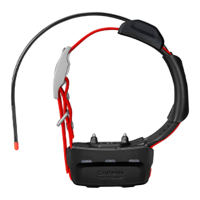
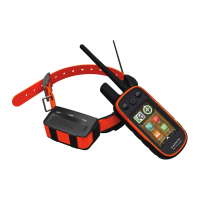
Provides visual identification of Alpha 100 handheld and TT 10 dog collar components.
Directs users to Garmin website for additional product details and encourages online registration.
Instructions for charging the Alpha 100 handheld and TT 10 dog collar devices.
Covers powering devices on/off, acquiring satellite signals, and touchscreen use.
Explains three methods to pair a TT 10 collar with the Alpha handheld device.
Covers editing dog details, finding codes, and sharing dog data wirelessly.
Instructions for changing dog type, ID, and setting alerts.
Guidelines for properly attaching the collar and understanding communication range.
View dog's location, tracks, and status icons on the device's map.
Use the compass and bearing pointer to navigate directly to your dog.
Covers BaseCamp tracking and pausing dog tracking during hunts.
Setting up geofence or radius alerts for dog or contact locations.
Guide to choosing and attaching appropriate contact points for dog training.
Teaches basic commands like 'heel,' 'sit,' and 'come' using leash and collar.
Introduces using collar stimulation for training after basic commands are learned.
Guide to finding the appropriate stimulation level for effective dog collar training.
Applying collar stimulation for 'heel,' 'sit,' and 'come here' commands.
Features for tracking other hunters and sending messages.
How to change and update contact IDs for interference-free communication.
Utilizing features for tracking dogs, marking locations, and using collar lights.
Introduction to recording and navigating locations, paths, and routes.
Steps to create, edit, reverse, and navigate saved routes.
How to record, save, view details, and navigate tracks.
Using the map to view location, tracks, and navigate to destinations.
Utilizing the device's compass for directional navigation.
Using the Where To? menu to find waypoints, addresses, and points of interest.
How to set up alerts for when dogs or contacts enter specific areas.
Accessing calendar, sun/moon times, and hunting/fishing predictions.
Managing files, installing memory cards, and connecting to a computer.
Personalizing the main menu and data field displays.
Configuring system parameters, GPS, dog tracking, and contact settings.
Adjusting screen appearance, backlight, and device tones.
Fine-tuning map display options like zoom, detail, and text size.
Configuring track recording, auto-archive, color, and route calculation options.
Customizing units of measure, time format, and position reporting.
Accessing unit ID, software version, and license agreement.
Instructions for updating the handheld device or collar software via computer.
Guidelines for cleaning and maintaining the device's components.
Tips and settings to extend battery life for the handheld and collar.
Adjusting update rates to conserve battery power on devices.
Optimizing map drawing speed and turning off the transmitter to save power.
Managing files, installing memory cards, and connecting to a computer.
How to transfer dog track logs from the collar to BaseCamp software.
Instructions for safely deleting files from the device's memory.
Proper procedures for safely disconnecting the device from a computer.
Information on purchasing accessories, optional maps, and memory cards.
Step-by-step guide for replacing the battery in the TT 10 dog collar.
Instructions for replacing the collar strap and the VHF antenna.
Guide to replacing the fuse in the vehicle power adapter for charging.
Explains data fields related to GPS accuracy, ambient pressure, and ascent/descent.
Explains data fields related to distance, speed, ETA, and course.
Defines data fields for ETA, glide ratio, GPS signal, heading, heart rate, and location.
Defines data fields related to speed, time, sunrise/sunset, and trip information.
 General
| Display Resolution | 240 x 400 pixels |
|---|---|
| Battery Life | Up to 20 hours |
| Water Rating | IPX7 |
| High-sensitivity Receiver | Yes |
| Waypoints | 2000 |
| Routes | 200 |
| Track Log | 10, 000 points, 200 saved tracks |
| Interface | USB |
| Ability to Add Maps | Yes |
| Basecamp Compatible | Yes |
| Dog Tracking | Yes |
| Range | Up to 9 miles |
| Frequency Band | MURS |
| Device Type | Handheld |
| GPS | Yes |
| GLONASS | Yes |
| Display Size | 3" diag (7.6 cm) |
| Battery Type | Rechargeable lithium-ion |
| Preloaded Maps | Yes |
| Display Type | Transflective, 65-K color TFT |
| Memory | 4 GB |

 To Next Page