
 Need help?
Do you have a question about the Garmin Edge 520 and is the answer not in the manual?
Covers initial setup, turning on, and first ride procedures.
Explains the function of each physical button on the device.
How to view device status and adjust screen brightness.
Steps to get a GPS fix for accurate location tracking.
Basic steps to start an activity and use the virtual training partner.
Creating, following, and displaying courses for rides.
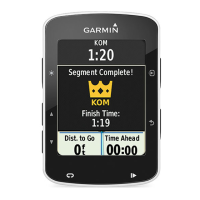
How to use, enable, race, and delete route segments.
Downloading and beginning custom workouts.
Stopping, previewing, deleting workouts, and using the calendar.
Creating intervals and using an ANT+ indoor trainer.
Configuring targets, viewing and managing personal records.
Configuring heart rate and power zones, and indoor training setup.
Using navigation, marking, and managing locations.
General information about ANT+ sensors and connection.
Using HR monitor and recovery features for training.
Understanding and obtaining VO2 Max. estimates.
Tips for VO2 Max. accuracy and troubleshooting HR data.
Configuring heart rate zones for training intensity.
Step-by-step guide for installing bike sensors.
Details on sensors and data averaging settings.
General process for connecting wireless sensors.
Using power meters, setting zones, and understanding cycling dynamics.
How to estimate and test Functional Threshold Power.
Instructions for compatible accessory integration.
Accessing past activities and time spent in zones.
Sending data, managing history, and connecting to Garmin Connect.
Benefits and uses of the Garmin Connect platform.
Enabling Bluetooth and connecting a smartphone.
Transferring files and configuring data recording options.
Steps for connecting the device to a PC or Mac.
Customizing the device via profiles and user information.
Tailoring activity profiles and data displays.
Adjusting map display and satellite reception.
Setting up alerts and automatic lap triggers.
Configuring lap marking and automatic pausing.
Using automatic sleep and screen scrolling functions.
Configuring general system options and Bluetooth.
Changing units, tones, language, and time.
Technical details for Edge, HR monitor, and sensors.
Instructions for cleaning and replacing batteries.
Resetting the device and maximizing battery usage.
Improving GPS and understanding temperature data.
Procedures for updating software and accessing support.
Definitions for common data fields like Grade, Heading, Heart Rate.
Explanations of power, cadence, and related metrics.
Detailed definitions of power phase and output metrics.
Definitions for speed, time-related, and zone metrics.
How HR zones are calculated and their advantages.
Classifications for VO2 Max. estimates.
Table for wheel size and its circumference.
 General
| Bicycle | Yes |
|---|---|
| Marine (chartplotters, sounders) | No |
| Built-in speaker(s) | - |
| Form factor | Handheld |
| Product color | Black |
| International Protection (IP) code | IPX7 |
| Languages support | CZE, ENG |
| Number of waypoints | 200 |
| Display diagonal | 2.3 \ |
| Display resolution | 200 x 265 pixels |
| Display size (HxV) (imperial) | 35 x 47 \ |
| Power source type | Battery |
| Battery life (max) | 15 h |
| Operating temperature (T-T) | -20 - 55 °C |
| Compatible memory cards | Not supported |
| Cables included | USB |
 Weight and Dimensions
| Depth | 21 mm |
|---|---|
| Width | 49 mm |
| Height | 73 mm |
| Weight | 59.9 g |







 To Next Page