EN–2
Bike Mount Kit
Bike mount
Cable ties (2)
Installation
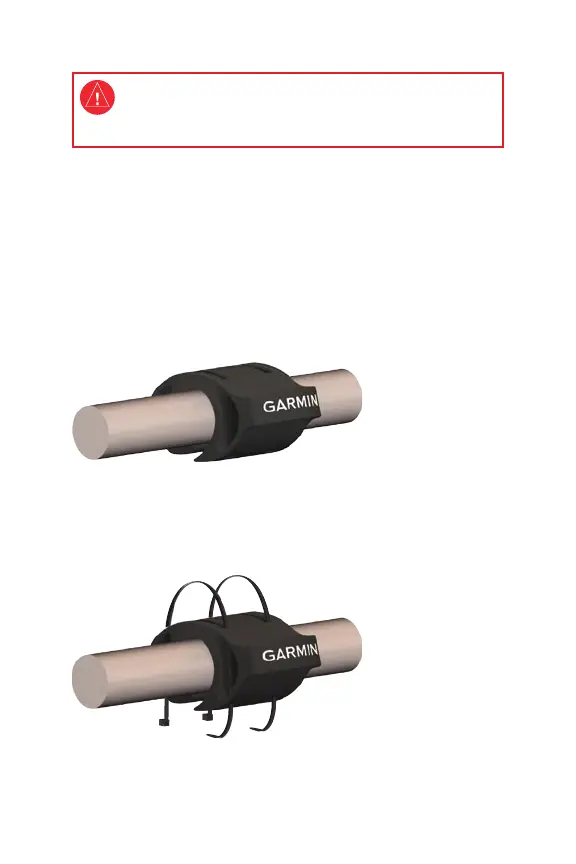
You can install the bike mount on a horizontal part of your handlebars.
Choose a location that does not interfere with the bike controls.
1. Place the bike mount on your handlebars. The Garmin logo should
be facing toward the front of the bike.
2. (Optional) Attach the bike mount securely using two cable ties.
Without cable ties, the bike mount can be easily moved to another
bike. NOTE: Secure the bike mount using cable ties or the
Forerunner before riding.
3. Place the wristband around the bike mount. Make sure the screen
is positioned for easy viewing.
•
•
See the Important Safety and Product Information guide in
the product box for product warnings and other important
information.


 To Next Page