FAA Approved AFMS or Supplemental AFM for the Garmin G3X Touch EFIS 190-01754-01 Rev. 4
P a g e | 3-6
3.14 WARNINGS, CAUTIONS, and ADVISORIES
The following tables show the color and significance of the warning, caution, and advisory messages which may
appear on the G3X Touch display.
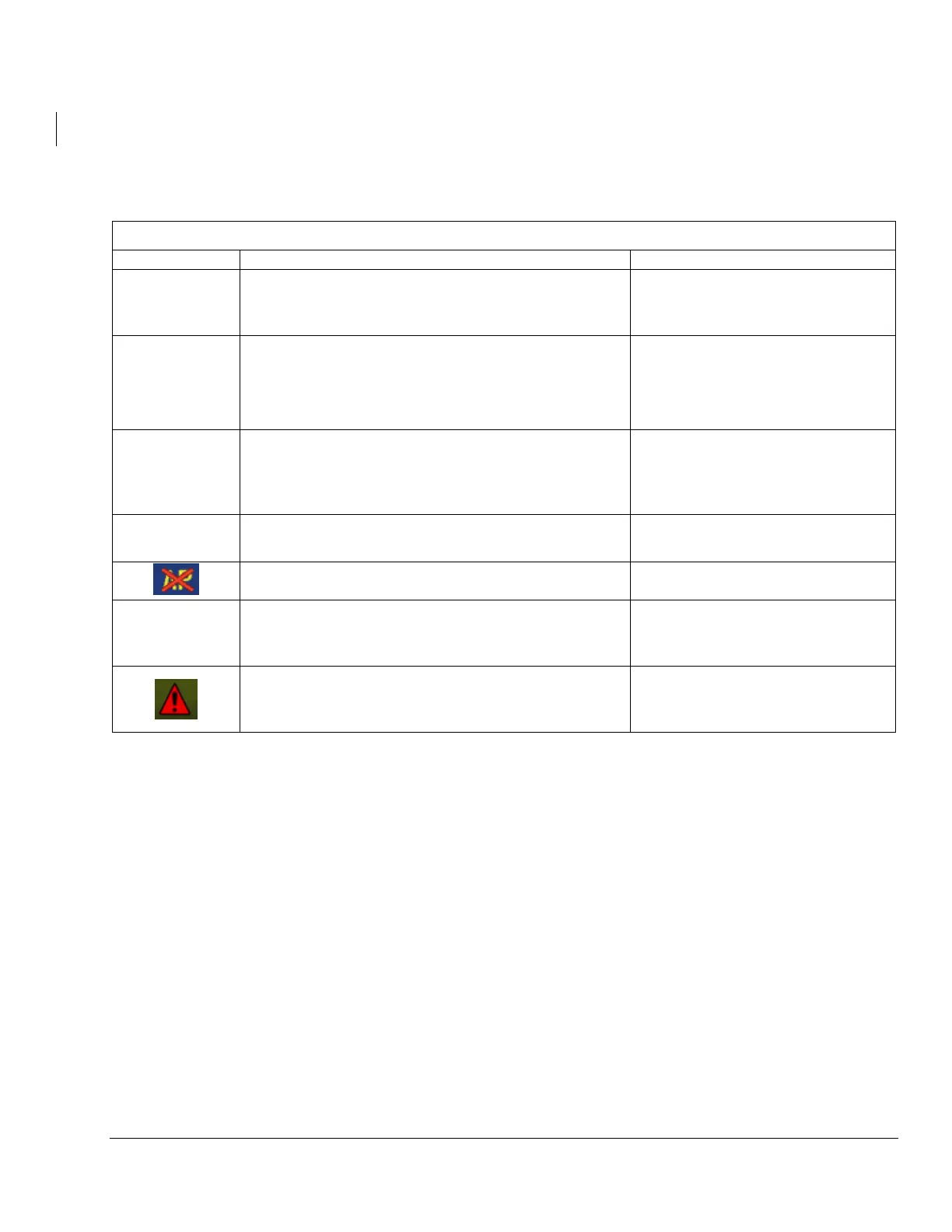
WARNING Annunciations – Red
Reference the data source or alternate equipment.
A red X through any display field
indicates that display field is not
receiving data or is corrupted.
Red Engine
Parameter \
(if EIS is
installed)
Take appropriate action to correct condition causing
engine parameter exceedance.
The engine parameter has
exceeded the warning threshold.
Manually fly the airplane. Silence the autopilot
disconnect tone and extinguish the annunciation by
pressing the AP annunciation in the flight director
mode bar.
Autopilot has failed or is
inoperative.
Manually fly the airplane.
Flight Director and Autopilot have
failed
Manually fly the airplane.
Manually trim the airplane using the pitch trim wheel.
Electric pitch trim is inoperative. (if
installed and interfaced with the
autopilot)
Select full screen mode on display to view WARNING
annunciations.
Display is in split screen mode and
WARNING annunciations are not
displayed.



 To Next Page