EasyManua.ls Logo

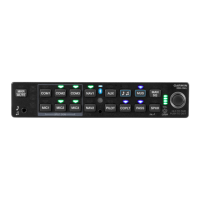
Garmin GMA 350H - User Manual

Garmin GMA 350H
64 pages
Print Icon
To Next Page IconTo Next Page
Loading...
The following les have been archived under the above ARCHIVE FILENAME.
Filename File Contents
Date:
Drafter:
TITLE:
PART NO:
SIZE
A
Scale:
N/A
REV.
Sheet of
REVISIONS
SPECIFICATION
CONTROL
DRAWING
REV. DATE DESCRIPTION ECO NO.
Garmin Ltd. or its subsidiaries
c/o Garmin International, Inc.
1200 E. 151st Street
Olathe, Kansas 66062 U.S.A.
CONFIDENTIAL
This drawing and the specications contained herein are the property of Garmin
Ltd. or its subsidiaries and may not be reproduced or used in whole or in part as
the basis for manufacture or sale of products
without written permission .
190-01134-11.pdf
190-01134-11
GMA 350/350c/350H/350Hc Installation Manual
J
1 1
JGS 1/20/11
G 8/28/15 Added the GMA 350c, 350Hc, GMA 350Hc 132044
H 10/2/15 Included FCC comments 133098
J 3/22/16 Added European Union and Brazil statements 139773
NOTES:
1. DESCRIPTION: Installation Documentation
2. DISTRIBUTION: This document is intended for electronic distribution.
Portable Document Format, contains Installation Manual and Release Specication
release.indd Adobe InDesign Format, Release Specication
Manual Elements FrameMaker, Formatted Files and Figures
*.* Various supporting illustrations, drawings, and artwork.

Other manuals for Garmin GMA 350H

Questions and Answers

  • D
    Duane PerezAug 11, 2025
    Why is the “3D audio left” and “3D audio right” message heard in both ears on my Garmin Avionics Display?
    • L
      lcomptonAug 11, 2025
      If you're hearing both the “3D audio left” and “3D audio right” messages in both ears, it could be due to a couple of reasons. First, you might be using a mono headset; in that case, switch to a stereo headset. Second, if you're using a stereo headset, check if the mono/stereo switch is set to ‘mono’; if so, set it to ‘stereo’. Finally, incorrect aircraft wiring (left/right shorted together) can also cause this issue.
  • D
    Daniel GravesAug 17, 2025
    What to do if “3D audio left” message is heard in both ears but “3D audio right” message is not heard on Garmin Avionics Display?
    • O
      odonnellscottAug 17, 2025
      If you're hearing the “3D audio left” message in both ears but not the “3D audio right” message, the cause may be due to a mono headset being in use. Try using a stereo headset instead. Alternatively, if you are using a stereo headset, the mono/stereo switch may be set to ‘mono’. In that case, set the mono/stereo switch on the headset to ‘stereo’. It could also indicate that the aircraft wiring has left audio wired to both left and right channels of the stereo headset jack.
  • S
    sandra54Aug 23, 2025
    Why is “3D audio left” message heard in right ear only followed by “3D audio right” message heard in left ear only on Garmin Avionics Display?
    • J
      Joseph MartinezAug 23, 2025
      If the “3D audio left” message is heard in the right ear only, followed by the “3D audio right” message in the left ear only, this could be because your stereo headset is on backwards. Check the left/right indication on each side of the headset or the position of the boom mic (usually attached on left side) to ensure correct orientation. It could also be due to incorrect aircraft wiring (left/right channels swapped).
  • E
    edwardsemmaAug 29, 2025
    What causes “3D audio right” message heard in right ear only, no audio heard in left ear on Garmin Avionics Display?
    • O
      Oscar FisherAug 29, 2025
      The “3D audio right” message heard only in the right ear, with no audio in the left ear, is caused by incorrect aircraft wiring (right channel used for mono instead of left, or left/ right swapped).
  • K
    Kayla JamesSep 4, 2025
    Why is “3D audio left” message heard in left ear only, no audio heard in right ear on Garmin Avionics Display?
    • A
      Ashley GarnerSep 4, 2025
      The reason you might hear the “3D audio left” message in the left ear only, with no audio in the right ear, is because the aircraft is wired for a mono intercom.

Garmin GMA 350H Specifications

General IconGeneral
BrandGarmin
ModelGMA 350H
CategoryGPS
LanguageEnglish

Related product manuals