09/25/02 GPS_field_guide 8:19 A9/P9
14
3.2.3 The Garmin eTrex Pages
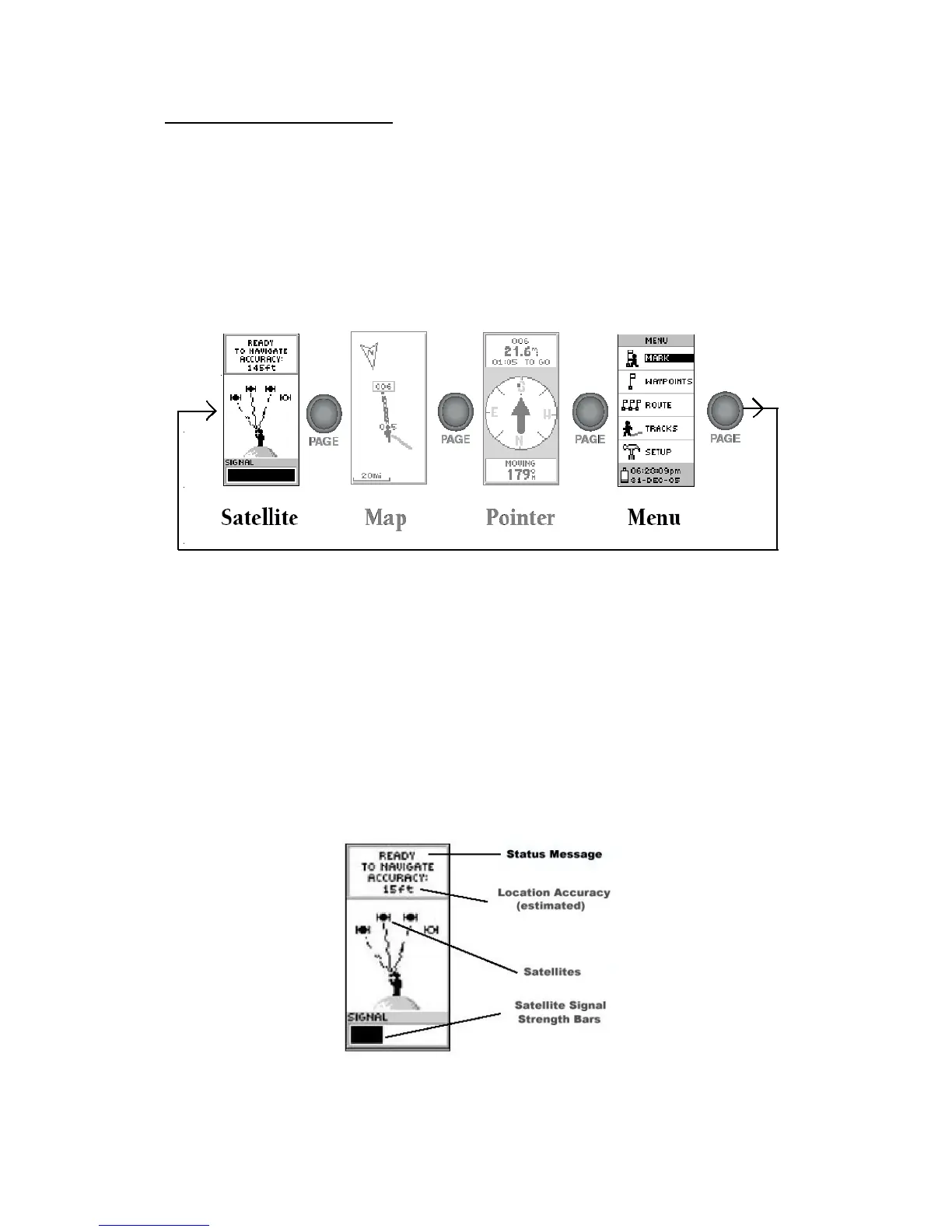
The eTrex operating system is composed of different pages organised in a hierarchical way
starting from 4 main pages (Figure 12). The 'NORMAL SKYVIEW SATELLITE' page is
one of them.
To Switch from one of these main page to the other you have to use the 'PAGE' button. In
the context of the WHS we will only need to use two of them:
- The 'NORMAL SKYVIEW SATELLITE' page
- The 'MENU' page.
Figure 12 - The 4 Main pages of the Garmin eTrex GPS receiver
Following is the description of these two pages.
3.2.3.1 The 'NORMAL SKYVIEW SATELLITE' page
As mentioned earlier this main page is the first one appearing after the 'WELCOME' page.
The 'NORMAL SKYVIEW SATELLITE' page displays different information on the
acquisition of satellites signals (Figure 13)
Figure 13 - The ''NORMAL SKYVIEW SATELLITE' page elements



 To Next Page