09/25/02 GPS_field_guide 8:19 A9/P9
19
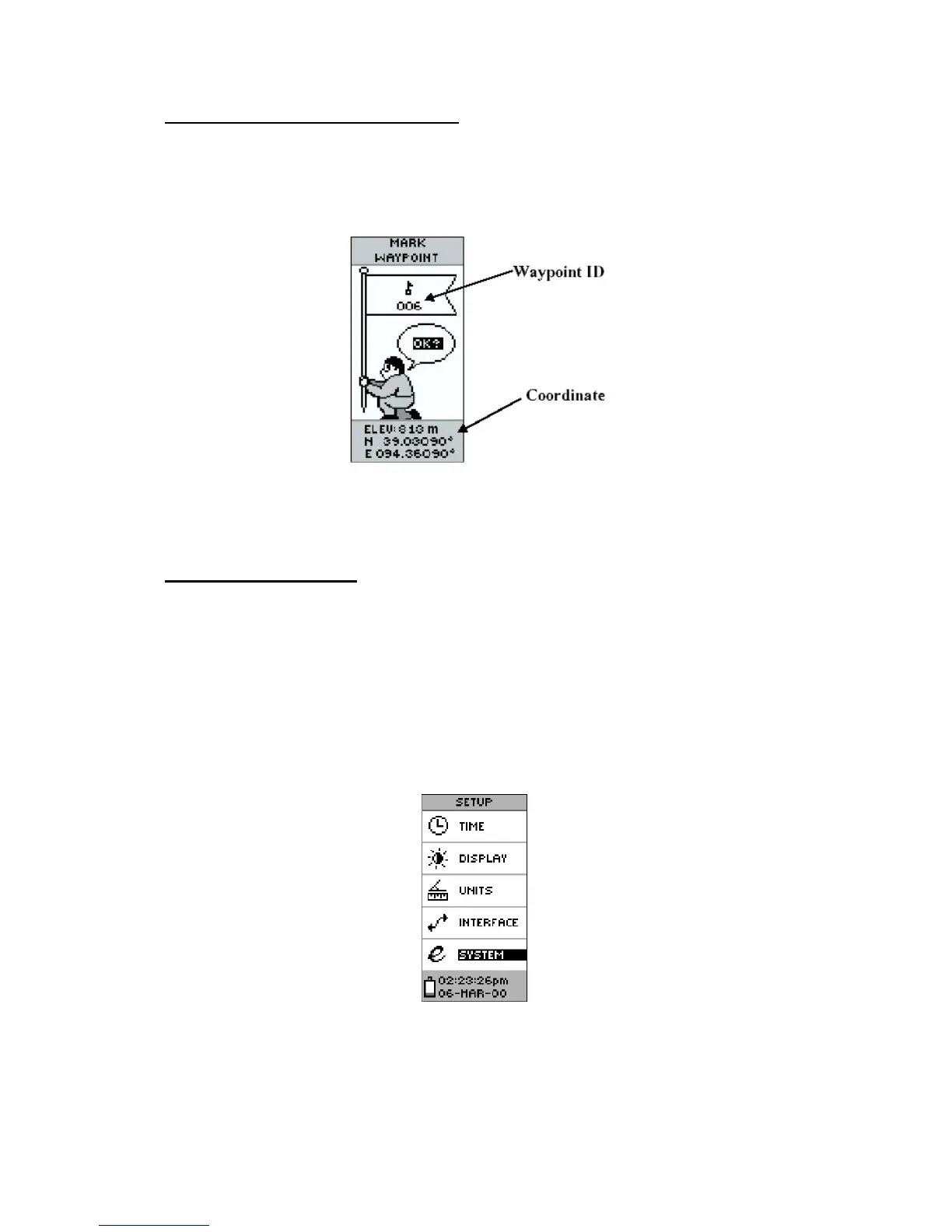
The 'MARK WAYPOINT' option page
Once the GPS receiver has been set-up and that the user has found an open area for the
reading, this page will allow the user to visualise his location (Figure 19). The other
information or options reported on this page will not be used in the context of the WHS.
Figure 19 - the 'MARK WAYPOINT' option page
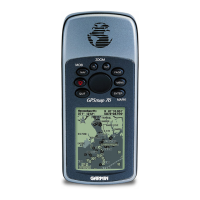
The 'SETUP' option page
The 'SETUP' option page (Figure 20) allows the user to customize the eTrex. This page
contains a list setup pages. In the context of the WHS survey we only need to deal with two
of them: the 'UNITS' and 'SYSTEM' ones (the 'DISPLAY' page corresponds to the same
page as the one described under section 3.2.3.1).
To access the desired setup you have to highlight its name in the list using the 'UP' or
'DOWN' buttons and press the 'ENTER' button.
Figure 20 - The 'SETUP' option page



 To Next Page