GPSMAP 188/188C Sounder Owner’s Manual 73
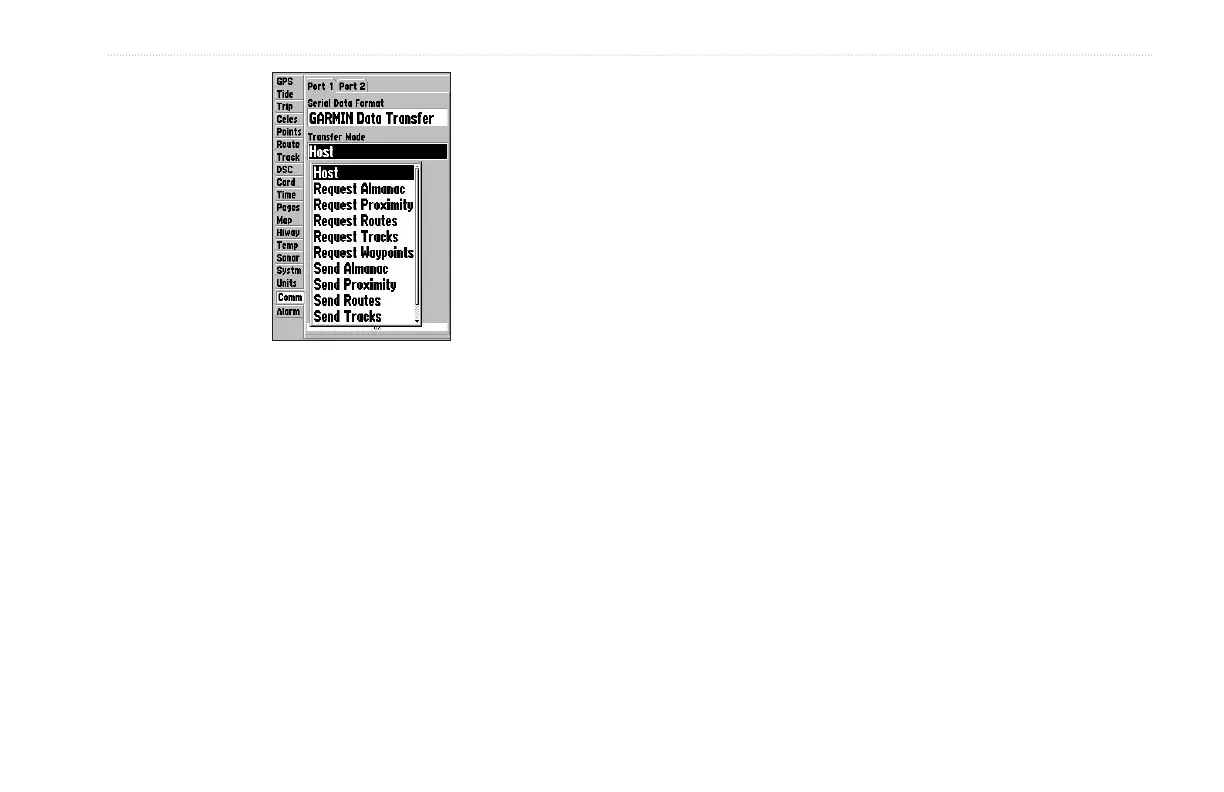
MAIN MENU > COMM TAB
When transferring data between two Garmin
units, always set one to Host and use the other
unit to either Send or Request the data.
To select an input/output format:
1. Select Port 1 or Port 2, highlight the Serial Data Format
field, and press ENTER.
2. Use the ROCKER to select a setting, and press ENTER.
To select a transfer mode:
1. Use the ROCKER to select Garmin Data Transfer in the
Serial Data Format field.
2. Highlight the Transfer Mode field, and press ENTER.
3. Use the ROCKER to select a setting, and press ENTER.
Advanced NMEA settings to adjust the NMEA output are available
if you have one of the ports set to NMEA In/NMEA. Advanced
NMEA settings enable/disable certain sentences and adjust the
number of Lat/Lon output precision digits. Settings affect both Port
1 and Port 2 NMEA outputs.


 To Next Page