GPSMAP 188/188C Sounder Owner’s Manual 77
MAIN MENU > ALARM TAB
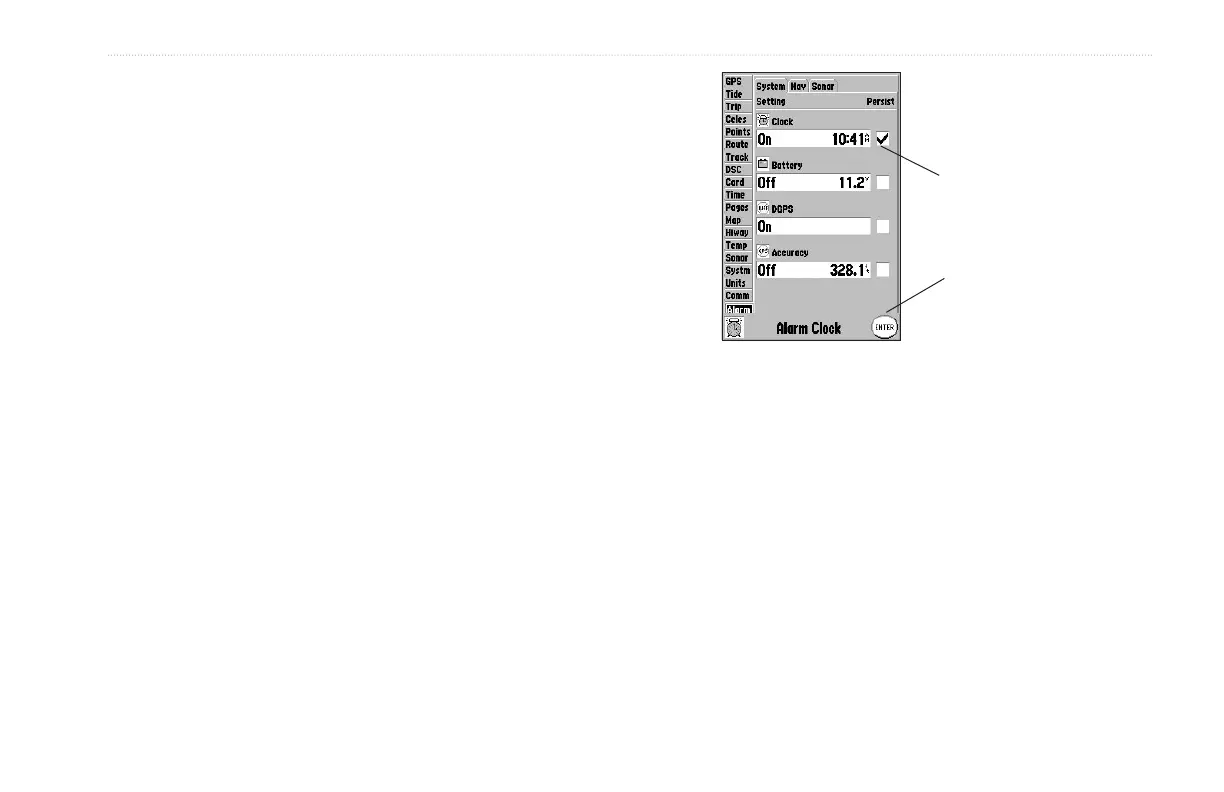
To set an alarm:
1. Use the ROCKER to highlight a sub tab.
2. Highlight the field you want to set, and press ENTER.
3. Enter a setting, and press ENTER.
4. If you want the alarm to display and beep until
acknowledged, highlight the Persist box, and press
ENTER.
If Persist is checked,
an alarm stays active
until acknowledged.
Press ENTER to
acknowledge an
alarm.


 To Next Page