EasyManua.ls Logo

Garmin GTN-650 - User Manual

Garmin GTN-650
50 pages
Print Icon
To Next Page IconTo Next Page
Loading...
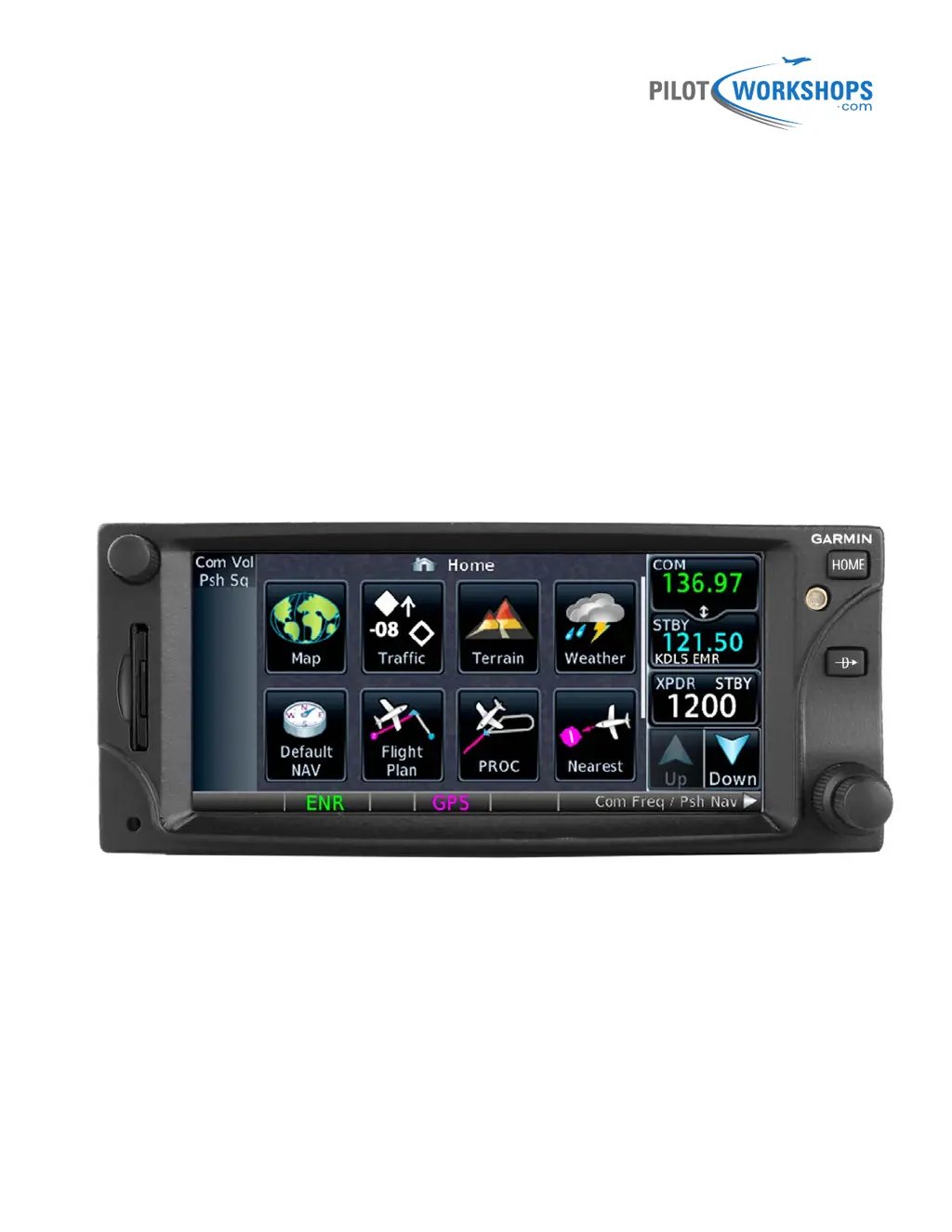
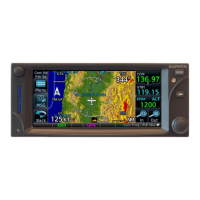
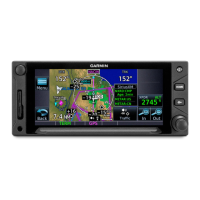
Garmin GTN 650
A Pilot-Friendly
®
Manual
Master the GTN 650 with this Simple Guide

Table of Contents

Other manuals for Garmin GTN-650

Questions and Answers

  • J
    Jeremy SpencerAug 2, 2025
    What to do if the database cannot be transferred to Flight Stream 510 on my Garmin GTN-650 GPS?
    • S
      Sylvia TurnerAug 2, 2025
      To resolve this, make sure that the databases were purchased for the system ID of the GTN that the database card is being used to update. Also, ensure that the database transfers are enabled for the Flight Stream 510. You should also ensure that all database updates have been downloaded to the Garmin Pilot application. Finally, press the Show All DBs key on the database verification page to view all database updates on the portable device, regardless of effectivity.
  • M
    Mary JenkinsAug 7, 2025
    Why does my Garmin GTN-650 database update fail?
    • N
      Nicholas DelgadoAug 7, 2025
      To resolve the database update failure on your Garmin GPS, try the following: Restart the GTN and retry the update. If that doesn't work, download the databases to the database card again. Ensure that the databases were purchased for the system ID of the GTN that the database card is being used to update.
  • R
    robertselizabethAug 12, 2025
    What to do if the database is transferred to Flight Stream 510 but cannot be selected for update on Garmin GTN-650 GPS?
    • A
      Anthony MckinneyAug 12, 2025
      To fix this problem, ensure that the databases were purchased for the system ID of the GTN that the database card is being used to update. Also, confirm that the transferred database is currently effective. If the problem persists, restart the GTN while pressing the dual-concentric knob until the Garmin logo is fully illuminated to view all database updates on the Flight Stream 510, regardless of effectivity.
  • L
    Loretta KellerAug 17, 2025
    How to fix Garmin GPS when unable to download databases to the SD card?
    • F
      frankleslieAug 17, 2025
      To address this issue with your Garmin GPS, ensure you have a high capacity SD card programmer. Verify that your card programmer is plugged directly into your computer and not into a USB hub, computer screen, or keyboard. Also, check that the sliding lock tab is in the unlocked position (up, when viewing the card label-side up).
  • W
    wendy97Aug 22, 2025
    What to do if Garmin GTN-650 database SYNC fails?
    • T
      Trevor GuerreroAug 22, 2025
      To solve this, ensure that the databases were purchased for all the GTNs and GDUs in the cockpit. Also, make sure that all conflicts have been resolved.
  • S
    susan36Aug 27, 2025
    How to fix Garmin GPS when database cannot be selected for update?
    • T
      Thomas LeAug 27, 2025
      To solve the problem of the database not being selected for update on your Garmin GPS, restart the GTN while pressing the dual-concentric knob until the Garmin logo is fully illuminated to view all database updates on the database card, regardless of effectivity. You can also try to download the databases to the database card again. Verify that the databases were purchased for the system ID of the GTN that the database card is being used to update.

Summary

Disclaimer

Overview of the Garmin GTN 650

Using the GTN 650 Physical Controls

Switching COM;NAV Radio Control

Learn how to switch control between the COM and NAV radios.

Adjusting COM Radio Volume and Squelch

Instructions for adjusting the COM radio volume and squelch.

Tuning COM Frequencies with Knobs

Steps to tune a standby COM frequency using the physical knobs.

Swapping COM Frequencies

Procedure to swap standby COM frequency to the active window.

Quickly Tuning Emergency COM Frequency

How to quickly tune the emergency frequency 121.5.

Adjusting NAV Radio Volume

Guide to adjusting the volume for the NAV radio.

Listening to NAV Radio Identifiers

How to listen to Morse Code identifiers for VOR or localizer.

Tuning NAV Frequencies with Knobs

Steps to tune a standby NAV frequency using the physical knobs.

Swapping NAV Frequencies

Procedure to swap standby NAV frequency to the active window.

Returning to Home;Navigation Pages

How to return to the Home or Default Navigation page.

Direct-To Navigation with Knobs

Navigate direct-to waypoints using only physical buttons and knobs.

Using the Touch-Screen Controls

Alpha-Numeric Keypad Tips

Guidance on using the alpha-numeric keypad for data entry.

Tuning COM and NAV Frequencies

Instructions for tuning COM and NAV frequencies via the touch screen.

Monitoring COM;NAV Frequencies

How to monitor both active and standby frequencies simultaneously.

Finding and Adding COM Frequencies

Methods to find and add COM frequencies from various lists.

Deleting User COM Frequencies

Steps to delete a frequency from the User list.

Tuning and Swapping NAV Frequencies

Procedures for tuning standby NAV frequencies and swapping them.

Finding NAV Frequencies

Methods to find NAV frequencies from different sources.

System Operations and Status Checks

Setting Transponder Codes

How to set the transponder code using the GTN interface.

Startup Status Screen Checks

Guidance on verifying information during GTN startup screens.

Checking System Status

How to access and review the GTN system status information.

Checking GPS Status

Procedure to check the GPS status and position accuracy.

Navigating Direct-To Anywhere

Direct-To from Present Position

Navigate directly from your current position to a new waypoint.

Direct-To in Current Flight Plan

Navigate direct-to a waypoint that is part of the active flight plan.

Direct-To Nearby Airport

Navigate direct-to a selected nearby airport.

Finding Waypoints by Name or City

Locate waypoints when the identifier or name is unknown.

Direct-To on Map Waypoint

Navigate direct-to a waypoint selected directly on the map.

Direct-To with Specific Course

Navigate direct-to a waypoint using a specified course.

Using a Flight Plan to Navigate

Creating and Saving Flight Plans

Steps to create a new flight plan and save it in the catalog.

Activating and Showing Flight Plans

How to activate a stored flight plan and view the active one.

Managing Active Flight Plans

Procedures for deleting, inverting, and previewing active flight plans.

Adding Waypoints to Flight Plans

Instructions for adding waypoints before or after existing ones.

Removing Waypoints from Flight Plans

How to remove a specific waypoint from the active flight plan.

Activating Legs in Flight Plans

How to activate a specific leg within an active flight plan.

Editing Flight Plans Graphically

Use the map to graphically edit the active flight plan route.

Loading and Managing Airways

How to load, collapse, expand, and remove airways in a flight plan.

Using OBS Mode

Setting Courses with OBS Mode

How to set a specific course to fly using OBS mode.

Suspending;Resuming Waypoint Sequencing

Learn to suspend and resume automatic waypoint sequencing.

Using User Waypoints

Creating User Waypoints

Steps to create a custom user waypoint for navigation.

Adding IFR Procedures (DP, SID, STAR, IAP)

Adding Departure Procedures

How to add departure procedures (DPs/SIDs) to the active flight plan.

Activating Departure Procedures

Guidance on how the GTN provides navigation after activating a departure.

Deleting Departure Procedures

Steps to remove a departure procedure from the flight plan.

Adding Arrival Procedures

How to add arrival procedures (STARs) to the active flight plan.

Deleting Arrival Procedures

Steps to remove an arrival procedure from the flight plan.

Loading and Activating Approaches

Basic steps for flying instrument approaches like ILS, LOC, VOR, RNAV.

Loading Instrument Approaches

How to load an instrument approach procedure into the flight plan.

Deleting Approaches

Steps to remove an instrument approach from the flight plan.

Changing Approaches

How to change to a different approach for the same airport.

Activating Approach Legs

How to activate a specific leg within an approach procedure.

Proceeding Direct-to Intermediate Fixes

How to proceed direct-to an intermediate fix on an approach.

Supported RNAV Approach Types

List of RNAV (GPS) approach types supported by the GTN.

ILS, LOC, and VOR Approach Specifics

Key considerations when flying ILS, LOC, and VOR approaches.

Switching CDI Source

How to switch the CDI source between GPS and VLOC.

Flying Missed Approach Procedures

How to fly published missed approach procedures using GPS guidance.

Flying Visual (VFR) Approaches

Loading and Activating Visual Approaches

Methods to load and activate a visual approach on the GTN.

Flying Holds

Flying Charted Holds

Guidance on flying charted holds as part of procedures.

Deleting Holds

Steps to remove a charted hold from the active flight plan.

Activating Hold Legs

How to activate a leg from a hold to the next waypoint.

Creating Custom Holds

Steps to create a custom hold at any waypoint.

Resuming Waypoint Sequencing from Holds

How to resume waypoint sequencing after exiting a hold.

Proceeding from Holds

How to leave a hold and proceed direct-to a flight plan waypoint.

Flying Published Missed Approach Holds

Guidance for flying published missed approach holds.

Leaving Missed Approach Holds

Instructions for leaving a missed approach hold.

Flying DME Arcs and Radius-to-Fix (RF) Legs

Flying DME Arcs

How to fly a DME arc as part of a procedure.

Flying RF Legs

Information on flying Radius-to-Fix (RF) legs in procedures.

Using Vertical Navigation (VNAV) and Along-Track Offsets

Enabling and Disabling VNAV

How to enable and disable VNAV guidance on the GTN.

Setting VNAV Altitude Constraints

Steps to set altitude constraints (crossing restrictions) for VNAV.

Modifying and Removing Altitude Constraints

How to modify or remove VNAV altitude constraints.

Adjusting VNAV Profile and FPA

View and adjust the VNAV profile and Flight Path Angle.

Changing Default FPA

How to change the default Flight Path Angle (FPA).

Creating and Canceling Parallel Tracks

Steps to create and cancel parallel tracks in flight plans.

VNAV During Approaches

Information on using VNAV guidance during approach procedures.

Other GTN Features and Customization

Displaying the Home Page

How to access and navigate the GTN's Home page.

Customizing Map Display

Control information displayed on the map page.

Controlling Map Detail (Declutter)

Adjust the level of map detail using the declutter slider.

Configuring Map Orientation and Zoom

Set map orientation (Track Up/North Up) and zoom levels.

Customizing Map User Fields

Personalize data fields displayed in map corners.

Customizing Default Navigation User Fields

Personalize data fields on the Default Navigation page.

Adjusting Traffic, Terrain, and Weather Options

Configure display options for traffic, terrain, and weather data.

Viewing Nearest Airports and Facilities

How to search and view information on nearby airports, navaids, etc.

Finding Waypoint Information

Access detailed information about any waypoint in the database.

Using Optional Services

Information on connecting to optional services like telephone or music.

Using GTN Utilities

Overview of the various utilities available on the GTN.

VCALC Options

Information on using the Vertical Calculator (VCALC) utility.

Trip Planning Information

View flight plan details like distance remaining, ETE, and ETA.

Fuel Planning Information

Review estimated fuel requirements for flights.

DALT;TAS;Winds Calculator

Use the calculator for density altitude, true airspeed, and winds aloft.

RAIM Prediction

Check RAIM availability for navigation.

Setting Flight Timers

How to set generic timers and trip timers.

Departure Time Clock and Scheduled Messages

Set departure time clock and create scheduled messages.

Clean Screen Utility

Temporarily disable touchscreen for cleaning.

Configuring the GTN System

Check GTN status, system ID, software versions, and databases.

Checking GTN System and GPS Status

Verify GTN system and GPS status and accuracy.

Checking External Device Status

Verify the status of external devices connected to the GTN.

Configuring System Settings (CDI, Date;Time, Keyboard)

Adjust CDI scale, date/time format, keyboard type, and other settings.

Configuring Airspace and Arrival Alerts

Set up airspace and waypoint arrival alerts.

Changing Default Units, Audio, and Backlight

Customize default units, system audio volume, and backlight level.

Garmin GTN-650 Specifications

General IconGeneral
Display TypeLCD
Voltage Range10-32 V DC
WAAS enabledYes
Operating Temperature-20°C to +55°C
InterfaceTouchscreen
DatabaseJeppesen
ConnectivityRS-232
AudioAudio panel integration

Related product manuals