Connecting the Cables
CAUTION
Ensure that you connect the correct spade connector to the correct battery terminal. Damage to the battery or
device, or bodily harm may occur if the device is improperly connected to the battery (not included).
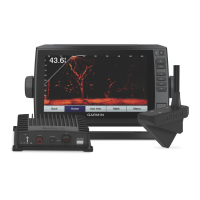
1 Obtain an appropriate power cable and transducer cable to use with your chartplotter and transducer.
The all-in-one power and transducer cable (010-12676-40) works with 7 inch or larger ECHOMAP
™
chartplotters.
2 Connect the 4-pin power cable and transducer cable to the chartplotter.
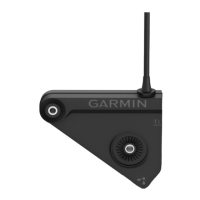
3 If you are connecting a transducer, connect the power leads to the gray bare wire connectors on the power
cable.
4 If you are connecting a Panoptix LiveScope sonar module, connect the 2-pin power cable to the sonar
module.
5 Slide the red spade connector onto the positive (red) terminal on the battery.
6 Slide the black spade connector onto the negative (black) terminal on the battery.
Limited Warranty
The Garmin
®
standard limited warranty applies to this accessory. For more information, go to www.garmin.com
/support/warranty.html.
© 2019 Garmin Ltd. or its subsidiaries
Garmin
®
and the Garmin logo are trademarks of Garmin Ltd. or its subsidiaries, registered in the USA and other countries. LiveScope
™
and Panoptix
™
are trademarks of
Garmin Ltd. or its subsidiaries. These trademarks may not be used without the express permission of Garmin.
3










 To Next Page