EasyManua.ls Logo

Garmin Pro 550 Plus - User Manual

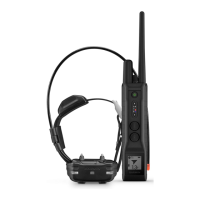
Garmin Pro 550 Plus
24 pages
Print Icon
To Next Page IconTo Next Page
Loading...
Question and Answer IconNeed help?

Do you have a question about the Garmin Pro 550 Plus and is the answer not in the manual?

Summary

Getting Started

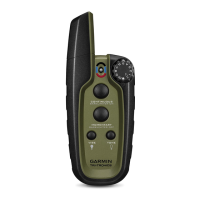
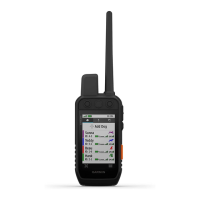
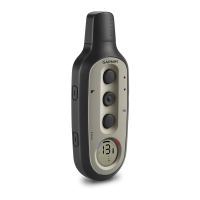
Device Overviews

Overview of the Pro 550 Plus handheld device and its components.

Setting Up the Pro 550 Plus System

Initial setup for the Pro 550 Plus system, including charging and pairing devices.

Handheld Device Screen

Details icons and information displayed on the Pro 550 Plus handheld device screen.

Menu Interface

Accessing device functions via progress bar menus and key combinations.

Dog Collar Device

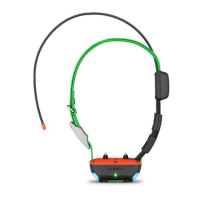
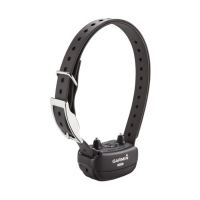
Dog Collar Device Components

Identifies components of the dog collar device, including VHF antenna and GPS antenna.

Charging the Handheld Device

Instructions for charging the handheld device using a USB cable and power source.

Charging the Dog Collar Device

Steps for charging the dog collar device, including connection and power source.

Acquiring Satellite Signals

Requirement for both devices to acquire satellite signals for proper operation.

Pairing a Dog Collar Device

Step-by-step guide to pair the dog collar device with the handheld unit.

Selecting a Dog Collar Device

How to select and control a dog collar device using the handheld unit.

Fitting the Collar on Your Dog

Instructions for properly fitting the collar on your dog for effective communication.

Communication with the Collar

Tips for maintaining an unobstructed line of sight for optimal communication signal.

Dog Training

MURS Radio Interference

Addresses potential radio interference and troubleshooting steps.

Selecting and Installing Contact Points

Guidance on selecting and installing contact points based on the dog's coat type.

Training Methods

Explains momentary stimulation, continuous stimulation, tone, and vibration training modes.

Intensity Levels

Details the 6 stimulation intensity levels available for training.

Choosing the Correct Intensity Level

Steps to determine the appropriate baseline intensity level for collar training.

Training Key Functions

Describes how keys map to training modes like momentary, continuous, and tone.

Changing the Intensity Level

Instructions to adjust the intensity level for individual dog collar devices.

Device Information

Support and Updates

Information on updating software for handheld and collar devices via Garmin Express.

Product Updates

Details on installing Garmin Express for device updates and registration.

Updating Dog Collar Device Software

Steps to update the dog collar device software via a computer.

Device Care

Precautions for maintaining the device, including cleaning and protecting the USB port.

Cleaning the Device

Procedure for cleaning the device using mild detergent.

Turning on the Backlight

How to activate the device's backlight for visibility.

Turning on the North Pointer

Enabling the north-pointing arrow on the handheld device screen.

Calibrating the Compass

Instructions for calibrating the electronic compass for accurate heading.

Handheld Device Specifications

Technical specifications for the Pro 550 Plus handheld device.

Collar Device Specifications

Technical specifications for the TT™ 15 Dog Collar Device.

Checking Handheld Device Battery

How to check the handheld device's battery charge level using the LED indicator.

Checking Dog Collar Device Battery

Method to view the dog collar device's battery status on the handheld screen.

Connecting Handheld Device to Computer

Steps to connect the handheld device to a computer via USB.

Connecting Collar to Computer

Procedure for connecting the dog collar device to a computer using the charging clip.

Appendix

ANT+ Connections

How the handheld device uses ANT+ to share dog locations with other devices.

Handheld Device Components

Diagram and list of components included with the Pro 550 Plus handheld device.

TT 15 Battery Replacement

Detailed instructions for replacing the battery in the TT 15 Dog Collar Device.

TT 15 Components

Diagram and list of components for the TT 15 Dog Collar Device.

Removing the Old Battery

Steps to safely remove the old battery from the device before replacement.

Installing the New Battery

Procedure for installing a new battery into the handheld device, ensuring correct orientation.

Replacing the Collar Strap

Instructions for replacing the collar strap on the dog device.

Resetting Handheld Device to Factory Defaults

Guide to resetting the handheld device to its original factory settings.

Summary

Getting Started

Device Overviews

Overview of the Pro 550 Plus handheld device and its components.

Setting Up the Pro 550 Plus System

Initial setup for the Pro 550 Plus system, including charging and pairing devices.

Handheld Device Screen

Details icons and information displayed on the Pro 550 Plus handheld device screen.

Menu Interface

Accessing device functions via progress bar menus and key combinations.

Dog Collar Device

Dog Collar Device Components

Identifies components of the dog collar device, including VHF antenna and GPS antenna.

Charging the Handheld Device

Instructions for charging the handheld device using a USB cable and power source.

Charging the Dog Collar Device

Steps for charging the dog collar device, including connection and power source.

Acquiring Satellite Signals

Requirement for both devices to acquire satellite signals for proper operation.

Pairing a Dog Collar Device

Step-by-step guide to pair the dog collar device with the handheld unit.

Selecting a Dog Collar Device

How to select and control a dog collar device using the handheld unit.

Fitting the Collar on Your Dog

Instructions for properly fitting the collar on your dog for effective communication.

Communication with the Collar

Tips for maintaining an unobstructed line of sight for optimal communication signal.

Dog Training

MURS Radio Interference

Addresses potential radio interference and troubleshooting steps.

Selecting and Installing Contact Points

Guidance on selecting and installing contact points based on the dog's coat type.

Training Methods

Explains momentary stimulation, continuous stimulation, tone, and vibration training modes.

Intensity Levels

Details the 6 stimulation intensity levels available for training.

Choosing the Correct Intensity Level

Steps to determine the appropriate baseline intensity level for collar training.

Training Key Functions

Describes how keys map to training modes like momentary, continuous, and tone.

Changing the Intensity Level

Instructions to adjust the intensity level for individual dog collar devices.

Device Information

Support and Updates

Information on updating software for handheld and collar devices via Garmin Express.

Product Updates

Details on installing Garmin Express for device updates and registration.

Updating Dog Collar Device Software

Steps to update the dog collar device software via a computer.

Device Care

Precautions for maintaining the device, including cleaning and protecting the USB port.

Cleaning the Device

Procedure for cleaning the device using mild detergent.

Turning on the Backlight

How to activate the device's backlight for visibility.

Turning on the North Pointer

Enabling the north-pointing arrow on the handheld device screen.

Calibrating the Compass

Instructions for calibrating the electronic compass for accurate heading.

Handheld Device Specifications

Technical specifications for the Pro 550 Plus handheld device.

Collar Device Specifications

Technical specifications for the TT™ 15 Dog Collar Device.

Checking Handheld Device Battery

How to check the handheld device's battery charge level using the LED indicator.

Checking Dog Collar Device Battery

Method to view the dog collar device's battery status on the handheld screen.

Connecting Handheld Device to Computer

Steps to connect the handheld device to a computer via USB.

Connecting Collar to Computer

Procedure for connecting the dog collar device to a computer using the charging clip.

Appendix

ANT+ Connections

How the handheld device uses ANT+ to share dog locations with other devices.

Handheld Device Components

Diagram and list of components included with the Pro 550 Plus handheld device.

TT 15 Battery Replacement

Detailed instructions for replacing the battery in the TT 15 Dog Collar Device.

TT 15 Components

Diagram and list of components for the TT 15 Dog Collar Device.

Removing the Old Battery

Steps to safely remove the old battery from the device before replacement.

Installing the New Battery

Procedure for installing a new battery into the handheld device, ensuring correct orientation.

Replacing the Collar Strap

Instructions for replacing the collar strap on the dog device.

Resetting Handheld Device to Factory Defaults

Guide to resetting the handheld device to its original factory settings.

Garmin Pro 550 Plus Specifications

General IconGeneral
Correction Levels18
Water RatingIPX7
Display TypeLCD
Stimulation levels18
GPSYes
Range2 miles
BatteryRechargeable lithium-ion (included)
Number of dogs3

Related product manuals