Need help?
Do you have a question about the Garmin TT 25 and is the answer not in the manual?
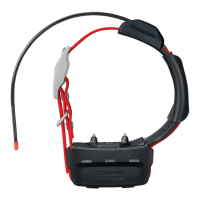
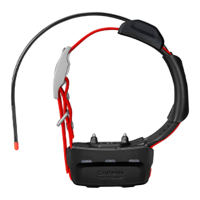
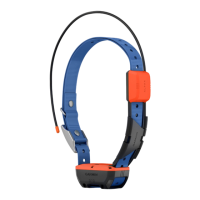
Identifies and describes the key components of the TT™ 25 Dog Collar Device.
Instructions for turning the dog collar device on and off.
Steps for charging the device and acquiring GPS satellite signals.
How to wirelessly pair the dog collar with a compatible Garmin navigator.
Guide for selecting, installing, removing contact points and fitting the collar.
Explains how to track dog locations using the navigator's map and compass.
Provides basic guidelines and philosophy for training dogs with the Alpha system.
Details on how to train dogs using the collar's stimulation features.
Method for determining the correct stimulation intensity for dog training.
Overview of different training modes and stimulation options available.
Best practices for communication and conserving battery via update rate and sleep mode.
Guidance on maintaining optimal communication signal between devices.
Instructions for downloading the manual and obtaining product software updates.
Steps for setting up Wi-Fi and connecting the device to a computer.
Details on VHF radio frequencies and information on purchasing accessories.
Lists the technical specifications for the TT™ 25 Dog Collar Device.
Detailed, step-by-step instructions for replacing the device's battery.
Guides for replacing the dog collar flex band and strap.
Instructions for safely replacing the VHF antenna on the dog collar.
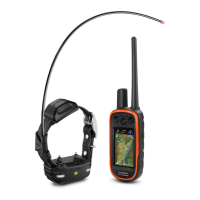
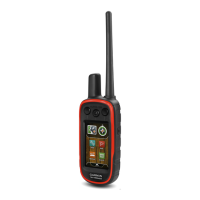
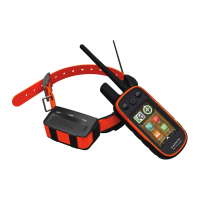
The Garmin TT™ 25 Dog Collar Device is a sophisticated tracking and training tool designed for use with compatible Garmin Alpha® navigators. This device allows users to track their dog's location and administer various training commands, making it an integral part of an overall dog training program.
The primary function of the TT™ 25 Dog Collar Device is to provide real-time tracking and training capabilities for dogs. When paired with a compatible Alpha navigator, the device transmits the dog's location, which can be viewed on a map or tracking compass on the navigator. This enables users to monitor their dog's whereabouts, especially during hunting or outdoor activities. The device incorporates both GPS and VHF antennas to ensure reliable signal acquisition and communication. The GPS antenna acquires satellite signals to determine the dog's precise location, while the VHF antenna facilitates communication with the Alpha navigator.
Beyond tracking, the TT™ 25 offers comprehensive training functionalities. It features contact points that deliver stimulation, vibration, or tone commands to the dog, aiding in reinforcing learned behaviors and correcting unwanted ones. The device is designed to be part of a structured training regimen, starting with basic commands on a leash and gradually progressing to off-leash training with the collar. The training methods include momentary stimulation, continuous stimulation, tone, and vibration, allowing for a tailored approach based on the dog's temperament and training needs. Users can choose between linear and traditional stimulation settings, with linear offering progressive intensity levels from 1 to 18, and traditional providing quick changes within low, medium, and high settings (1 through 6).
The device also includes flashing beacon LEDs, which enhance visibility of the dog in low-light conditions, and a status LED that indicates the device's operational state, such as charging, acquiring satellite signals, or ready for pairing.
To begin using the TT™ 25 Dog Collar Device, it must first be fully charged, which takes approximately five hours for a depleted battery. After charging, both the dog collar device and the Alpha navigator need to acquire satellite signals, a process that should be done outdoors in an open area. Once signals are acquired, the device can be wirelessly paired with the Alpha navigator. This involves holding the power button on the collar until it emits two series of beeps, indicating it's ready for pairing, and then initiating the pairing process on the navigator. Users can then name their dog and select a beacon color for identification.
Proper fitting of the collar is crucial for effective training and to prevent irritation. The collar should be positioned with the communication antenna pointing up, the GPS antenna facing up, and the LEDs facing forward, with the contact points resting against the dog's neck. The strap must be snug enough to prevent rotation or sliding but not so tight as to impede the dog's ability to swallow. The contact points should make firm contact with the dog's skin. The length of the contact points can be adjusted based on the dog's coat thickness, with longer points for thicker coats and shorter points for thinner coats. It is recommended to remove the collar for at least eight hours out of every 24-hour period to prevent skin irritation. Additionally, the device should not be sprayed with harsh chemicals like flea or tick spray, and any such sprays applied to the dog must be completely dry before the collar is worn, as these chemicals can damage the device's plastic components and collar strap.
For optimal communication between the dog collar device and the navigator, maintaining an unobstructed line of sight is important. Moving to higher elevations can improve signal strength. The device also features a dynamic update rate, which helps conserve battery power by adjusting the tracking update frequency based on the dog's activity level. To further extend battery life when not actively tracking, the device can be put into sleep mode via the Alpha navigator.
Regular maintenance of the TT™ 25 Dog Collar Device ensures its longevity and optimal performance. Before charging or connecting to a computer, it is essential to thoroughly dry the contacts on the dog collar device and the surrounding area to prevent corrosion.
The device supports product updates through Garmin Express™ on a computer (www.garmin.com/express). Garmin Express provides easy access to software updates and product registration. The device can also be set up to connect to Wi-Fi® networks when paired with a compatible navigator. Once connected to Wi-Fi and charging, the device automatically checks for and installs available software updates.
Several components of the dog collar device are user-replaceable, facilitating easy repairs and extending the product's lifespan. These include the dog collar battery, the dog collar flex band, the dog collar strap, and the VHF antenna.
To replace the dog collar battery, users need a small Phillips (#2) screwdriver and a small TORX® (T5) screwdriver. The process involves removing screws from the VHF antenna cover and the back plate, carefully detaching the old battery, and installing a new one, ensuring the gasket is properly seated. The old battery should be recycled according to local waste disposal regulations.
Replacing the dog collar flex band requires a small Phillips (#2) screwdriver to remove screws securing the band to the back plate. The old band is then removed, and the new one is secured in place.
The dog collar strap can be replaced by pulling the old strap out of the antenna guide and the dog collar device, then threading the new strap through the device and antenna guide.
The VHF antenna replacement also requires a small Phillips (#2) screwdriver. It involves removing screws from the VHF antenna cover, detaching the old antenna, threading the new antenna through the guide, and securing it with screws. Optional additional antenna clips can be used for extra security.
Before performing any of these maintenance tasks, it is crucial to remove all dirt, water, and debris from the dog collar device to prevent damage. These maintenance features ensure that the device remains functional and reliable over time, allowing users to continue tracking and training their dogs effectively.
 General
| Range | 9 miles (14.5 km) |
|---|---|
| LED beacon lights | Yes |
| Sleep mode | Yes |
| Battery type | Rechargeable lithium-ion |
| Water Resistance | Yes |
| Water Rating | IPX7 |
| Compatibility | PRO 550 Plus, PRO 550, Alpha 300i, Alpha 300, Alpha 200i, Alpha 200, Alpha 100, Astro 430 |
| Update software | Yes |
| Stimulation/Vibration/Tone | Yes |
| GPS receiver | Yes |

 To Next Page