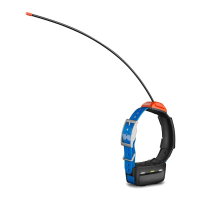
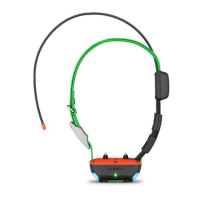
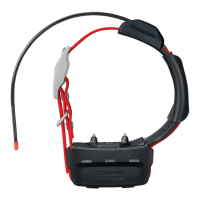
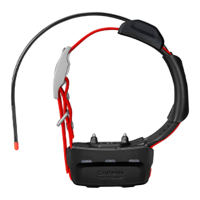
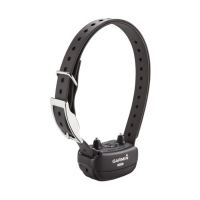
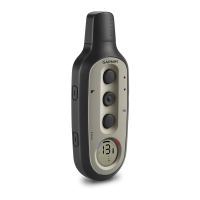
The Garmin T 20 Dog Collar Device is a sophisticated tracking and training tool designed to enhance the safety and control of your dog. This owner's manual provides comprehensive instructions for setting up, using, and maintaining the device, ensuring optimal performance and a positive experience for both you and your dog.
Function Description
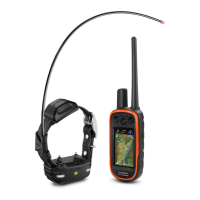
The T 20 Dog Collar Device serves as a crucial component of a larger dog tracking and training system, typically paired with a compatible Garmin Alpha navigator. Its primary functions include:
- GPS Tracking: The device features a GPS antenna that acquires satellite signals, allowing you to accurately track your dog's location in real-time. This information is then transmitted to your Alpha navigator, displaying your dog's position on a map or a tracking compass.
- VHF Communication: Equipped with a VHF antenna, the collar communicates wirelessly with your Alpha navigator, providing reliable tracking data even in challenging environments where cellular service might be unavailable.
- Dog Training: When paired with a compatible navigator, the T 20 collar can be used as a training aid. While specific training features may vary by region, the device can typically deliver audible tones and vibrations to assist in reinforcing commands. These training methods are designed to be used as part of an overall training program, starting with basic leash training and gradually incorporating the collar device.
- Beacon LEDs: The device includes flashing beacon LEDs, which can be configured to a specific color, aiding in visibility and identification of your dog, especially in low-light conditions.
Usage Features
The T 20 Dog Collar Device is designed for ease of use, with several features that enhance its functionality during tracking and training activities:
- Turning On/Off: To turn on the device, simply hold the power button until the status LED flashes and the collar beeps. To turn it off, hold the power button until the status LED turns solid red and the device beeps.
- Charging: The device features a rechargeable lithium-ion battery. It is recommended to fully charge the battery before initial use, which takes approximately five hours for a depleted battery. The charging process involves snapping a charging clip onto the device and connecting it to a power source via a USB cable. The status LED indicates the charging status (solid red for charging, solid green for fully charged).
- Acquiring Satellite Signals: Before placing the collar on your dog, both the dog collar device and your navigator must acquire satellite signals. This process requires an open outdoor area and can take a few minutes. A flashing green status LED on the collar indicates successful satellite acquisition.
- Wireless Pairing: Adding a dog to your Alpha navigator is done wirelessly. You initiate pairing by holding the power button on the collar until it emits two series of beeps, causing the status LED to flash blue. Then, on your navigator, you select "Dog List" > "Add Dog" > "Pair Collar" and follow the on-screen instructions. After successful pairing, you can name your dog and select a beacon color.
- Collar Fitting: Proper fitting of the collar is crucial for both comfort and effective operation. The collar should be positioned with the communication antenna pointing up, the GPS antenna facing up, and the LEDs facing forward. It should be snug around the dog's neck, preventing rotation or sliding, but not so tight as to impede swallowing. Any excess strap length can be trimmed, leaving at least 7.62 cm (3 in.) to spare.
- Dog Tracking: Once paired and with satellite signals acquired, you can track your dog using the tracking compass or map on your Alpha navigator. The map displays your location, your dog's location, and their tracks, while the compass pointer indicates the direction to your dog.
- Communication with the Dog Collar Device: For optimal communication, maintain an unobstructed line of sight between your navigator and the dog collar device. Moving to a higher elevation point can improve signal strength.
- Dynamic Update Rate: To conserve battery power, the device can utilize a dynamic update rate. When actively tracking, the collar adjusts its update frequency based on your dog's activity, extending battery life. This feature can be enabled through the navigator's "Dog List" menu.
- Sleep Mode: When not actively tracking your dog, the collar can be put into sleep mode to further conserve battery. This feature is accessible through the "Dog List" menu on your navigator, allowing you to select "Sleep" to enter sleep mode or "Wake" to exit.
Maintenance Features
Regular maintenance ensures the longevity and optimal performance of your T 20 Dog Collar Device:
- Cleaning: Before charging or performing any maintenance, it is essential to thoroughly dry the contacts on the dog collar device and the surrounding area to prevent corrosion. Avoid spraying the device or collar with harsh chemicals like flea or tick spray, as these can damage plastic components and the collar strap. Ensure any such sprays applied to your dog are completely dry before putting the collar on.
- Product Updates: Keeping your device's software up to date is important for optimal performance and access to new features. Garmin Express™ software (available on garmin.com/express) provides an easy way to manage software updates and product registration.
- Wi-Fi Setup: When paired with a compatible navigator, the dog collar device can connect to Wi-Fi networks. This allows the device to automatically check for and install software updates when charging and within range of the connected Wi-Fi network.
- Battery Replacement: The device features a rechargeable, replaceable lithium-ion battery. The manual provides detailed instructions for replacing the battery, which involves removing screws from the VHF antenna cover and the back plate. It's crucial to note the orientation of the status LED and charging clip connectors and to ensure the gasket (battery seal) is properly seated with the new battery. Proper recycling of the old battery is also emphasized.
- Flex Band Replacement: The dog collar flex band can be replaced if needed. This involves removing two screws securing the flex band to the back plate, removing the old band, and then securing the new one.
- Strap Replacement: The dog collar strap is also replaceable. The process involves pulling the old strap out of the antenna guide and the device, then threading the new strap through.
- VHF Antenna Replacement: The VHF antenna can be replaced. This procedure is similar to battery replacement, involving the removal of screws from the VHF antenna cover and the back plate, detaching the old antenna, and then securing the new one. Optional antenna clips can be used for additional security.
By following these guidelines for usage and maintenance, you can maximize the effectiveness and lifespan of your Garmin T 20 Dog Collar Device, ensuring reliable tracking and training for your dog.

 Need help?
 General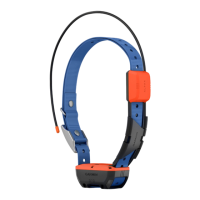

 To Next Page