You must calibrate the compass in the remote control before
you can use the gesture-controls feature. If the gesture-controls
feature is not working properly after calibration, you can repeat
this process as often as needed.
1
Select > Compass Calibration.
2
Follow the on-screen instructions.
Marking and Starting Navigation to a Man Overboard
Location
1
Select MOB
The name and image of the MOB search pattern appear on
the screen.
2
Select or to select the direction and begin following the
MOB pattern.
Sailboat Features
Sailing-specific functions and patterns are available for the
programmable keys when you connect your remote control to an
autopilot on a sailboat.
Activating a Wind Hold Action
Before you can activate a wind hold, you must assign the wind
hold action to an action key (Changing the Functions of the
Action Keys, page 2).
1
Press the action key assigned to the wind hold action.
The wind hold direction appears on the remote control
screen.
2
Press the action key again to activate wind hold.
Tacking and Gybing
Before you can activate a tack or gybe using the remote control,
you must assign the tack and gybe action to an action key
(Changing the Functions of the Action Keys, page 2).
Before you can activate a tack or a gybe from heading hold (as
opposed to wind hold), you must define the tack and gybe angle
using the helm control or chartplotter. See the owner's manual
for your helm control or chartplotter for more information.
1
From heading hold or wind hold, select the action key
assigned to Tack/Gybe.
2
Press or to tack or gybe to port or starboard.
Settings
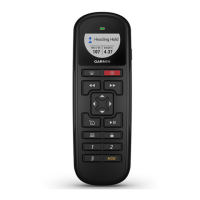
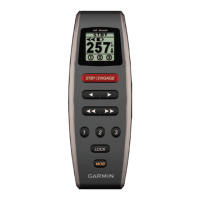
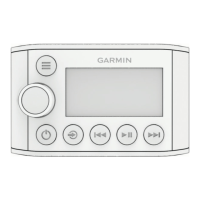
These settings affect the remote control only. You must adjust
the helm control or chartplotter settings on the helm control or
chartplotter.
Press .
Backlight: Adjusts the backlight level of the screen.
Beeper: Sets if and when audible sounds are used.
Compass Calibration: Calibrates the compass for the gesture-
controls feature.
Units: Sets the units of measure.
Restore Defaults: Restores the remote control to factory default
settings.
About: Shows information about the remote control.
Specifications
Dimensions (W×H×D) 152 x 52 x 32 mm (6 x 2 x 1
1
/
4
in.)
Weight 109 g (3.8 oz.) without batteries
Material Glass-filled nylon
Display type Sunlight-visible, transflective memory-in-pixel
(MIP)
Display resolution R240 x 240 pixels
Display size (diameter) 30.2 mm (1
3
/
16
in.)
Operating temperature From -15° to 70°C (5° to 158°F)
Storage temperature From -40° to 85°C (-40° to 185°F)
Battery type 2 AA (not included)
Battery life 10 days, typical use
Radio frequency 2.4 GHz @ 3.4 dBm nominal
Water rating IEC 60529 IPX7*
Compass-safe distance 15 cm ( 1 in.)
*The device withstands incidental exposure to water of up to 1 m
for up to 30 min. For more information, go to www.garmin.com
/waterrating.
© 2018 Garmin Ltd. or its subsidiaries
3



 To Next Page