EasyManua.ls Logo

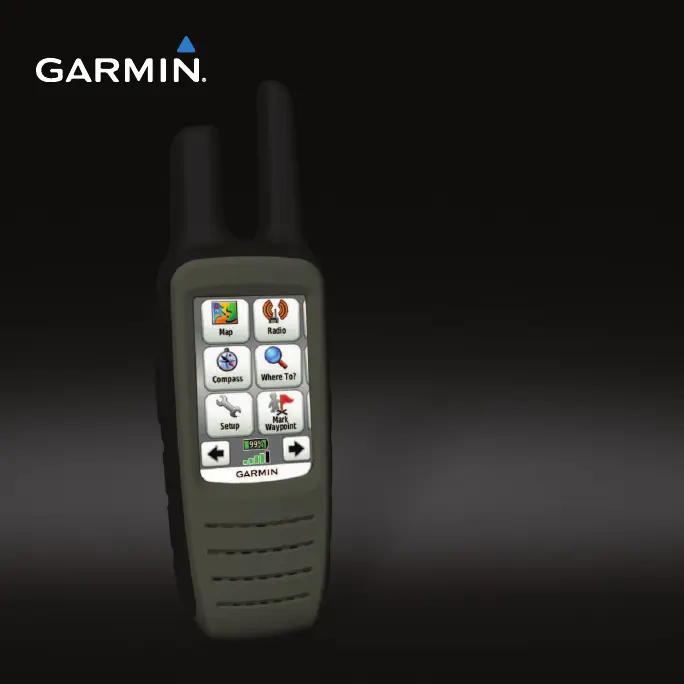
Garmin Rino 655t - User Manual

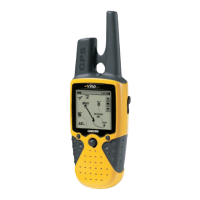
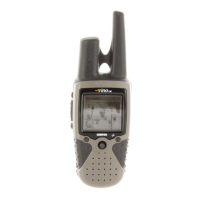
Garmin Rino 655t
60 pages
Print Icon
To Next Page IconTo Next Page
Loading...
Rino 650N Owners Manual a
Rino
®
650N series
owner’s manual

Table of Contents

Other manuals for Garmin Rino 655t

Questions and Answers

  • K
    Kyle HarrisAug 12, 2025
    How to reset Garmin Two-Way Radio if the screen does not respond?
    • R
      riosdaleAug 12, 2025
      To reset your Garmin Two-Way Radio when the screen is unresponsive: 1. Remove the batteries. 2. Reinstall the batteries. Note that this process will not erase any of your data or settings.
  • D
    Diane ClarkAug 16, 2025
    Why my Garmin Rino 655t will not charge?
    • A
      Ashley SloanAug 16, 2025
      If your Garmin Two-Way Radio is not charging, consider the following: * Ensure the lithium-ion battery is properly installed. * Make sure the ambient temperature is between 0°C and 45°C (32°F and 113°F). * Try turning down the backlight.
  • S
    Stacy HowardAug 20, 2025
    How to restore factory settings on Garmin Rino 655t Two-Way Radio?
    • T
      Tamara RosarioAug 20, 2025
      To reset your Garmin Two-Way Radio to its factory default settings, select Setup > Reset > Restore Defaults to Factory Settings.
  • M
    Mariah GibbsAug 25, 2025
    What to do if Garmin Two-Way Radio battery gauge is not accurate?
    • S
      Samantha GravesAug 25, 2025
      If the battery gauge on your Garmin Two-Way Radio appears inaccurate: 1. Leave the device on until the battery runs out. 2. Fully charge the battery without interrupting the charge cycle.
  • K
    Kathleen WhiteAug 27, 2025
    What to do if my Garmin Rino 655t Two-Way Radio does not acquire satellite signals?
    • K
      kellylorettaAug 27, 2025
      If your Garmin Two-Way Radio is not acquiring satellite signals: 1. Move your device out of parking garages and away from tall buildings and trees. 2. Turn on the device. 3. Remain stationary for several minutes.
  • L
    Lindsay MartinAug 31, 2025
    What to do if Garmin Rino 655t won't go into mass storage mode?
    • L
      Lee ParkerAug 31, 2025
      If your Garmin Two-Way Radio is connected to the computer but is not entering mass storage mode, possibly because you loaded a corrupted file: 1. Disconnect the device from your computer. 2. Turn off the device. 3. Hold while you connect the device to your computer. 4. Continue holding for 30 seconds or until the device goes into mass storage mode.
  • M
    Melissa BlackSep 4, 2025
    How do I know if my Garmin Rino 655t is in USB mass storage mode?
    • E
      Edward ReynoldsSep 4, 2025
      When your Garmin Two-Way Radio is in USB mass storage mode, an image of the device connected to a computer appears on the device screen. Additionally, on your computer, a new removable disk drive should be visible in My Computer (Windows) or as a mounted volume (Mac).
  • M
    Michael DavisSep 8, 2025
    What if I cannot see new removable drives for my Garmin Two-Way Radio?
    • J
      Joshua HamptonSep 8, 2025
      If you cannot see any new removable drives for your Garmin Two-Way Radio in your list of drives, it may be due to multiple network drives mapped on your computer. Windows might have trouble assigning drive letters to your Garmin drives. Refer to your operating system's help file for instructions on how to assign drive letters.

Summary

Getting Started

Initial Setup and Device Basics

Explains manual conventions, registration, keys, antennas, battery, charging, and signal acquisition.

Screen and Backlight Management

Details adjusting backlight brightness and locking the screen.

Radio Operations

Basic Radio Functions

Covers muting the radio and selecting channels.

Radio Settings and Contacts

Explains radio settings, managing contacts, and sending notes.

Peer-to-Peer Positioning and Status

Details sending location and understanding radio status indicators.

Waypoints and Tracks Management

Creating and Managing Waypoints

Covers creating, finding, editing, deleting, and averaging waypoints.

Data Sharing and Track Logging

Explains wireless data sharing and configuring track recording.

Working with Saved Tracks

Details viewing, saving, clearing, deleting, and navigating saved tracks.

Navigation Features

Destination and Track Navigation

Covers navigating to destinations, TracBack, and finding nearby locations.

Map and Compass Usage

Explains map display, compass calibration, and pointer navigation.

Contact and Geocache Navigation

Details navigating to contacts, downloading, and finding geocaches.

Route Planning and Management

Covers creating, editing, viewing, and deleting routes, plus Sight 'N Go.

Emergency Navigation and Control

Explains sending emergency alerts, navigating to them, and stopping navigation.

Customizing Your Device

Screen, Data Fields, and Profiles

Customizes data fields, home screen, profiles, and specific pages.

System and Navigation Settings

Configures GPS, language, units, time, position, heading, altimeter, geocache, routing, and marine settings.

Device Resets and Fitness Options

Covers resetting data, factory defaults, and fitness accessory information.

Device Tools and Utilities

Data Viewing and Measurement Tools

Covers trip computer, elevation plot, calendar, almanacs, and area calculation.

Alarms, Stopwatch, and Photo Viewing

Details setting alarms, using the stopwatch, and viewing photos.

Device Information and Maintenance

Software Updates and Device Specifications

Covers updating software, viewing device info, and technical specifications.

Battery Management and Device Care

Details battery usage, maximizing life, installing AA batteries, and general care.

Connectivity and Data Management

Explains Bluetooth headset connection, microSD card installation, computer connection, and file transfer.

Appendix and Data Field Reference

Optional Hardware and Accessories

Details additional maps, VHF antennas, wired headsets, and fitness accessories.

Data Field Descriptions

Provides detailed explanations for various data fields shown on the device.

Troubleshooting Common Issues

Device Responsiveness and Resetting

Addresses screen unresponsiveness and resetting to factory defaults.

Power, Charging, and Signal Problems

Solves issues with satellite acquisition, charging, and battery life.

Computer Connectivity and USB Issues

Helps diagnose problems with USB mass storage mode and drive recognition.

Garmin Rino 655t Specifications

General IconGeneral
AviationNo
Sport (fitness, running)-
Marine (chartplotters, sounders)Yes
Routes quantity200
Number of waypoints2000
Channels quantity22 channels
Map coverageUSA
Display diagonal2.6 \
Display resolution160 x 240 pixels
Placement supportedVertical
Display number of colors65536 colors
Display size (HxV) (imperial)1.43 x 2.15 \
Storage media typeFlash
Compatible memory cardsMicroSD (TransFlash)
Internal storage capacity4.5 GB
Form factorHandheld
Product colorGray
Megapixel5 MP
USB 2.0 ports quantity1
Mini-USB 2.0 ports quantity0
Power source typeAC, Battery
Battery life (max)14 h
Cables includedUSB
Weight and Dimensions IconWeight and Dimensions
Depth45 mm
Width60 mm
Height190 mm
Weight320 g

Related product manuals