EasyManua.ls Logo

Garmin 530 - User Manual

Garmin 530
132 pages
Print Icon
To Next Page IconTo Next Page
Loading...
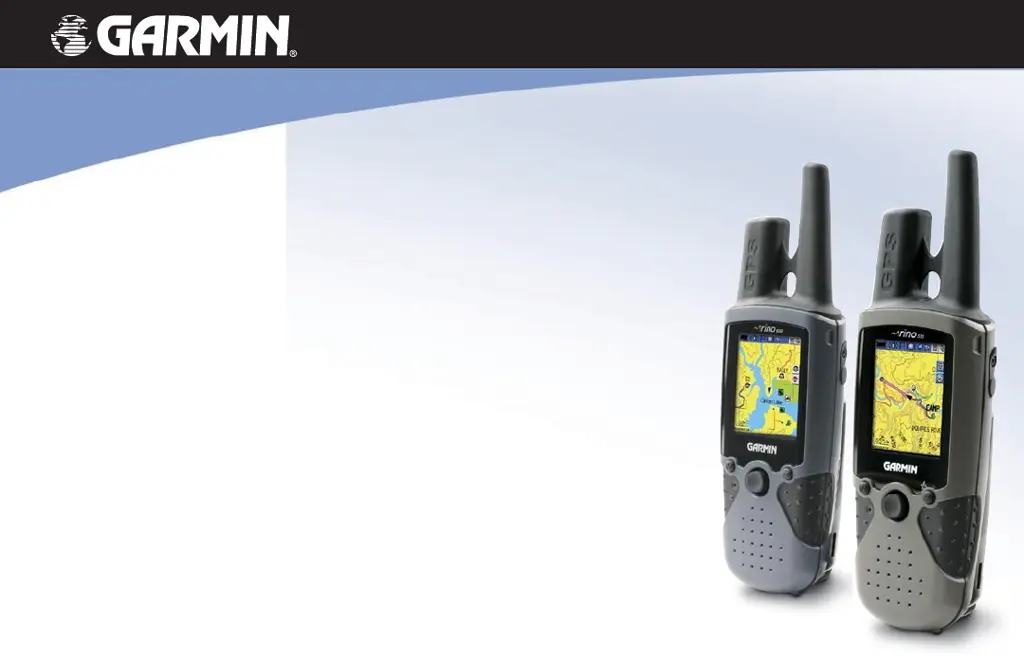
owner’s manual
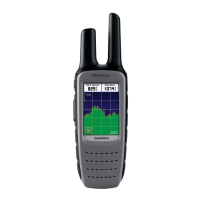
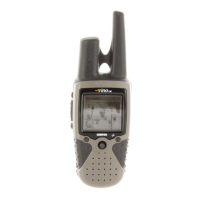
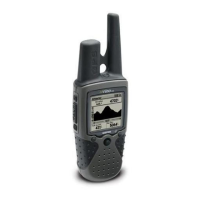
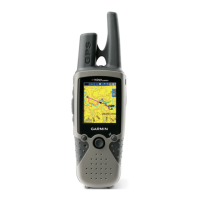
Rino
®
520/530
2-way radio & GPS

Table of Contents

Questions and Answers

Summary

Rino 520;530 Owners Manual

Introduction to the Rino 520;530

Overview of the Rino 520/530 2-way radio and GPS device.

Introduction to the Manual

Manual Organization Overview

Outlines the structure and sections of the owner's manual.

Rino 520 vs. Rino 530 Feature Differences

Highlights key feature distinctions between the Rino 520 and Rino 530 models.

Safety and Operational Warnings

General Safety and GPS Precautions

Covers GPS system accuracy, chart usage, battery safety, and user responsibility for safe operation.

Radio Frequency (RF) Exposure Guidelines

Details RF exposure, antenna care, and precautions for electronic devices and pacemakers.

Environmental and Operational Safety

Addresses warnings for aircraft, blasting areas, explosive atmospheres, and medical devices.

Vehicle Installation and Road Safety

Provides guidelines for safe installation and use of the device in vehicles.

Getting to Know Your Rino 520;530

Device Capabilities and Radio Features

Explains FRS/GMRS radio, GPS, communication range, and power levels.

Battery Charging and Map Data

Details battery charging procedures and information on built-in map data.

Front of the Rino 520;530 Interface

Device Buttons and Controls

Describes the functions of buttons like Power, Call, Talk, Page/Quit, and Volume.

Navigation and Display Interface

Explains the Thumb Stick, Zoom/Map buttons, TFT Display, and Speaker.

Back of the Rino 520;530 Interface

External Ports and Antenna Connections

Identifies the GPS antenna, USB port, headset connector, and other external interfaces.

Lithium-Ion Battery Information

Provides details on charging, storing, and handling the lithium-ion battery pack.

Main Display Pages Overview

Primary Display Screens

Introduces the Radio, Map, Active Route, Compass, Altimeter, and Main Menu pages.

Customizing Main Page Sequence

Explains how to reorder or change the sequence of main display pages.

Operating the Rino 520;530

Navigating Menus and Options

Details how to use the Thumb Stick, Page Option Menu, and close pages.

Utilizing Shortcuts and Key Lock

Describes accessing the Shortcuts Menu and locking/unlocking device buttons.

Status Bar Overview

Understanding Status Icons

Explains icons for battery level, power, radio signal, GPS status, and keylock.

Backlight and Message Notifications

Covers backlight adjustment and understanding pop-up messages for unit events.

Radio Page Operations

Initializing the GPS Receiver

Steps to initialize the GPS for accurate navigation.

Weather Radio and Alert Features

Explains how to use the Weather Radio and Weather Alert functions (Rino 530).

Setting the Channel and Code

FRS;GMRS Channel and CTCSS Code Configuration

Details channel selection and CTCSS code usage for communication.

Scanning and Monitoring Radio Channels

Using the Scan Feature

Explains how to scan channels for activity.

Using the Monitor Feature

Describes how to monitor a single channel for all signals.

Setup Radio Options

Location Transmission and Polling Settings

Covers Send Location, Allow Polling, and GMRS Power settings.

Privacy and Repeater Channel Configuration

Explains Scramble feature for privacy and enabling GMRS Repeater Channels.

Setup Tones and Alerts

Configuring Call, Roger, and Ring Tones

Details options for Call Tone, Roger Tone, Ring Tone, and Vibrate alerts.

Message Beep, Key Beep, and Power Beep Settings

Explains notification tones for messages, key presses, and power on/off.

Using Weather Radio and Alerts

Accessing and Operating Weather Radio

Guides on turning on and using the Weather Radio function.

Enabling Weather Alert Notifications

Explains how to activate and use the Weather Alert feature.

Using Rino 520;530 Radio Features

Peer-to-Peer Positioning and Location Sharing

Details transmitting and receiving location data between Rino units.

Managing New Contacts and Contact Details

Covers receiving, saving, and reviewing contact information and locations.

Sending a Location

Transmitting Current Location to Other Users

Step-by-step guide to send your current location to other Rino users.

Map Page Functionality

Navigating and Viewing Map Data

Explains map display elements like position icon, accuracy circle, and contact bar.

Panning and Zooming the Map Display

Guides on moving the map and changing zoom scales for detailed viewing.

Map Page Options

Navigation and Measurement Tools

Covers Pan Map, Stop Navigation, Recalculate, and Measure Distance functions.

Map Display Customization Options

Details options for Data Fields, Guidance Text, Setup Map, and Declutter.

Programming Data Fields

Customizing Map Page Data Fields

Explains how to select and display various navigation data fields.

Setting Up the Map Display

Navigating Map Setup Pages

Describes accessing and navigating through the various Map Setup sub-pages.

General and Tracks Setup Options

Covers map orientation, auto zoom, track log settings, and saved track display.

Map Points and Text Setup

Details settings for map points, street labels, land cover, and text size.

Compass Page Operations

Understanding Compass Components and Guidance

Explains the Bearing Pointer, Compass Ring, and heading indicators.

Calibrating the Compass

Provides instructions for calibrating the electronic compass for accuracy.

Altimeter Page Functions

Viewing Elevation and Pressure Data

Describes displaying current elevation, ascent/descent rates, and pressure data.

Altimeter Page Options and Plots

Covers plot types, zoom ranges, pan plot, and data reset options.

Calibrating the Altimeter

Manual Altimeter Calibration Procedure

Step-by-step guide for manual calibration using elevation or pressure.

Main Menu Overview

Accessing the Main Menu

Instructions on how to navigate to the Main Menu.

Key Features accessible from Main Menu

Lists major functions like Satellite, Trip Computer, Find, Routes, Setup, and Games.

Satellite Page Information

Understanding the Sky View Graphic

Explains the satellite display showing signal strength and overhead view.

WAAS and Satellite Strength

Details the Wide Area Augmentation System and how to interpret satellite signal strength.

Waypoints Management

Creating and Marking Waypoints

Covers methods for creating waypoints from current location or map features.

Editing and Deleting Waypoints

Explains how to modify, move, or delete existing waypoints.

Finding Locations

Using the Find Menu and Categories

Guides on accessing the Find menu and searching by name or nearest.

Searching for Waypoints, Cities, and Exits

Details procedures for finding specific locations like waypoints, cities, and highway exits.

Using Go To Navigation

Activating and Navigating Routes

Guides on initiating navigation to a destination and following routes.

Tracks Page and TracBack Feature

Saving and Using Track Logs

Explains how to save, use, and view track logs for navigation.

Utilizing the TracBack Feature

Describes how to retrace a path using saved track logs.

Routes Page Operations

Creating and Managing Routes

Covers creating, adding waypoints, and editing routes.

Navigating and Setting Up Routes

Explains route navigation methods, guidance, and setup options.

Setup Pages Overview

System Setup Configuration

Details settings for GPS operation, WAAS, battery, and power.

Display and Radio Setup Options

Covers display modes, color schemes, backlight, and radio operation adjustments.

Time, Units, and Heading Setup

Explains how to configure time, units of measure, and heading display.

Accessories and Data Transfer

Standard and Optional Accessories

Lists included and available accessories for the Rino unit.

Transferring MapSource Data

Guides on connecting to a PC and transferring map data using MapSource.

Troubleshooting Guides

Radio Troubleshooting

Provides solutions for common radio transmission and reception issues.

GPS Troubleshooting

Offers solutions for GPS acquisition, WAAS, and map display problems.

Specifications

Physical and Performance Details

Lists the physical dimensions, weight, display, and performance metrics of the device.

Radio and Power Specifications

Details radio channels, power output, battery life, and recharging time.

FCC Compliance and Licensing

FCC Compliance Information

Outlines compliance with FCC regulations regarding radio frequency emissions.

FCC Licensing Requirements for GMRS

Explains the licensing process and requirements for operating GMRS frequencies.

Limited Warranty and Support

Warranty Terms and Conditions

Details the product's warranty period, coverage, and exclusions.

Obtaining Warranty Service and Contact Info

Provides instructions for warranty claims and customer support contact details.

Software License and Product Registration

Software License Agreement Terms

Outlines the terms and conditions for using the device's embedded software.

Product Registration and Support

Guides on registering the product and contacting Garmin for support.

Summary

Rino 520;530 Owners Manual

Introduction to the Rino 520;530

Overview of the Rino 520/530 2-way radio and GPS device.

Introduction to the Manual

Manual Organization Overview

Outlines the structure and sections of the owner's manual.

Rino 520 vs. Rino 530 Feature Differences

Highlights key feature distinctions between the Rino 520 and Rino 530 models.

Safety and Operational Warnings

General Safety and GPS Precautions

Covers GPS system accuracy, chart usage, battery safety, and user responsibility for safe operation.

Radio Frequency (RF) Exposure Guidelines

Details RF exposure, antenna care, and precautions for electronic devices and pacemakers.

Environmental and Operational Safety

Addresses warnings for aircraft, blasting areas, explosive atmospheres, and medical devices.

Vehicle Installation and Road Safety

Provides guidelines for safe installation and use of the device in vehicles.

Getting to Know Your Rino 520;530

Device Capabilities and Radio Features

Explains FRS/GMRS radio, GPS, communication range, and power levels.

Battery Charging and Map Data

Details battery charging procedures and information on built-in map data.

Front of the Rino 520;530 Interface

Device Buttons and Controls

Describes the functions of buttons like Power, Call, Talk, Page/Quit, and Volume.

Navigation and Display Interface

Explains the Thumb Stick, Zoom/Map buttons, TFT Display, and Speaker.

Back of the Rino 520;530 Interface

External Ports and Antenna Connections

Identifies the GPS antenna, USB port, headset connector, and other external interfaces.

Lithium-Ion Battery Information

Provides details on charging, storing, and handling the lithium-ion battery pack.

Main Display Pages Overview

Primary Display Screens

Introduces the Radio, Map, Active Route, Compass, Altimeter, and Main Menu pages.

Customizing Main Page Sequence

Explains how to reorder or change the sequence of main display pages.

Operating the Rino 520;530

Navigating Menus and Options

Details how to use the Thumb Stick, Page Option Menu, and close pages.

Utilizing Shortcuts and Key Lock

Describes accessing the Shortcuts Menu and locking/unlocking device buttons.

Status Bar Overview

Understanding Status Icons

Explains icons for battery level, power, radio signal, GPS status, and keylock.

Backlight and Message Notifications

Covers backlight adjustment and understanding pop-up messages for unit events.

Radio Page Operations

Initializing the GPS Receiver

Steps to initialize the GPS for accurate navigation.

Weather Radio and Alert Features

Explains how to use the Weather Radio and Weather Alert functions (Rino 530).

Setting the Channel and Code

FRS;GMRS Channel and CTCSS Code Configuration

Details channel selection and CTCSS code usage for communication.

Scanning and Monitoring Radio Channels

Using the Scan Feature

Explains how to scan channels for activity.

Using the Monitor Feature

Describes how to monitor a single channel for all signals.

Setup Radio Options

Location Transmission and Polling Settings

Covers Send Location, Allow Polling, and GMRS Power settings.

Privacy and Repeater Channel Configuration

Explains Scramble feature for privacy and enabling GMRS Repeater Channels.

Setup Tones and Alerts

Configuring Call, Roger, and Ring Tones

Details options for Call Tone, Roger Tone, Ring Tone, and Vibrate alerts.

Message Beep, Key Beep, and Power Beep Settings

Explains notification tones for messages, key presses, and power on/off.

Using Weather Radio and Alerts

Accessing and Operating Weather Radio

Guides on turning on and using the Weather Radio function.

Enabling Weather Alert Notifications

Explains how to activate and use the Weather Alert feature.

Using Rino 520;530 Radio Features

Peer-to-Peer Positioning and Location Sharing

Details transmitting and receiving location data between Rino units.

Managing New Contacts and Contact Details

Covers receiving, saving, and reviewing contact information and locations.

Sending a Location

Transmitting Current Location to Other Users

Step-by-step guide to send your current location to other Rino users.

Map Page Functionality

Navigating and Viewing Map Data

Explains map display elements like position icon, accuracy circle, and contact bar.

Panning and Zooming the Map Display

Guides on moving the map and changing zoom scales for detailed viewing.

Map Page Options

Navigation and Measurement Tools

Covers Pan Map, Stop Navigation, Recalculate, and Measure Distance functions.

Map Display Customization Options

Details options for Data Fields, Guidance Text, Setup Map, and Declutter.

Programming Data Fields

Customizing Map Page Data Fields

Explains how to select and display various navigation data fields.

Setting Up the Map Display

Navigating Map Setup Pages

Describes accessing and navigating through the various Map Setup sub-pages.

General and Tracks Setup Options

Covers map orientation, auto zoom, track log settings, and saved track display.

Map Points and Text Setup

Details settings for map points, street labels, land cover, and text size.

Compass Page Operations

Understanding Compass Components and Guidance

Explains the Bearing Pointer, Compass Ring, and heading indicators.

Calibrating the Compass

Provides instructions for calibrating the electronic compass for accuracy.

Altimeter Page Functions

Viewing Elevation and Pressure Data

Describes displaying current elevation, ascent/descent rates, and pressure data.

Altimeter Page Options and Plots

Covers plot types, zoom ranges, pan plot, and data reset options.

Calibrating the Altimeter

Manual Altimeter Calibration Procedure

Step-by-step guide for manual calibration using elevation or pressure.

Main Menu Overview

Accessing the Main Menu

Instructions on how to navigate to the Main Menu.

Key Features accessible from Main Menu

Lists major functions like Satellite, Trip Computer, Find, Routes, Setup, and Games.

Satellite Page Information

Understanding the Sky View Graphic

Explains the satellite display showing signal strength and overhead view.

WAAS and Satellite Strength

Details the Wide Area Augmentation System and how to interpret satellite signal strength.

Waypoints Management

Creating and Marking Waypoints

Covers methods for creating waypoints from current location or map features.

Editing and Deleting Waypoints

Explains how to modify, move, or delete existing waypoints.

Finding Locations

Using the Find Menu and Categories

Guides on accessing the Find menu and searching by name or nearest.

Searching for Waypoints, Cities, and Exits

Details procedures for finding specific locations like waypoints, cities, and highway exits.

Using Go To Navigation

Activating and Navigating Routes

Guides on initiating navigation to a destination and following routes.

Tracks Page and TracBack Feature

Saving and Using Track Logs

Explains how to save, use, and view track logs for navigation.

Utilizing the TracBack Feature

Describes how to retrace a path using saved track logs.

Routes Page Operations

Creating and Managing Routes

Covers creating, adding waypoints, and editing routes.

Navigating and Setting Up Routes

Explains route navigation methods, guidance, and setup options.

Setup Pages Overview

System Setup Configuration

Details settings for GPS operation, WAAS, battery, and power.

Display and Radio Setup Options

Covers display modes, color schemes, backlight, and radio operation adjustments.

Time, Units, and Heading Setup

Explains how to configure time, units of measure, and heading display.

Accessories and Data Transfer

Standard and Optional Accessories

Lists included and available accessories for the Rino unit.

Transferring MapSource Data

Guides on connecting to a PC and transferring map data using MapSource.

Troubleshooting Guides

Radio Troubleshooting

Provides solutions for common radio transmission and reception issues.

GPS Troubleshooting

Offers solutions for GPS acquisition, WAAS, and map display problems.

Specifications

Physical and Performance Details

Lists the physical dimensions, weight, display, and performance metrics of the device.

Radio and Power Specifications

Details radio channels, power output, battery life, and recharging time.

FCC Compliance and Licensing

FCC Compliance Information

Outlines compliance with FCC regulations regarding radio frequency emissions.

FCC Licensing Requirements for GMRS

Explains the licensing process and requirements for operating GMRS frequencies.

Limited Warranty and Support

Warranty Terms and Conditions

Details the product's warranty period, coverage, and exclusions.

Obtaining Warranty Service and Contact Info

Provides instructions for warranty claims and customer support contact details.

Software License and Product Registration

Software License Agreement Terms

Outlines the terms and conditions for using the device's embedded software.

Product Registration and Support

Guides on registering the product and contacting Garmin for support.

Garmin 530 Specifications

General IconGeneral
BrandGarmin
Model530
CategoryTwo-Way Radio
LanguageEnglish

Videos

How to load GPX file to Garmin Edge 530?

How to Replace Your Garmin Edge 530 Battery

Related product manuals