Playing Golf
Before you play a course for the first time, you must download it using your phone (Downloading Golf Courses,
page 33). Downloaded courses are updated automatically. Before you play golf, you should charge the watch
(Charging the Watch, page 54).
1 Press .
2 Select Golf.
3 Wait while the watch locates satellites.
4 Select a course from the list of available courses.
5 Select to keep score.
6 Swipe up or down to scroll through the holes.
The watch automatically transitions when you move to the next hole.
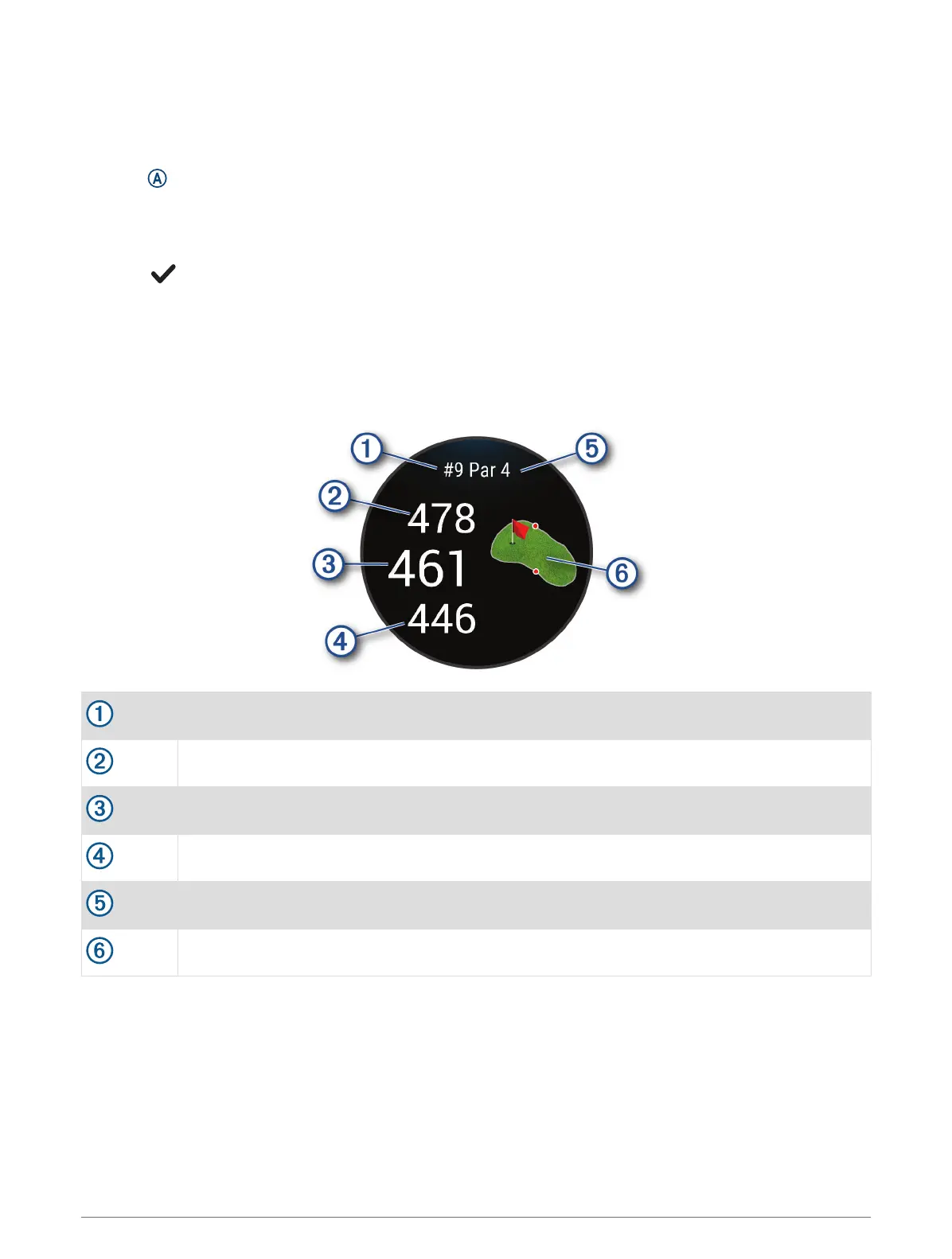
Hole Information
The watch calculates the distance to the front and back of the green, and to the selected pin location (Changing
the Pin Location, page 35).
Current hole number
Distance to the back of the green
Distance to the selected pin location
Distance to the front of the green
Par for the hole
Map of the green
34 Apps and Activities





 To Next Page