Magnum 4K8 Switches Installation and User Guide (10/04)
22
www GarrettCom com
..
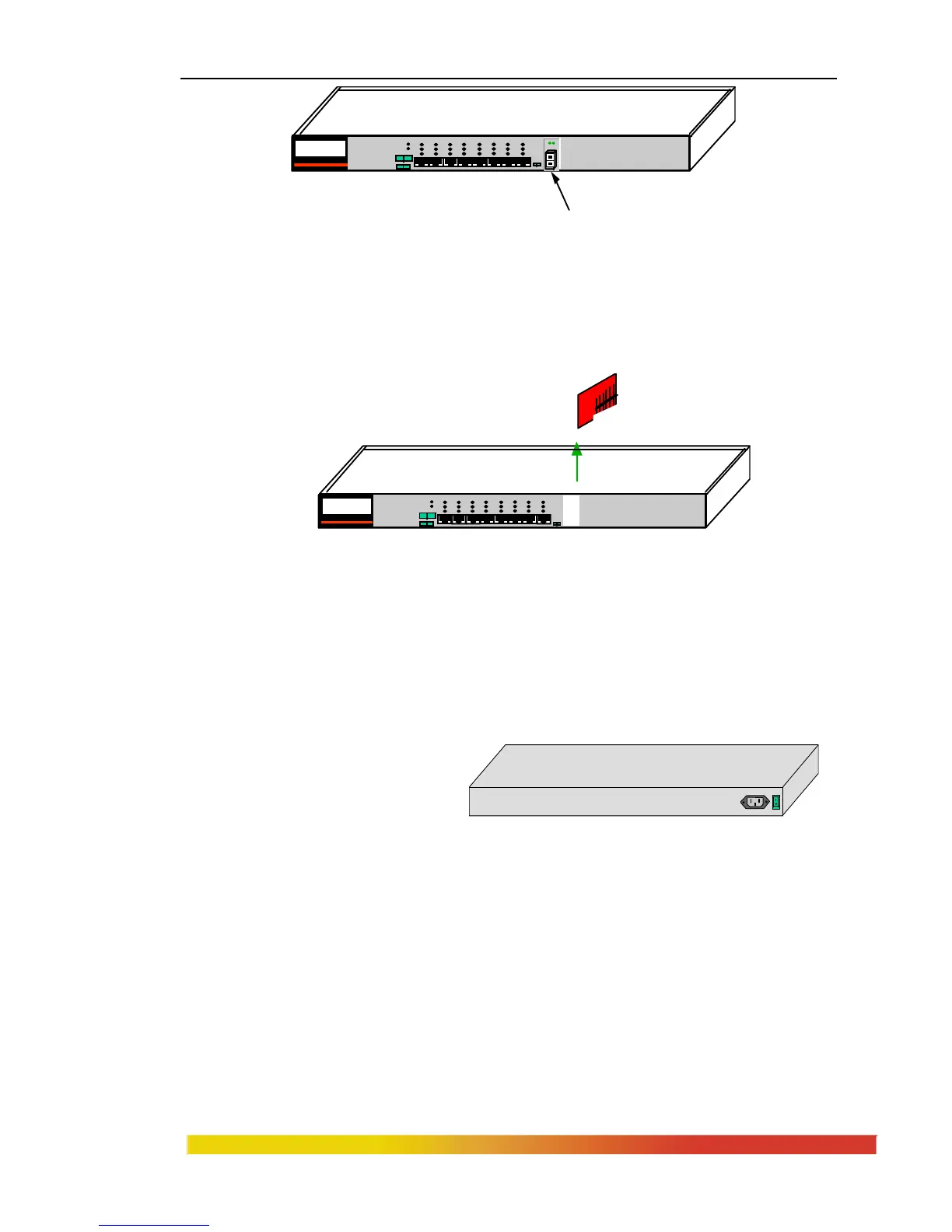
Figure 3.4.3a: Front View - Face Plate & FPM Retaining Screws
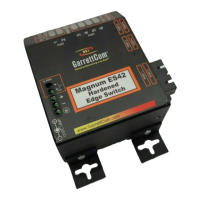
Step 3. Remove FPM Card
Gently pull the FPM card up and out of the connector socket (see Figure
3.4.3b).
Figure 3.4.3b: Removing a FPM Card
If the slot from which the FPM card has been removed is to remain unused, be
sure to install a FPM-BLNK face plate cover in it. If another FPM card is
replacing the one that has been removed, follow the steps as described for
installing a FPM card discussed in Section 3.4.1.
3.5 Powering the Magnum 4K8 Switch
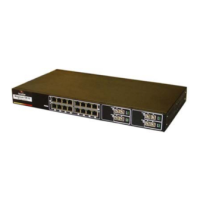
The Magnum 4K-Series
Switches incorporate an internal
universal power supply, and has a
Figure 3.5: Magnum 4K8 AC power connector
recessed male IEC connector for the AC power cord at the left-rear. A manual power
ON-OFF switch is adjacent. A six-foot 115 VAC 60 Hz standard power cord is supplied
with each unit shipped within the United States and Canada.
Bottom Retainimg Screws for holding FPM Cards
MAGNUM 4K-Series
Ethernet 10/100 Switch
1 2 3 4 5 6 7 8
POWER
ERROR
L/A
SPEED
F/H
UPLINK
= X
F
H
A L
FH
F
H
FPM CARD
MAGNUM 4K-Series
Ethernet 10/100 Switch
1 2 3 4 5 6 7 8
POWER
ERROR
L/A
SPEED
F/H
UPLINK
= X
F
H
F
H
ON
OFF
110-220
VAC
47-63Hz
1.0-0.5A


 To Next Page