EN
65
BEAN HOPPER - INSTALLATION SETTINGS
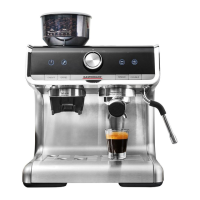
1 - Hopper lid - For closing the bean hopper
2 - Bean hopper with grind size graduation and Shutter
3 - Control panel holding the operating elements and display
4 - Control dial - Turn this knob for activating the steam function or hot water function
5 - ON/OFF button - Press here to switch the espresso machine on or off
6 - GRIND button - Starts or stops the grinder
7 - Espresso buttons - Press one of these buttons for selecting the desired extraction
volume: 1 cup (SINGLE button) or 2 cups (DOUBLE button)
8 - Grinder outlet („TAP & GO“)
9 - Group head („THERMOBLOCK“)
10 - Swivel steam wand with heat-insulated handle
11 - Removable drip tray including a red filling level indicator
12 - Storage tray - Located behind the drip tray
CORRECT
SETTINGS
WRONG
SETTINGS
ATTENTION – If you installing the bean hopper, always make sure that the
settings on the floor are correct, otherwise you can damage the device or the bot-
tom of the bean hopper.



 To Next Page