EasyManua.ls Logo

Gastroback 42712 - User Manual

Gastroback 42712
32 pages
Print Icon
To Next Page IconTo Next Page
Loading...
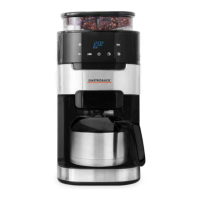
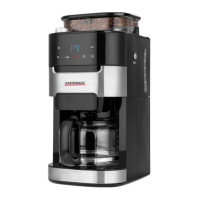
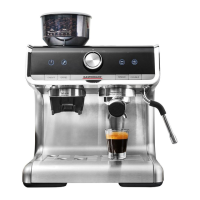
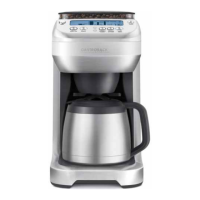
Art.-No. 42712 Design Coffee Advanced - Grind & Brew -
Operating Instructions
Design Coffee Advanced - Grind & Brew -
Read all provided instructions before first use!
Model and attachments are subject to change!
For household use only!

Questions and Answers

  • W
    Wayne GreenSep 23, 2025
    Why is the water level on LCD screen of my Gastroback 42712 not moving or indicating correctly?
    • G
      Gary RomeroSep 23, 2025
      If the water level on the LCD screen is not moving or indicating correctly, it may be due to using de-mineralized or distilled water, which affects how the coffee machine is designed to function. It is recommended to use cold, filtered water and avoid water with no/low mineral content.
  • G
    Glenda BergAug 23, 2025
    What does ‘EMPTY COFFEE FILTER’ mean on my Gastroback 42712 Coffee Maker and how to fix it?
    • T
      tara88Aug 23, 2025
      If your Gastroback Coffee Maker displays ‘EMPTY COFFEE FILTER’, there are several possible reasons: * The coffee basket might not be correctly assembled. Ensure the coffee basket lid is closed and the coffee basket is firmly seated on the two door hooks. * The swing-out door may not be closed properly. Close the door until it clicks shut. * The coffee basket hasn't been emptied of used grinds. Remove the coffee basket, discard used grinds, and wash the coffee basket, especially rinsing the chute area. Dry thoroughly, reattach to the swing-out door, and close the door until it clicks shut.
  • A
    alisonabbottAug 25, 2025
    Why does my Gastroback 42712 Coffee Maker display ‘DE-SCALE’?
    • K
      Katherine ToddAug 26, 2025
      The ‘DE-SCALE’ message on your Gastroback Coffee Maker indicates excessive mineral build-up is affecting the machine's performance. To remove the ‘DE-SCALE’ icon, press the SINGLE CUP and CARAFE button together, then de-scale the machine.
  • C
    Christina WileyAug 26, 2025
    How to fix Gastroback 42712 when no coffee comes out?
    • M
      Marcia PorterAug 27, 2025
      If no coffee comes out of your Gastroback Coffee Maker, it's likely that the coffee basket is clogged. Never open the swing-out door and remove the coffee basket while brewing, as hot water and coffee can cause injury. Turn the POWER button off, remove the plug from the power outlet, and wait 10 minutes before opening the swing-out door and removing the coffee basket. Then, follow the solutions for ‘Coffee basket overflows’.
  • A
    aweaverAug 27, 2025
    What to do if my Gastroback Coffee Maker carafe overflows?
    • M
      Michael HuntAug 27, 2025
      If your Gastroback Coffee Maker carafe overflows, it's likely because the carafe was not completely empty before brewing. Always ensure the carafe is completely empty before starting a new brewing cycle.
  • A
    Alejandro ShannonSep 16, 2025
    What to do if water is leaking from the back of my Gastroback 42712 Coffee Maker?
    • A
      Abigail StephensSep 16, 2025
      If water is leaking from the back of your Gastroback Coffee Maker, it is likely because the water tank is overfilled. Do not exceed the 12 cup maximum. The machine will beep when full, and the water level float will rise to indicate the maximum level.
  • C
    chaseingramSep 13, 2025
    Why can I only select 9 cups on my Gastroback Coffee Maker?
    • R
      robertohesterSep 13, 2025
      If you can only select 9 cups on your Gastroback Coffee Maker, it's because the ‘INTENSE’ strength setting is selected. The maximum number of cups that can be brewed at the maximum strength is 9 cups. To brew 12 cups, select the ‘STRONG’ strength setting.
  • R
    Ryan LeeSep 14, 2025
    What do I do if my cup does not fit under the drip stop outlet of my Gastroback 42712?
    • T
      tyler03Sep 15, 2025
      If your cup does not fit under the drip stop outlet of your Gastroback Coffee Maker, the maximum cup or travel mug dimensions are approximately 18cm height and 7cm diameter. Remove the drip tray at the base of the machine. Press the OPEN button to open the swing-out door. Insert the cup/mug into the drip tray cavity before closing the swing-out door.
  • J
    Javier CoxSep 5, 2025
    Why is the coffee basket overflowing on my Gastroback 42712?
    • R
      Ronald BaileySep 6, 2025
      If the coffee basket is overflowing on your Gastroback Coffee Maker, it is likely clogged. This can occur for a number of reasons: * If using pre-ground coffee, ensure it is a drip coffee grind and not too fine. Never use Espresso grind. * Check that the coffee basket is lined with only one paper filter. * Check that either the Longlife-Filter or the paper filter is used. Do not use both together. * Check that the Longlife-Filter mesh is clear and unclogged. * Clean the coffee grinds chute.
  • E
    Eric SantiagoSep 3, 2025
    Why is my Gastroback 42712 displaying ‘LOCK BEAN HOPPER’?
    • U
      umyersSep 3, 2025
      If your Gastroback Coffee Maker displays ‘LOCK BEAN HOPPER’ on the LCD screen, it indicates that the hopper is not locked in place. Turn the locking knob clockwise in the direction of the LOCK arrow until it clicks to secure it.

Summary

Gastroback Coffee Machine Overview

Control Panel Operation

Explanation of the control panel buttons and their functions.

Important Safety and Technical Details

General Safety Precautions

Comprehensive safety guidelines for appliance operation.

Electrical Appliance Safety

Specific safety guidelines for electrical components.

Technical Specifications

Details on model, power, dimensions, and certification.

Operating the Design Coffee Advanced

Initial Setup and First Use

Preparation and cleaning before the first operation.

Carafe Brewing Mode

Guide to brewing coffee using the carafe.

Single Cup Brewing Mode

Instructions for brewing a single cup of coffee.

Programming Features

Setting the clock and programming the auto-start feature.

Helpful Brewing Tips

Advice for optimizing coffee flavour and brewing.

Care, Cleaning, and Troubleshooting

Cleaning Coffee Components

Detailed steps for cleaning the basket, filter, carafe, and hopper.

Removing Calcium Build-Up (Descaling)

Guide to decalcifying the machine to remove mineral deposits.

Troubleshooting Common Issues

Solutions for common problems and error messages.

Storage, Service, and Warranty Information

Storage and Disposal Guidelines

Recommendations for storing and disposing of the appliance.

Service and Warranty Information

Details on customer support, contact information, and warranty claims.

Gastroback 42712 Specifications

General IconGeneral
TypeEspresso Machine
Pump Pressure15 bar
Model42712
BrandGastroback
MaterialStainless Steel
Water Tank Capacity1.5 liters
Capacity1.5 l
FeaturesMilk Frother
Product TypeAutomatic Espresso Machine

Related product manuals