EasyManua.ls Logo

Gastroback 42712 - User Manual

Gastroback 42712
32 pages
Print Icon
To Next Page IconTo Next Page
Loading...
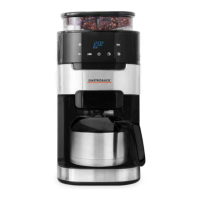
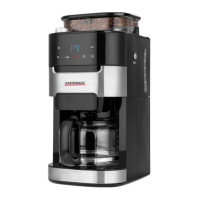
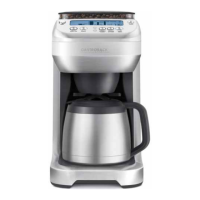
Art.-No. 42712 Design Coffee Advanced - Grind & Brew -
Operating Instructions
Design Coffee Advanced - Grind & Brew -
Read all provided instructions before first use!
Model and attachments are subject to change!
For household use only!

Questions and Answers

  • J
    John SmallSep 8, 2025
    Why are beans in the hopper of my Gastroback 42712 Coffee Maker not feeding into the grinding burrs?
    • A
      Anthony AustinSep 8, 2025
      If beans are in the hopper but not feeding into the grinding burrs of your Gastroback Coffee Maker, it may be because dark, oily beans are sticking to the sides of the hopper. Try stirring the beans to loosen them. Alternatively, the hopper may be over-packed, causing the grinder to jam. Remove some of the beans and stir the remaining beans to loosen.
  • M
    Mr. Russell Campos IISep 7, 2025
    What to do if the coffee basket drips in my Gastroback 42712?
    • J
      Jason BellSep 7, 2025
      If the coffee basket drips in your Gastroback Coffee Maker, it's likely due to residual grinds in the drip stop outlet. With the coffee basket lid open, push up the drip stop outlet (the hemisphere on the underside of the coffee basket). A valve will rise inside the coffee basket. Ensure there are no grinds underneath this valve. Thoroughly dry the coffee basket (especially the chute area) before lining the coffee basket with the gold tone or paper filter.
  • D
    David PerezAug 22, 2025
    What to do if the Gastroback 42712 displays ‘FILL TANK’?
    • W
      Wesley WattsAug 22, 2025
      If the LCD screen of your Gastroback Coffee Maker displays ‘FILL TANK’, it means the water tank is empty. To resolve this, open the flip-top water tank lid and pour in the desired amount of cold, preferably filtered water.
  • C
    cassandrastevensSep 4, 2025
    Why are there coffee grinds in my coffee from Gastroback Coffee Maker?
    • K
      Krystal MaldonadoSep 4, 2025
      If you find coffee grinds in your coffee from the Gastroback Coffee Maker, it could be due to the use of the Longlife-Filter, which normally allows some fine coffee grinds to fall into the coffee. If you wish to eliminate all grinds, switch to using a paper filter (Ø 85/215 mm). Another reason might be that the coffee basket has not been properly cleaned, leaving residual grinds from previous use. After each use, wash the coffee basket, taking particular care to rinse the chute area, and dry thoroughly.
  • E
    Eric SantiagoSep 3, 2025
    Why is my Gastroback 42712 displaying ‘LOCK BEAN HOPPER’?
    • U
      umyersSep 3, 2025
      If your Gastroback Coffee Maker displays ‘LOCK BEAN HOPPER’ on the LCD screen, it indicates that the hopper is not locked in place. Turn the locking knob clockwise in the direction of the LOCK arrow until it clicks to secure it.
  • M
    Miss Ashley Patrick DDSSep 1, 2025
    Why won't the bean hopper lock on my Gastroback Coffee Maker?
    • P
      Peter MorenoSep 2, 2025
      If you're unable to lock the bean hopper on your Gastroback Coffee Maker, it's likely that coffee beans are obstructing the bean hopper locking device. Remove the bean hopper, clear coffee beans from the grinding chamber and around the upper burr, and then try re-locking the bean hopper.
  • J
    justin64Aug 31, 2025
    Why does my Gastroback Coffee Maker use a lot of coffee?
    • N
      Nancy ZimmermanAug 31, 2025
      The Gastroback Coffee Maker's Brew IQ System is calibrated to dose the optimum water-to-coffee grinds ratio for the best flavor profile. Depending on the strength setting, this may result in more coffee being ground than you're used to, producing a bolder, more full-flavored coffee. If you'd like to use fewer beans, select a lower strength setting.
  • J
    Jay FergusonAug 30, 2025
    Why is the coffee from my Gastroback Coffee Maker watery?
    • D
      Daniel AdamsAug 30, 2025
      If the coffee from your Gastroback Coffee Maker is watery, it could be due to insufficient beans in the bean hopper. Make sure to fill the hopper with fresh beans; it's recommended to keep it full (250g maximum) to ensure there are enough beans. Another cause might be that the bean hopper and/or burr grinder is blocked.
  • T
    Tonya TranAug 28, 2025
    Why is my Gastroback Coffee Maker taking a long time to brew?
    • A
      Angela BauerAug 29, 2025
      The Gastroback Coffee Maker's Brew IQ System intelligently pre-heats and doses grinds for optimum temperature and taste, which may result in longer grinding, pre-heating, and brewing times than you're used to. If you'd like to reduce brewing time and are using SINGLE CUP mode, select a lower flavor setting; the ‘LITE’ setting will steep for less time, producing a lighter flavored coffee.
  • A
    aweaverAug 27, 2025
    What to do if my Gastroback Coffee Maker carafe overflows?
    • M
      Michael HuntAug 27, 2025
      If your Gastroback Coffee Maker carafe overflows, it's likely because the carafe was not completely empty before brewing. Always ensure the carafe is completely empty before starting a new brewing cycle.

Summary

Gastroback Coffee Machine Overview

Control Panel Operation

Explanation of the control panel buttons and their functions.

Important Safety and Technical Details

General Safety Precautions

Comprehensive safety guidelines for appliance operation.

Electrical Appliance Safety

Specific safety guidelines for electrical components.

Technical Specifications

Details on model, power, dimensions, and certification.

Operating the Design Coffee Advanced

Initial Setup and First Use

Preparation and cleaning before the first operation.

Carafe Brewing Mode

Guide to brewing coffee using the carafe.

Single Cup Brewing Mode

Instructions for brewing a single cup of coffee.

Programming Features

Setting the clock and programming the auto-start feature.

Helpful Brewing Tips

Advice for optimizing coffee flavour and brewing.

Care, Cleaning, and Troubleshooting

Cleaning Coffee Components

Detailed steps for cleaning the basket, filter, carafe, and hopper.

Removing Calcium Build-Up (Descaling)

Guide to decalcifying the machine to remove mineral deposits.

Troubleshooting Common Issues

Solutions for common problems and error messages.

Storage, Service, and Warranty Information

Storage and Disposal Guidelines

Recommendations for storing and disposing of the appliance.

Service and Warranty Information

Details on customer support, contact information, and warranty claims.

Gastroback 42712 Specifications

General IconGeneral
TypeEspresso Machine
Pump Pressure15 bar
Model42712
BrandGastroback
MaterialStainless Steel
Water Tank Capacity1.5 liters
Capacity1.5 l
FeaturesMilk Frother
Product TypeAutomatic Espresso Machine

Related product manuals