CALIBRATION
9
Gates Corporation
b. Use Calibration equation to determine
approximate new setting.
Example:
(1.010 - 1.000) X 22 + 1.23 = 1.45
Changing the dial vernier number by
approximately .02 will change crimp diameter
.001".
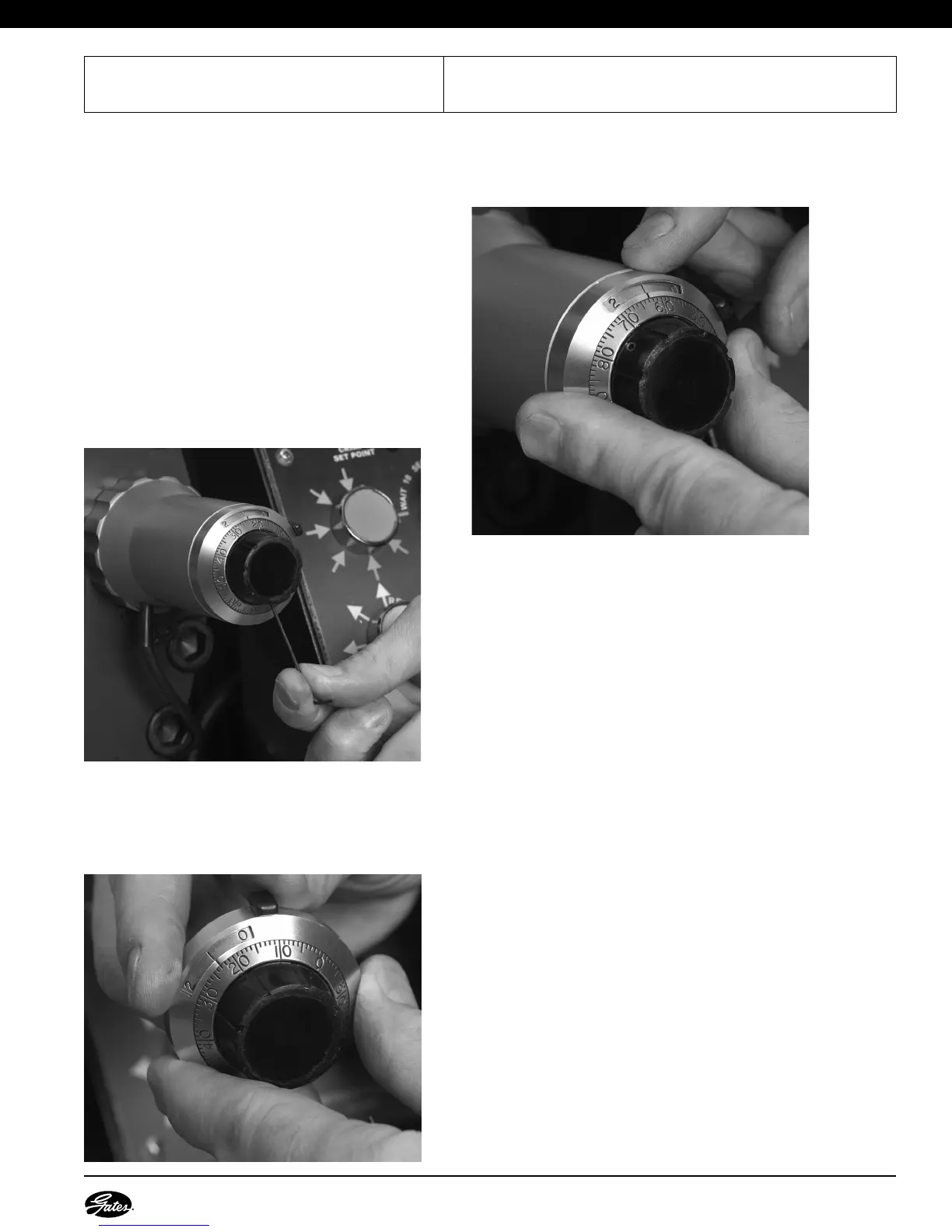
c. Using the Allen head wrench included in
the Accessory Kit, remove the dial vernier
by loosening the set screw located at
bottom on black knob of dial vernier.
• If crimp was too tight, unlock dial vernier
and lower setting according to above
calibration equation. Lock in place.
• If crimp was too loose, unlock and raise
setting. Lock in place.
d. Reinstall dial vernier and tighten set screw
using Allen wrench.
e. Unlock and reset dial vernier to 1.23.
G.Repeat calibration steps until published crimp
diameter is achieved. Crimper is now
calibrated.
Actual
COD
()
-
Target
COD
x22 +
Adjusted
Setting
Published
Setting
=


 To Next Page