MC2000 USER GUIDE
14
4. 1. 2 – CHECKING AND REPLACING THE OIL
Replace the pump oil once a year.
Procedure
: Ref : Figure 4 page 9
- Open the valve (1) on the pump to allow maximum piston back stroke
- Unscrew the filler cap (10) and drain the oil by tilting the machine
- Fill the tank up with new oil (ISO VG 22 recommended) until the level is 5mm from the
top of the tank
- Refit filler cap (10)
4. 1. 3 – REPLACING THE BATTERY
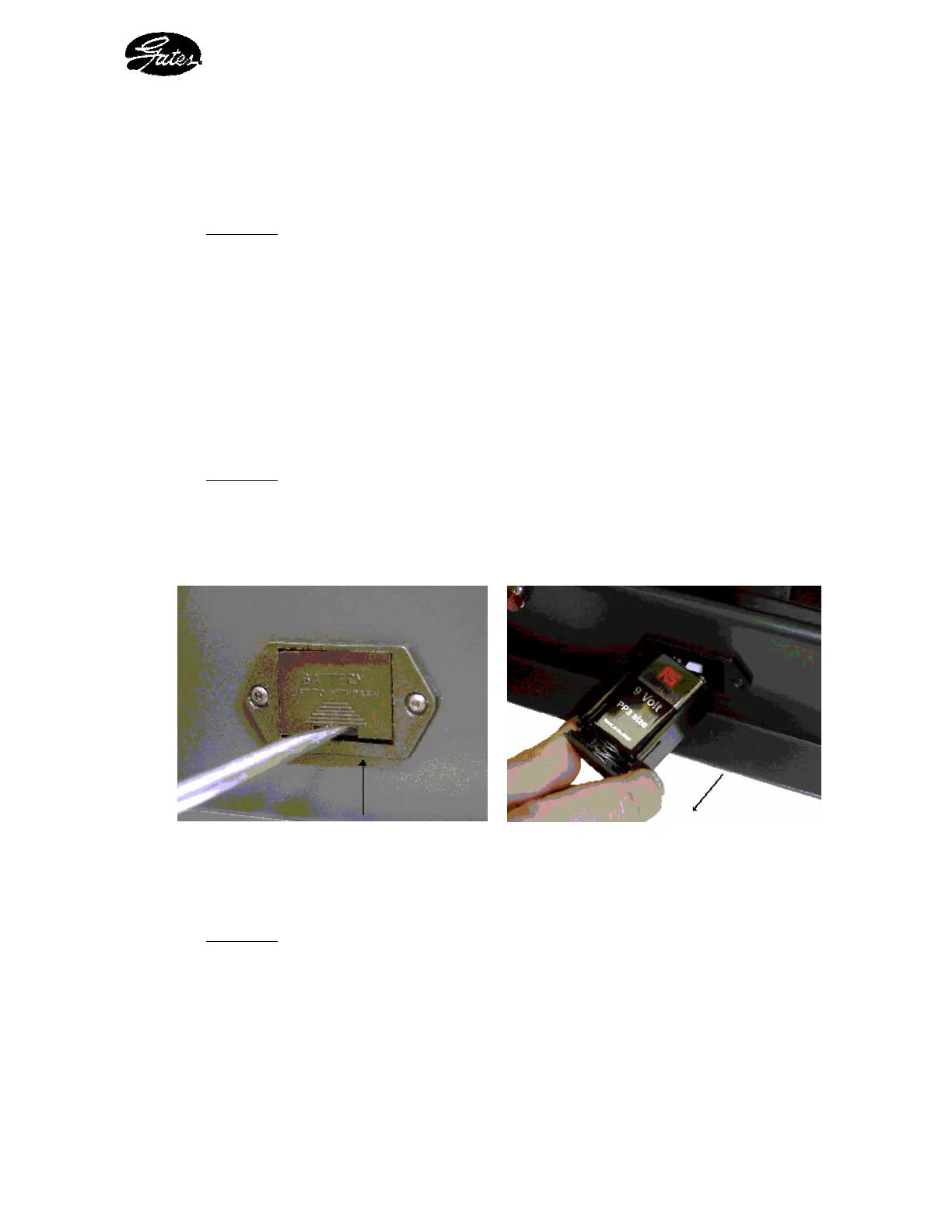
The end-of-crimping indicator light operates by way of a type 6LR 61, 9 Volt battery
Procedure
- Using the lubrication tool, apply slight pressure onto the battery casing tray
- Pull the tray to free the battery
- Replace the 6LR 61 battery, then replace the tray, ensuring correct polarity
Figure 8 : Opening the battery tray Figure 9 : Removal of battery from tray
4. 1. 4 – REPLACING THE BULB
Procedure
- Unclip the red protector from the end-of-crimping indicator light
- Remove the light bulb and replace with a new one
- Clip the red protector for the end-of-crimping indicator light back in place


 To Next Page