10
Chapter 1: Introducing Your Gateway LCD TV
www.gateway.com
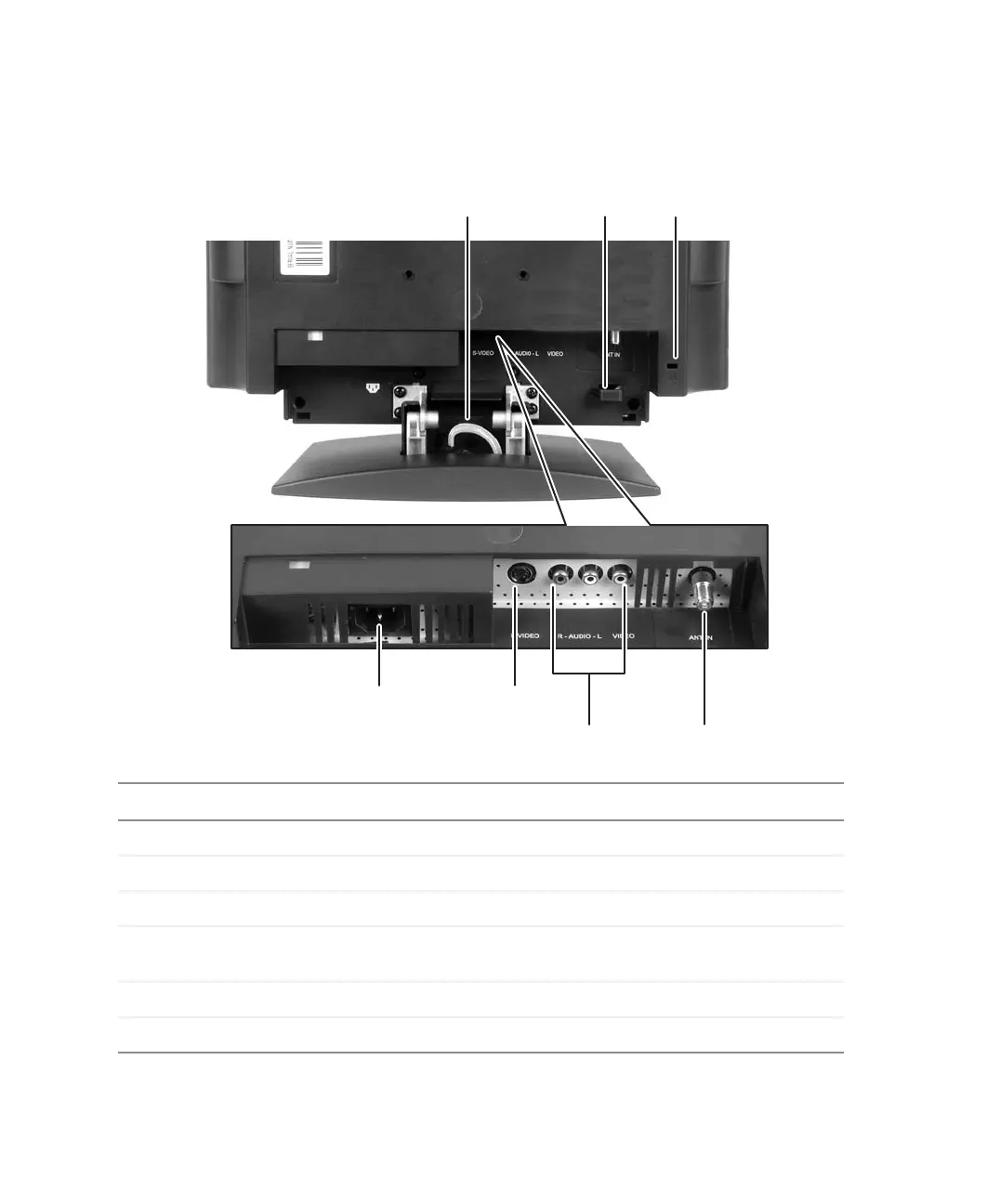
Back connections
Connector Description
Cable hooks Routes cables through the cable connection cover.
Kensington lock slot Connects to secure your LCD TV to an object with optional cable.
Power cord connector Connects to correctly grounded electrical outlet or surge protector.
S-Video Connects to an S-Video device, such as a satellite dish receiver or
digital cable box.
Video/Audio in Connects to a composite audio/video device, such as a VCR.
Antenna Connects to a VHF/UHF antenna or cable TV.
S-Video
Video/ Audio in
Power cord
connector
Kensington™
lock slot
Antenna
Cable
hook
Cable
hook



 To Next Page