47
www.gateway.com
Cleaning your computer
Cleaning the computer display
To clean a computer LCD screen or flat panel display, use a soft cloth and water to clean
the LCD screen. Squirt a little water on the cloth (never directly on the screen), and wipe
the screen with the cloth.
To clean a CRT monitor, use a soft cloth and glass cleaner to clean the monitor screen.
Squirt a little cleaner on the cloth (never directly on the screen), and wipe the screen with
the cloth.
Cleaning the mouse
If the mouse pointer begins moving erratically across the computer screen or becomes
difficult to control precisely, cleaning the mouse will likely improve its accuracy.
To clean your mouse:
■ Wipe the bottom of the mouse with a damp lint-free cloth
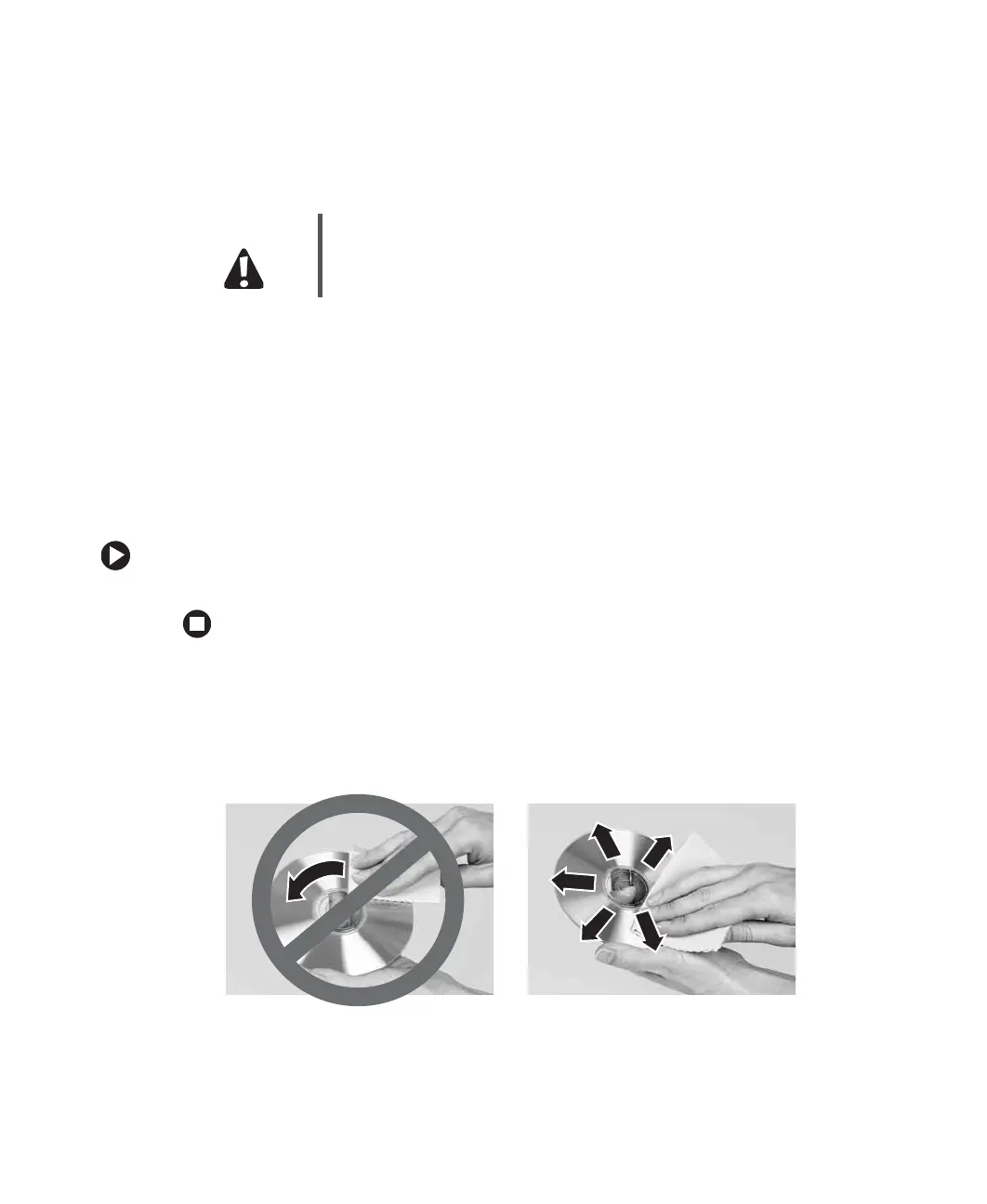
Cleaning CDs or DVDs
Wipe from the center to the edge, not around in a circle, using a product made especially
for the purpose.
Caution A flat panel display or computer LCD screen is made of specially
coated glass and can be scratched or damaged by abrasive or
ammonia-based glass cleaners.



 To Next Page