88
www.gateway.com
Chapter 7: Networking Your Computer
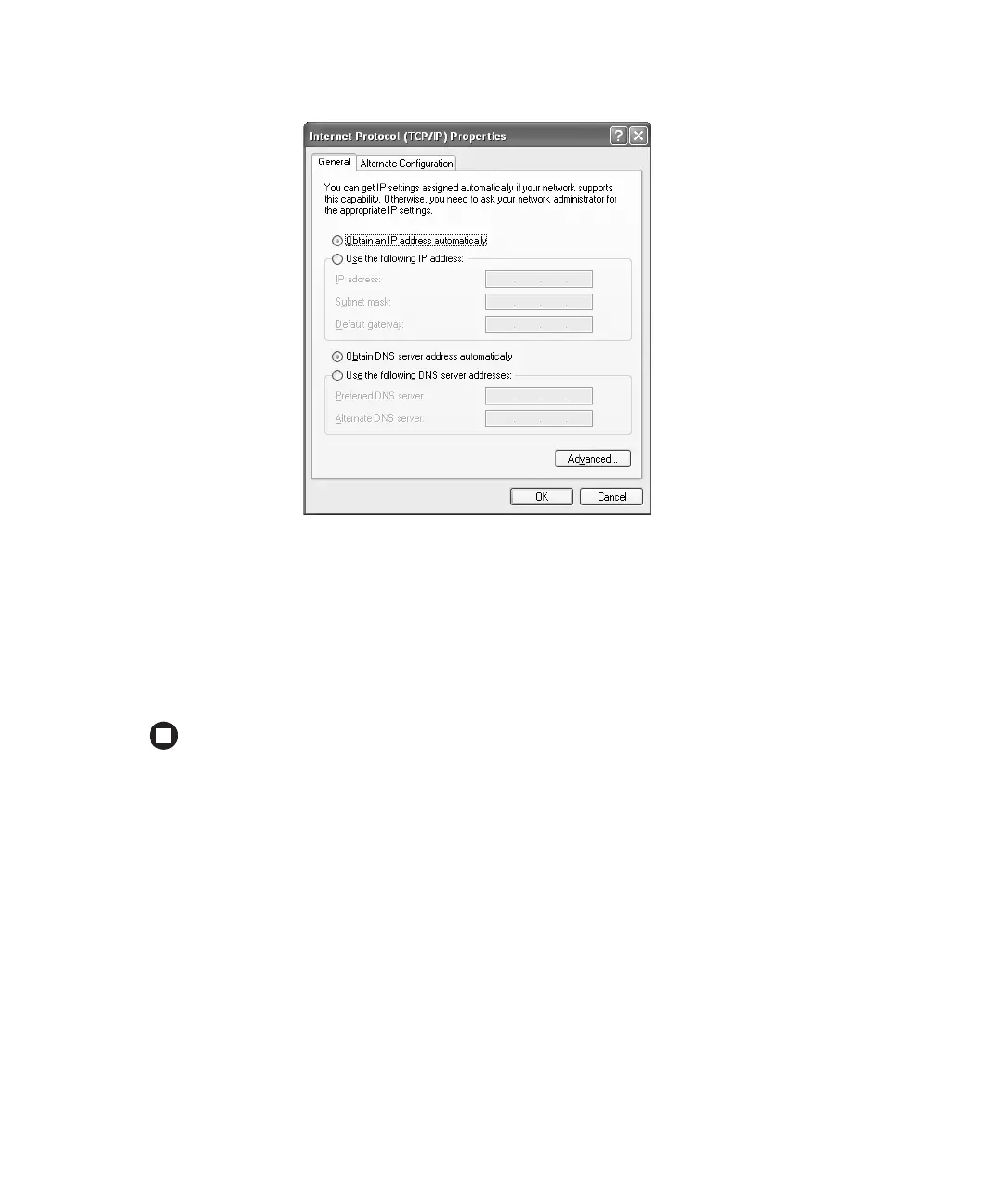
6 Click the General tab.
7 Click Obtain an IP address automatically.
8 Click OK to close the Internet Protocol (TCP/IP) Properties dialog box.
9 Click OK to close the Local Area Connection Properties dialog box.
10 Click X to close the Network Connections window.
11 Repeat this procedure for every computer on your network.
Setting up an Ethernet network
We recommend using category 5, unshielded, twisted-pair cable (approximately 1/4” in
diameter with a thin outer-jacket, containing eight color-coded wires), and equipment
compatible with this type of cable. This type of cable is equipped with RJ-45 connectors
(like a large telephone jack connector, but with eight pins) on each end.



 To Next Page