CHAPTER4: Upgrading Your Computer
44
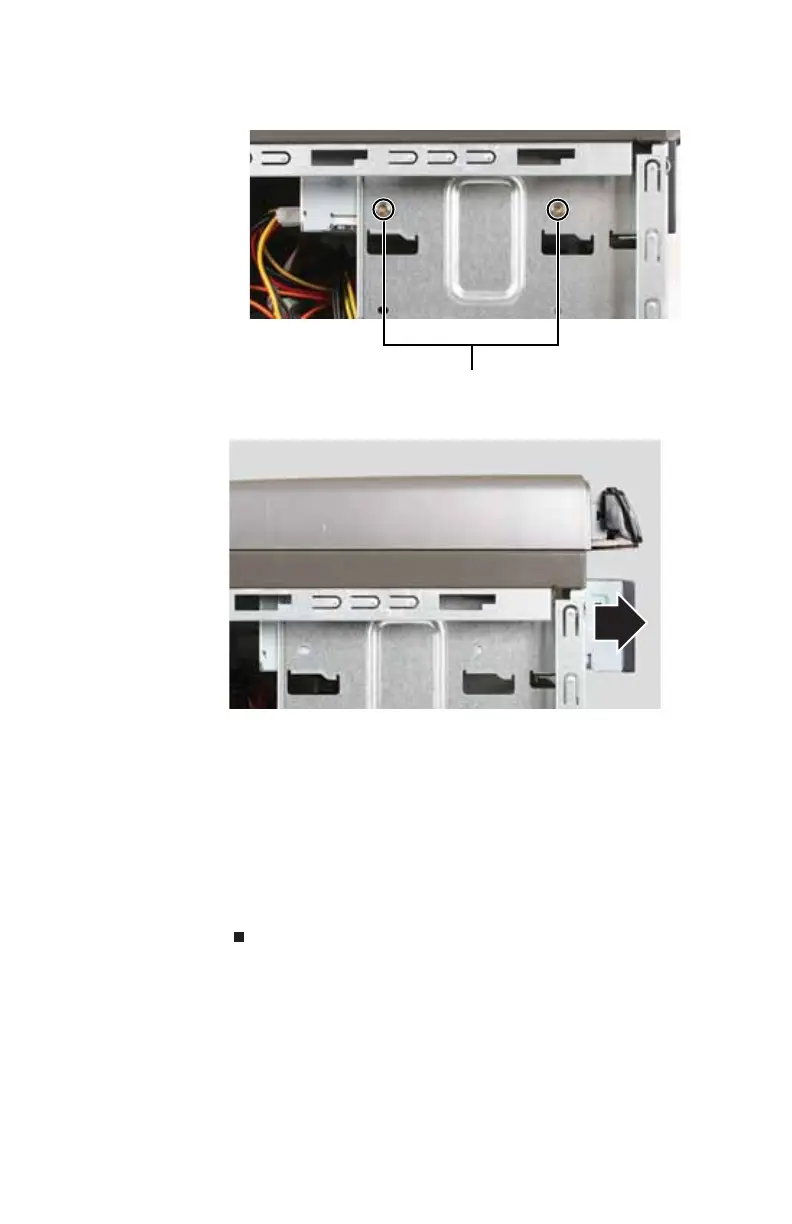
6 Remove the two drive retention screws.
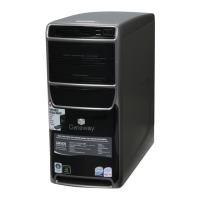
7 Slide the drive forward and out of the drive bay.
8 Slide the new drive into the drive bay, line up the screw
holes on the drive bay with the screw holes on the drive,
then replace the two drive retention screws.
9 Reconnect the drive cables using your notes from Step4,
or according to the manufacturer’s instructions.
10 Replace the front bezel by following the instructions in
“Replacing the front bezel” on page 37.
11 Replace the side panel by following the instructions in
“Replacing the side panel” on page 37.
Drive retention screws
8512418.book Page 44 Friday, May 11, 2007 11:44 AM



 To Next Page