CHAPTER4: Upgrading Your Computer
52
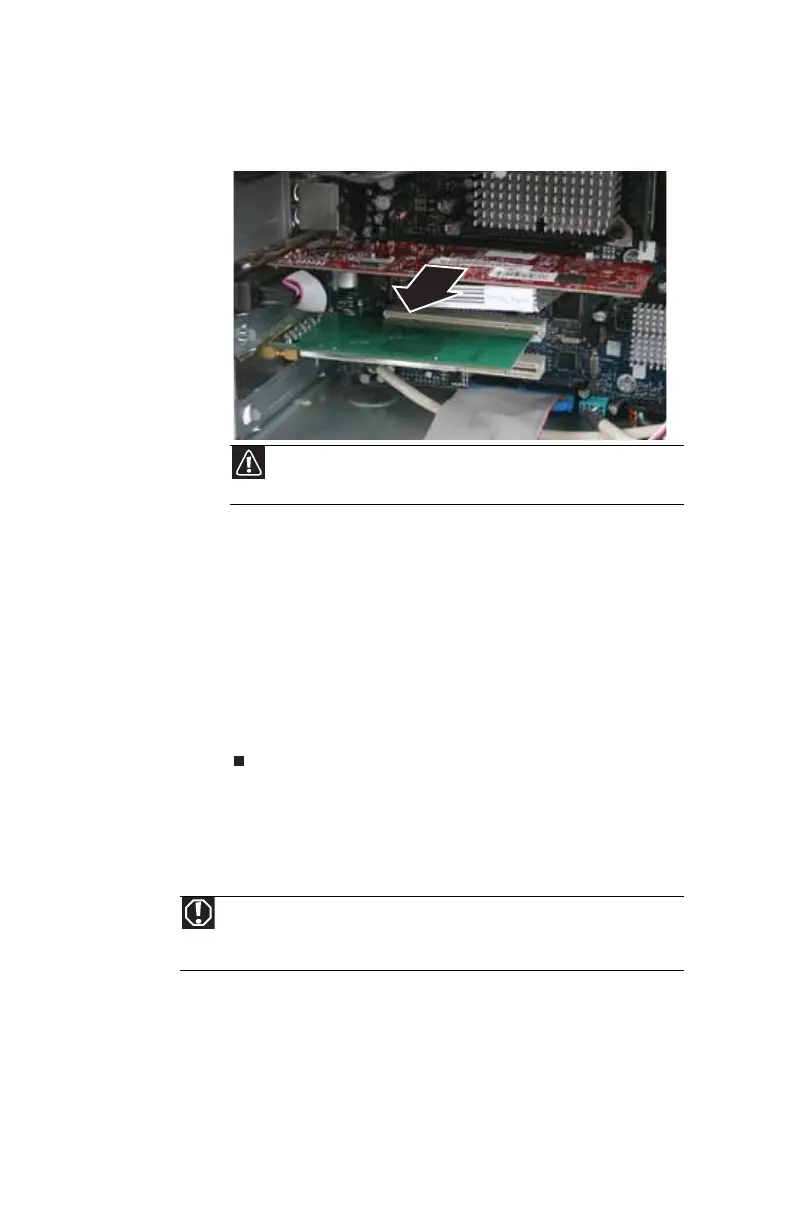
4 If you are replacing an expansion card, remove the old
card. You can slightly seesaw the card end-to-end to
loosen the card, but do not bend the card sideways.
5 Install the new card into the expansion slot. You can
slightly seesaw the card end-to-end to help insert the
card, but do not bend the card sideways.
6 If you have just replaced an expansion card, reconnect
the expansion card cables (if any) using your notes from
Step 2. If you have added a new expansion card, connect
its cables according to its user guide.
7 Press the card retention lever back into place.
8 Replace the side panel by following the instructions in
“Replacing the side panel” on page 37.
Replacing the system battery
If the computer clock does not keep time or the settings in the
BIOS Setup utility are not saved when you turn off your
computer, replace the system battery. Use a battery of the
same size and voltage as the original battery that was in your
computer.
Caution
Do not touch the contacts on the bottom part of the expansion
card. Touching the contacts can cause electrostatic damage to the card.
Warning
Danger of explosion if battery is incorrectly replaced. Replace only with the
same or equivalent type recommended by the manufacturer. Dispose of used
batteries following the manufacturer’s instructions.
8512418.book Page 52 Friday, May 11, 2007 11:44 AM



 To Next Page