CHAPTER 3: Replacing notebook components
96
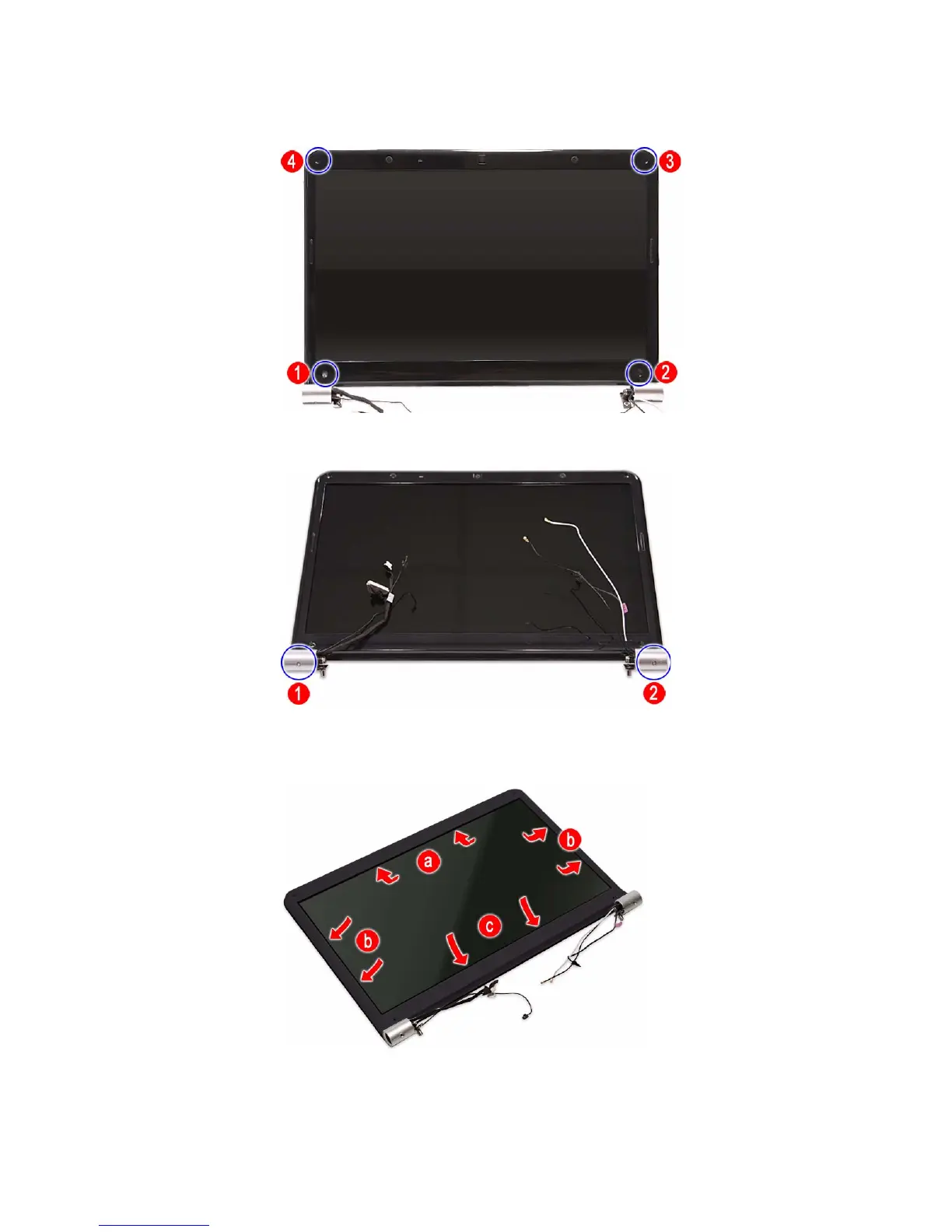
4 Remove the LCD front panel screws.
5 Remove the LCD hinge cover screws.
6 Carefully pry loose the front panel from the LCD assembly lid. Start on the
top side (a), continue to the left and right sides (b), and finally the bottom
side (c).












 To Next Page