CHAPTER 3: Replacing notebook components
60
Replacing the multimedia board
Tools you need to complete this task:
Screws removed during this task:
• 3 black M2.5×6 (keyboard cover)
To replace the multimedia board:
1 Complete the steps in “Preparing the notebook” on page 47.
2 Remove the keyboard cover by performing steps 2–6 of the “Replacing the
keyboard cover” procedure on page 58.
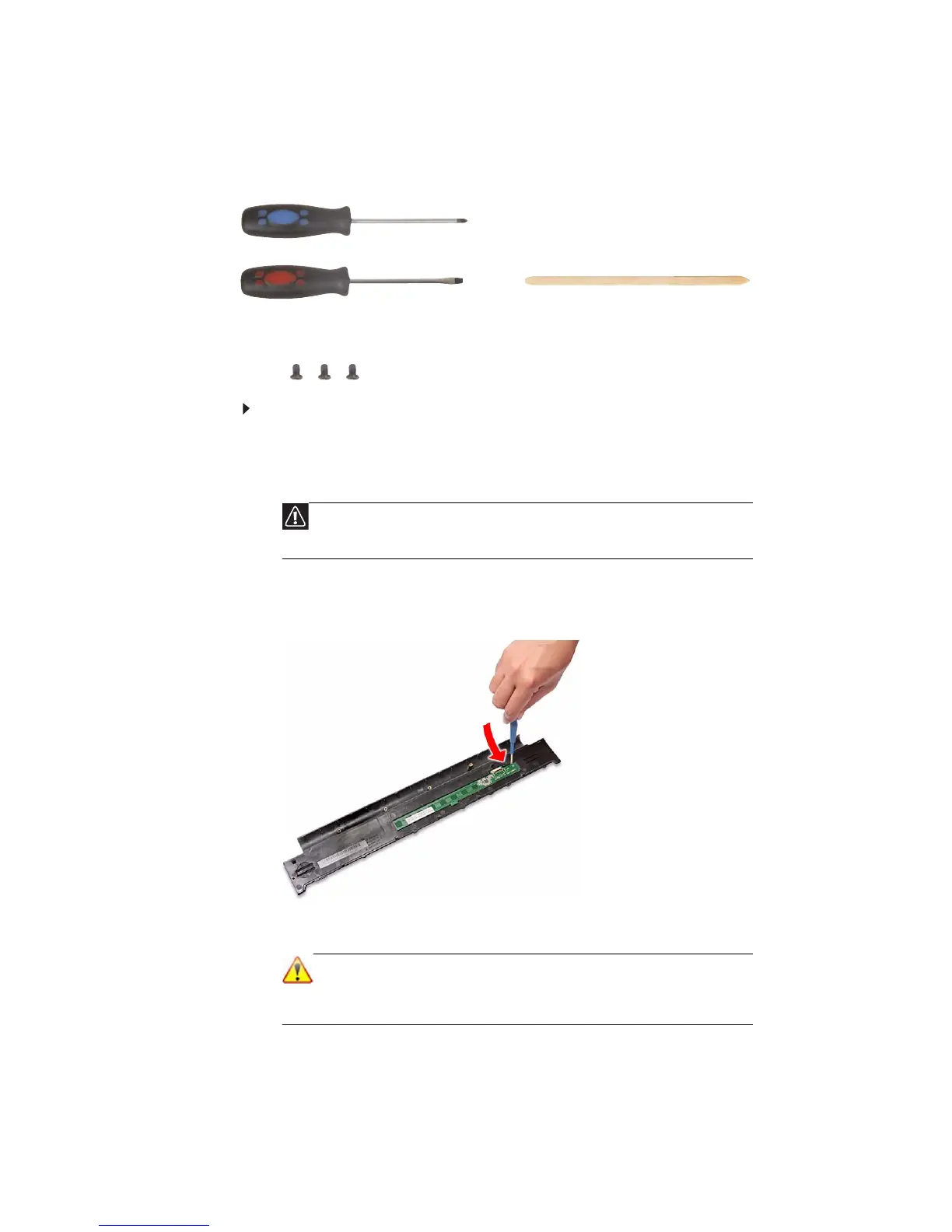
3 Insert a small flat-blade screwdriver or non-marring scribe between the
multimedia board and the keyboard cover’s underside, and carefully pry the
board loose.
4 Remove the multimedia board from the keyboard cover.
Caution
The multimedia board is glued to the keyboard cover. Remove this
board only if it is defective.
Note
A circuit board that is >10 cm
2
has been highlighted with a yellow
rectangle as shown in the above image. Follow the local regulations
for disposing this type of circuit board.
Phillips #0 screwdriver
Flat screwdriver or Non-marring plastic scribe












 To Next Page