2
Chapter 1: Checking Out Your Gateway Notebook
www.gateway.com
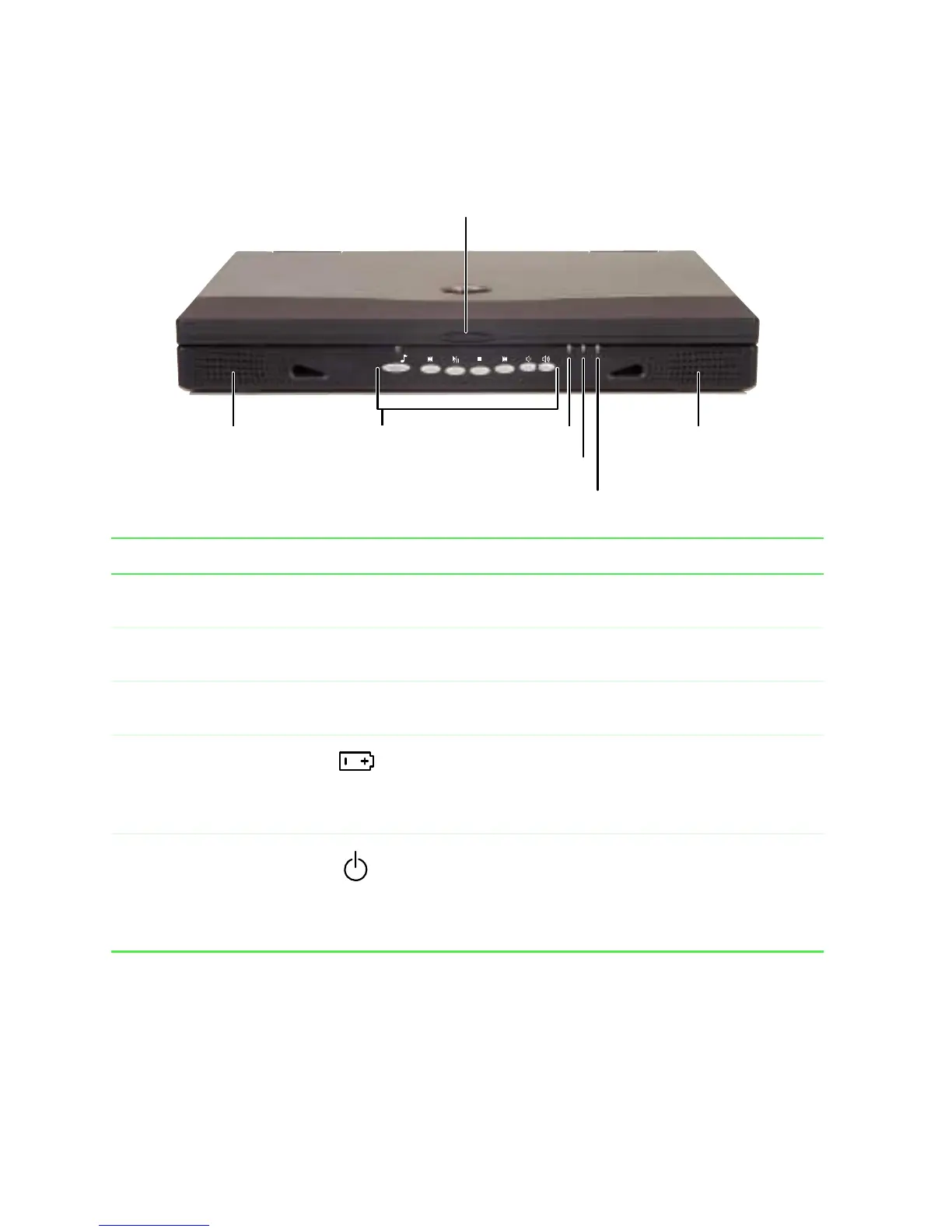
Front
Component Icon Description
Cover release latch Open the notebook cover by sliding the release latch to
the right.
Speakers Provide audio output when headphones or amplified
speakers are not plugged in.
Audio DJ controls Control the built-in CD player. For more information, see
“Using Audio DJ” on page 78.
Battery charge indicator Lights up when the computer is plugged in.
■
LED green - battery is fully charged.
■
LED orange - battery is charging.
■
LED off - notebook is running on battery power.
Power indicator Lights up when the notebook is turned on and shows
notebook power status:
■
LED on - power is ON.
■
LED blinking - power is in Standby mode.
■
LED off - power is off.
Battery charge
indicator
Cover release latch
Speaker
Speaker
Audio DJ
controls
Power indicator
Hot-swap indicator












 To Next Page