ProCut 17P – Installation and Operating Instructions
Page 8-2
chanGInG FunctIon values
Once the Function is selected, enter the value by
pressing the Up or Down arrow keys.
1. Press the Enter button once to access the
Functions. Use the Up or Down arrows to
scroll through the Functions.
2. When the desired Function is highlighted on the
LCD, press the Enter button again.
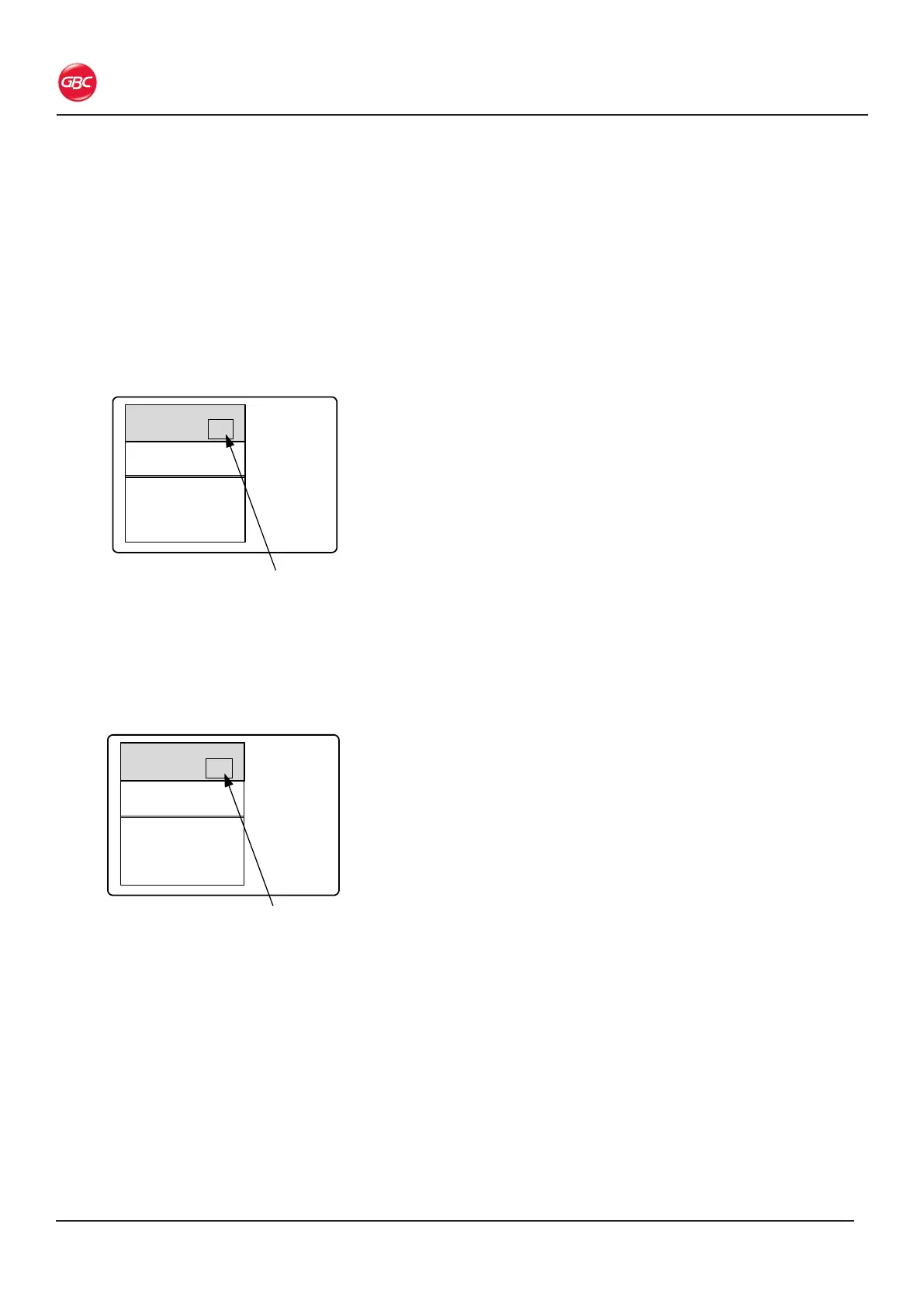
• The value is highlighted.
17.00
01 00.00
02 00.00
03 00.00
04 00.00
05 00.00
06 00.00
07 00.00
08 00.00
Behind blade
Program
00
Front blade
Program00
Figure 22. Value to Change
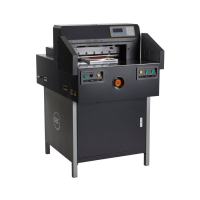
3. Press the Up or Down arrow keys to change
the value.
• Each time the arrow key is pressed the
changed value is displayed.
4. Press Enter when your desired value is shown.
17.00
01 00.00
02 00.00
03 00.00
04 00.00
05 00.00
06 00.00
07 00.00
08 00.00
Behind blade
Program
24
Front blade
Program00
Figure 23. Value Highlighted


 To Next Page