GCAN-PLC user manual
3. Communication connection
3.1 Serial connection
GCAN-PLC-511 uses standard serial port level(RS232: ±3~15V), so the
module can directly connect to the device with RS232 interface.
3.2 CAN connection
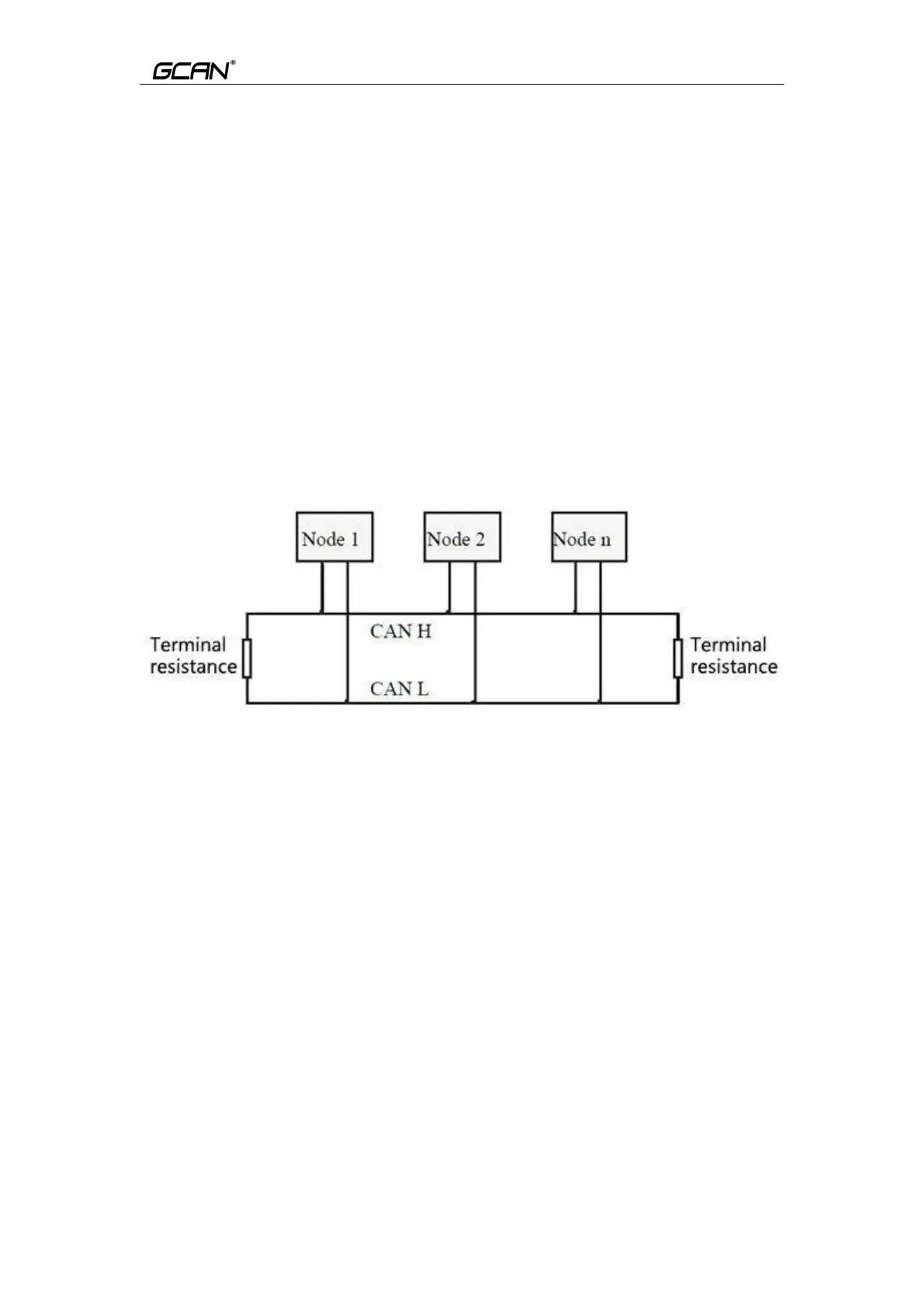
GCAN-PLC-511 connect to CAN-Bus as described in figure 3.1, CAN-H
connect CAN-H, CAN-L connect CAN L to make communication.
GCAN-PLC-511, must be installed two 120 ohms terminal resistance at
the farthest end of CAN-Bus network; if the node number is more than 2,
intermediate nodes needn't to install 120 ohms terminal resistance. For branch
connections, the length should not exceed 3 meters.
Figure 3.1 CAN-Bus network structure
Please note: CAN-bus cable can use ordinary twisted pair and shielded twisted
pair. The theoretical maximum communication distance mainly depends on the
bus baud rate. The relationship between the maximum bus length and the baud
rate is shown in Table 3.1. If the communication distance exceeds 1km, the
cross-sectional area of the line should be greater than Φ1.0mm2. The specific
specifications should be determined according to the distance. The general rule
is to increase the distance as the distance increases.



 To Next Page