GCAN-PLC user manual
5 OpenPCS Programming software usage
5.1 Installation of OpenPCS
OpenPCS programming software download address:
http://gcgd.net/tecinfo1_1086.html
5.2 Programming interface
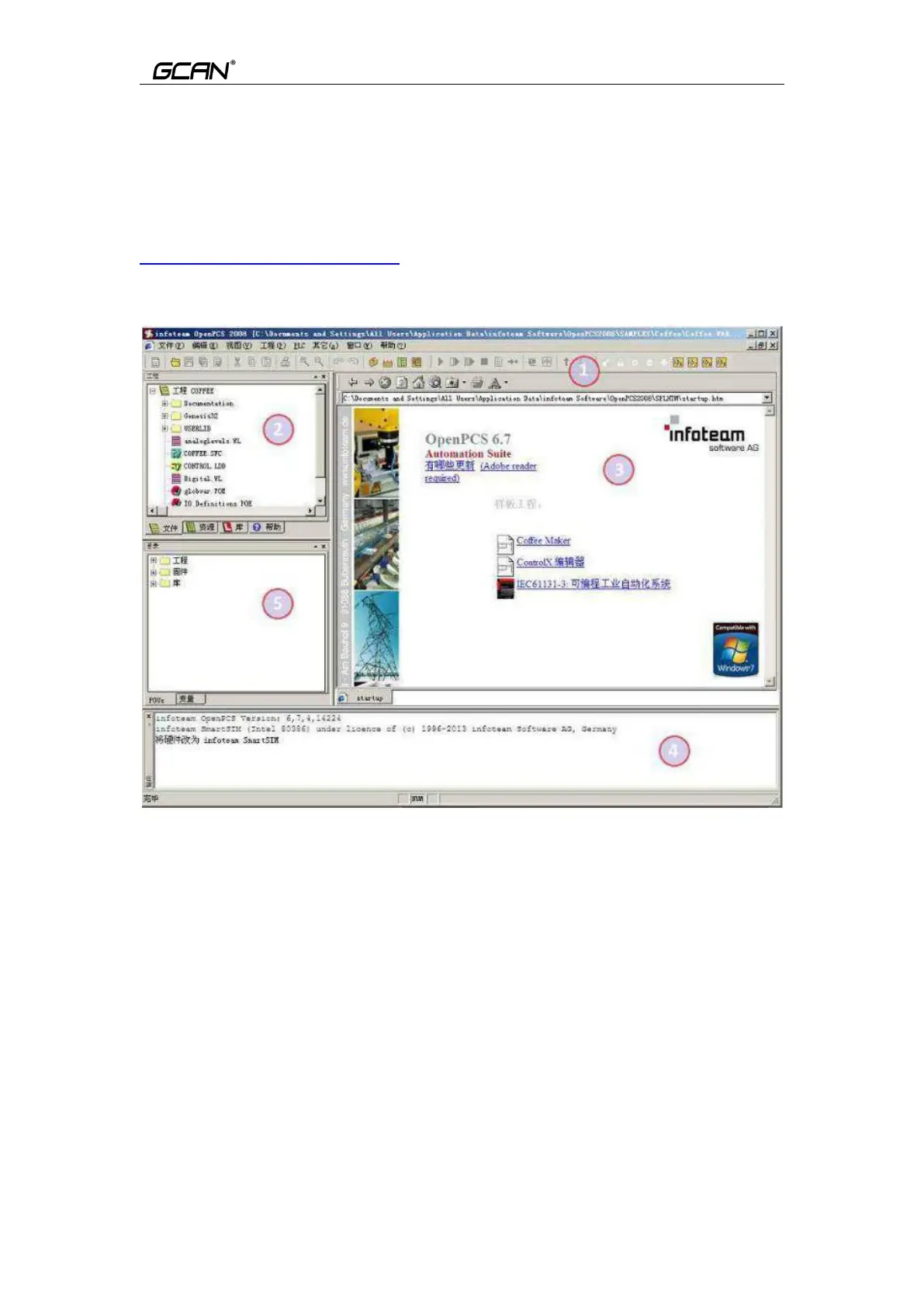
Figure 5.1 OpenPCS programming interface
Programming interface of OpenPCS mainly contains
:
1
)
Menu
2)Project window
3)Edit window
4)Output window
5
)
Catalog window
5.3 Create project and download program
Note: GCAN series PLC uses the network port to download the program, and
the factory IP address of the PLC: 192.168.1.30.
5.3.1 Create project



 To Next Page